Here’s a scenario that plays out on thousands of websites every day. Someone finds your site, reads enough to feel confident and fills out your form.
Maybe it’s a contact request, a newsletter signup or free consultation booking.
Either way, they’ve crossed the line from passive reader to active participant and that’s genuinely valuable.
Then they hit submit and see a message that says: “Form submitted successfully.”
That’s it. The conversation ends before it starts.
The moment right after a form submission is one of the most engaged moments in the entire user journey.
The person on the other end is attentive, they’re interested and they’re waiting to see what happens next.
A custom thank you page turns that moment into something that works for you.
It reassures visitors, guides them toward their next step, keeps them on your site and gives you clean conversion data to work with.
Let’s look at why it matters, what a good one includes and how to set it up without any technical headaches using SureForms.
What Is a Thank You Page?
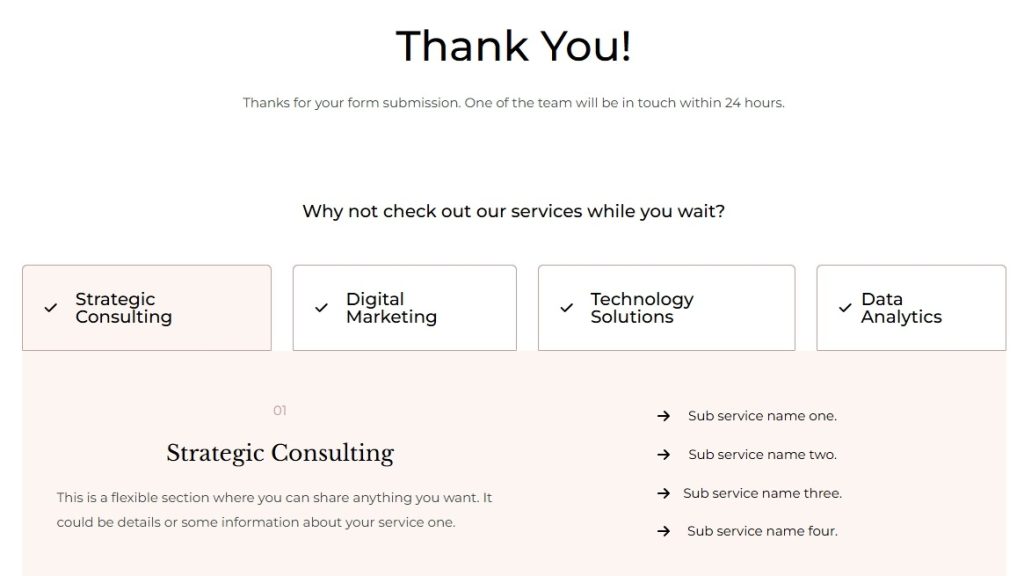
A thank you page is the page a visitor sees after completing a form action.
That might be a newsletter signup, contact request, quote inquiry, booking, or anything else you’ve built a form around.
It’s the digital equivalent of a firm handshake and a “great, we’ll be in touch.”
There are two common ways to handle post-submission confirmation.
The first is an inline success message, where a short piece of text appears in place of the form once it’s submitted.
It’s simple to set up and perfectly functional for low-stakes interactions.
The second is a redirect to a dedicated thank you page, which replaces the current page entirely and takes the visitor somewhere you’ve designed specifically for this moment.
Inline messages do the job in the narrowest sense. But a dedicated custom thank you page gives you far more room to make that moment count.
The Benefits of a Custom Thank You Page
A generic confirmation tells someone their form went through and nothing more.
A custom thank you page starts a relationship.
Here’s why the difference matters:
- Immediately improves the experience: A thoughtful thank you page shows visitors you’ve considered what they need after submitting. It replaces the mild uncertainty of “did that work?” with clarity and warmth.
- Builds trust from the first moment: Telling someone what happens next, whether that’s a response within 24 hours, a confirmation email, or access to a download, signals that you’re organized and genuinely care about following through.
- Keeps people on your site: Without a redirect, most visitors will close the tab or navigate away. A custom page with relevant links gives them a natural reason to keep exploring. That has a real effect on session time and engagement.
- Enables accurate conversion tracking: A unique thank you page URL can be set as a conversion goal in Google Analytics or used to fire a tracking pixel for Google Ads or Meta.
- Creates room for a relevant next step: Someone who’s just signed up for your list might appreciate a discount code. Someone who’s submitted a service inquiry might benefit from a link to your FAQ or portfolio. The page lets you deliver exactly the right thing at exactly the right time.
- Works for every future submission: Setting up a custom thank you page is a one-time task. Once it’s live, every form submission lands there automatically. The upfront effort is small and the ongoing benefit is zero additional work.
What Should a Good Thank You Page Include?
You don’t need a lot of content on a thank you page. What you do need is the right content for the right audience, placed with intention.
| Quick checklist: What to include on your thank you page ✓ A clear, warm confirmation message ✓ What happens next and when ✓ One or two relevant links or resources ✓ Contact details for anyone with a follow-up question ✓ A social share prompt or community invite (where relevant) ✓ An optional, contextually appropriate offer |
While most of those items speak for themselves, it’s worth spending a couple of minutes outlining these recommendations.
Confirmation Message

This is the non-negotiable foundation. Visitors need to know their submission went through.
Keep it direct and human, something like “Thanks for reaching out. We’ve got your message” or “You’re in! Welcome to the list.”
Avoid robotic phrasing like “Your form submission has been received.” It’s accurate, but it’s cold and wastes the moment.
SureForms also lets you personalize this message using shortcodes that pull in the visitor’s name or email from the form they just filled out.
A message that opens with someone’s first name lands differently than a generic one.
Next Steps or Instructions
Tell visitors what happens next. Will they receive an email? If so, when? Should they check their spam folder? Will someone call them? How soon?
Even a single sentence of clarity goes a long way.
It manages expectations and reduces the chance of someone resubmitting the form because they assumed the first attempt didn’t work.
Helpful Links or Resources
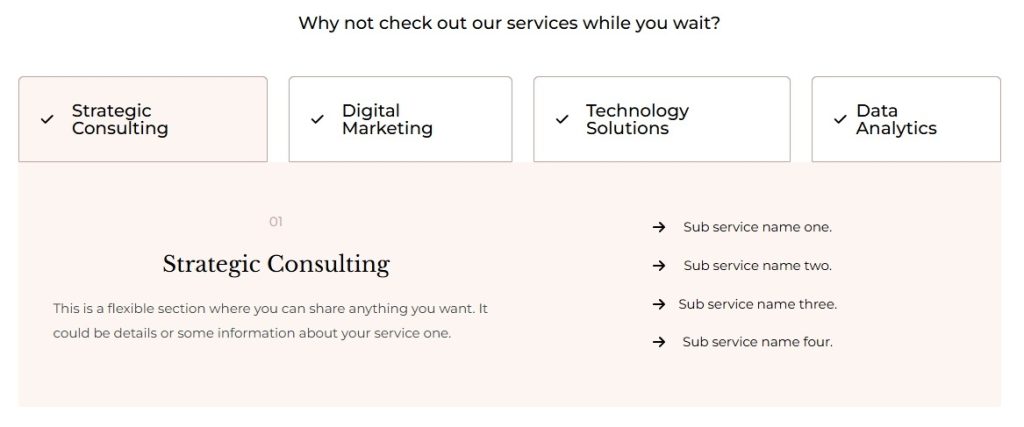
This is where you can keep momentum going rather than letting it drop.
Link to your service pages, a relevant blog post, FAQs, a getting-started guide, or a popular product.
The goal is to offer one or two genuinely useful paths forward, not to overwhelm.
If someone submitted a contact form about your services, linking to your portfolio makes sense.
If they signed up for a free trial, link to your documentation or onboarding guide.
Social Sharing and Community

Someone who’s just filled out a form is in a “yes” mindset.
That makes them far more likely to respond to a light ask like “know someone who’d find this useful?” or “come join the conversation in our community.”
A social share button, a link to your Facebook group or a simple follow prompt can extend the reach of your signup or inquiry organically.
It doesn’t need to be prominent, but it should be there.
Contact Information
Sometimes people realize they forgot to mention something, or they want to know they can reach a real person if needed.
Including a support email or phone number removes that friction.
It also reinforces that you’re accessible, which builds quiet confidence in whatever they’ve just signed up for.
Optional Offers or Recommendations
This one depends on context, but it’s often underused.
For ecommerce or lead generation scenarios, a thank you page is a low-pressure place to present a related offer, discount or complementary product.
The key word here is “relevant.”
A random promotion feels jarring. An offer that connects naturally to the action they just took feels helpful.
Conversion rate specialists often call this the “ascending commitment” effect.
After a small yes, a related ask is far more likely to land than it would be on a cold visitor.
How Conversion Tracking Works
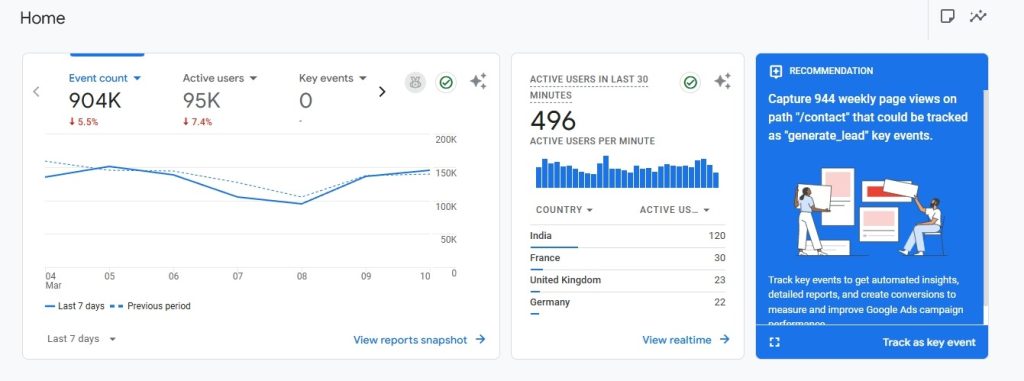
This topic deserves its own space because it’s one of the most practical reasons to use a custom thank you page and is often explained too vaguely to be useful.
When a visitor submits a form and lands on a unique URL, like /thank-you-consultation/, that page visit becomes a trackable event.
In Google Analytics, you can create a conversion event triggered by visits to that specific URL.
That means every form submission shows up cleanly as a tracked conversion, tied to whatever traffic source or campaign brought that visitor to your site in the first place.
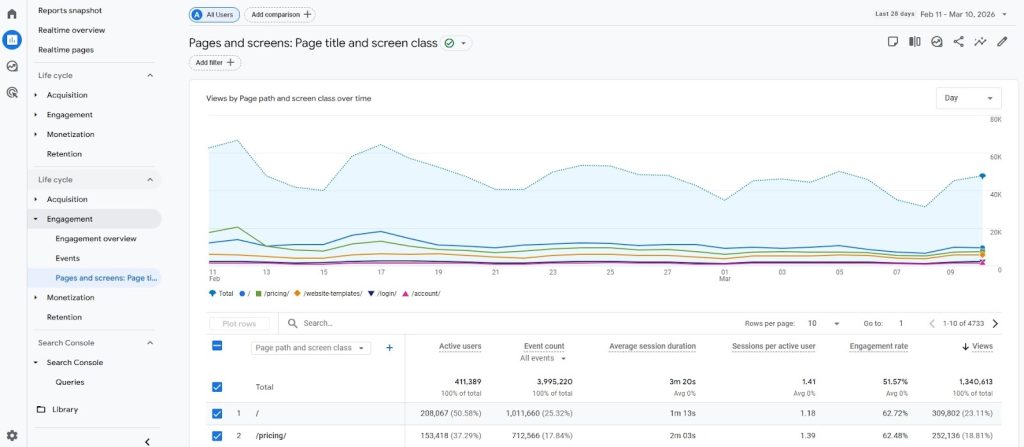
Without a dedicated page, you’re relying on inline event tracking, which is less reliable, harder to set up correctly and often requires developer involvement.
The thank you page approach works with the standard GA4 setup, Google Tag Manager, Google Ads conversion tracking and Meta pixel events.
When someone submits your form and lands on that page, the pixel fires, the goal counts and your attribution data stays accurate.
If you’re running paid ads, clean conversion tracking is especially valuable. It tells you which campaigns are actually generating leads, not just clicks.
A custom thank you page makes that data trustworthy in a way that inline confirmations rarely do.
How To Add a Custom Thank You Page With SureForms
SureForms handles custom thank you pages through its Form Confirmation settings.
It’s built into the WordPress block editor and designed to work with no technical setup.
Once you’ve built your form, navigate to Form Settings and open the Form Confirmation panel.
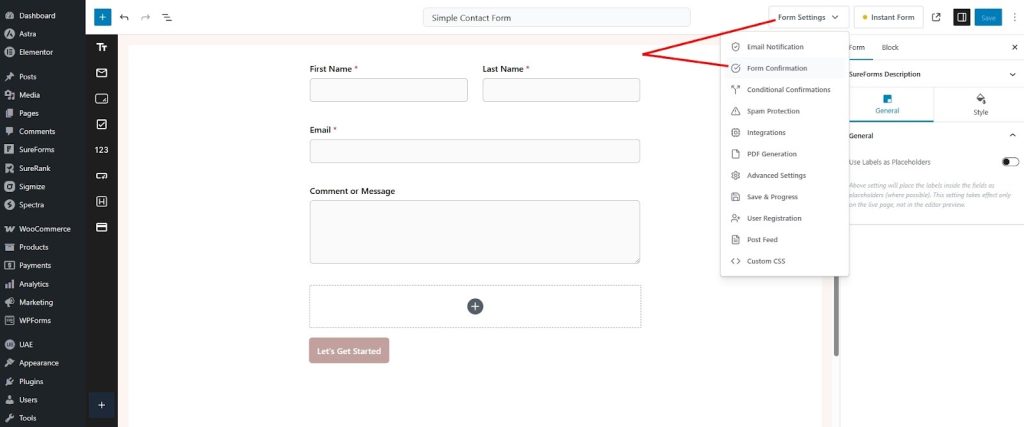
You’ll find three options:
- Display a success message
- Redirect to a page on your WordPress site
- Redirect to a custom external URL.
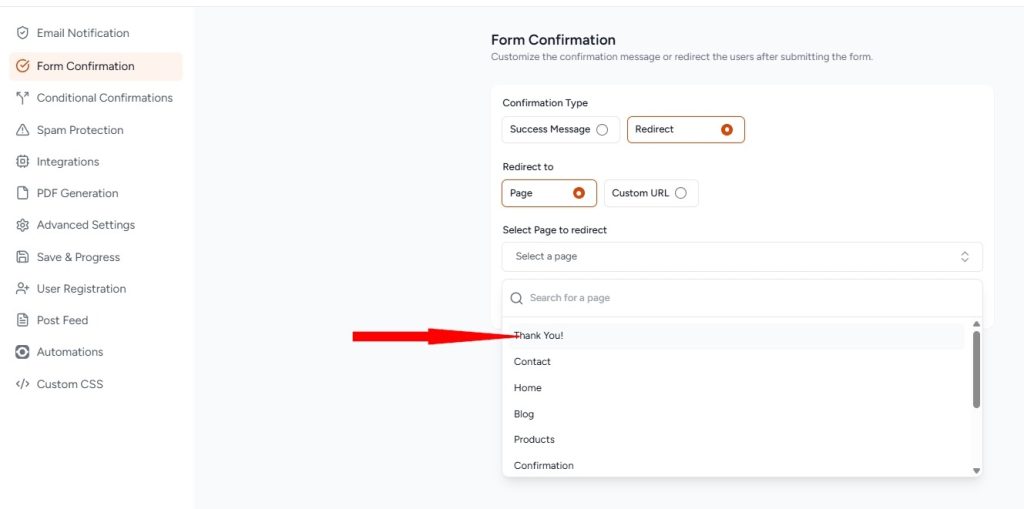
For a custom thank you page, use the redirect option.
Here’s how to do it step by step:
- Create your thank you page using the block editor or Spectra.
- Add a confirmation message, next steps, relevant links and any other content you want visitors to see.
- Publish the page.
- Open your SureForms form, go to Form Settings, open Form Confirmation and select Redirect. Choose your thank you page from the dropdown or paste in the URL.
- Save and test the form to confirm the redirect fires as expected.
Because SureForms is built natively for WordPress, your thank you page is just another page on your site.
You design it the same way, it respects your theme and there’s nothing external to manage.
You can also create different thank you pages for different forms.
A contact form, a newsletter signup and a lead magnet download can each land on a page tailored to that specific action.
Premium versions of SureForms also support Conditional Confirmations, where you can redirect visitors to different thank you pages based on their form answers.
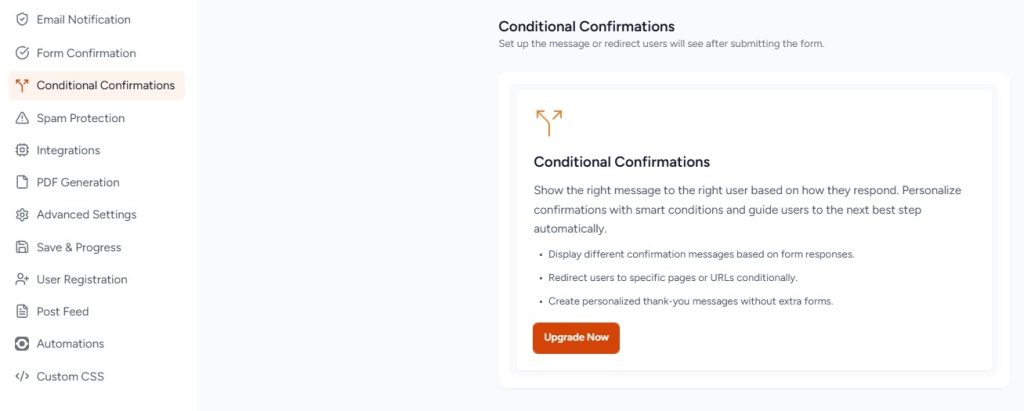
Someone who selects “enterprise” in a service tier dropdown can land on a different page than someone who selects “starter.”
That level of personalization takes minutes to set up and makes your follow-up feel much more precise.
That approach works exceptionally well but requires the paid version to access
Conclusion
Most websites treat the post-submission moment as an afterthought.
A default “form submitted” message gets the job done technically, but it leaves a lot on the table, trust, engagement, tracking, follow-up opportunities, and the simple goodwill that comes from showing someone you’ve thought about their experience.
A custom thank you page addresses all of that.
It’s a one-time setup that pays off on every future submission. It doesn’t require a developer, complex integration or a redesign of anything.
It just requires taking the moment seriously.
If you haven’t thought about what happens after your forms submit, now’s a good time to start.
Head over to sureforms.com to explore the full range of form confirmation options and see how straightforward it is to set up a redirect that actually does something useful.