You’re putting real effort into your content. Blog posts, guides, case studies, maybe a video or two. Traffic is coming in. People are reading.
And then, nothing. They leave and you never hear from them again.
The average website converts around 2% of visitors into leads.
That means for every 100 people who find your content, 98 or more leave without a trace.
The content brought them in. The system, or lack of one, let them go.
That’s the gap that content marketing lead generation is designed to close.
Most marketing teams have the traffic part figured out. It’s the conversion infrastructure that tends to fall apart.
Forms that are too long, offers that don’t match what the reader was looking for and tools that make it harder than it needs to be to capture interest at the moment it peaks.
This post covers what content marketing lead generation means, why the tools you use to capture leads matter more than most teams realise and how to build a setup that makes your content do more than just attract readers.
What Is Content Marketing Lead Generation?
Content marketing lead generation is the process of using your blog posts, landing pages, downloadable resources, webinars and other content to attract potential customers and convert them into leads.
The “lead” part is vital.
A visitor isn’t a lead until they’ve shared enough information (typically a name, email address, or phone number) that you can follow up with them directly.
Content earns that permission by delivering something genuinely worth trading contact details for.
The cycle usually looks like this:
- A potential customer searches for a solution to a problem.
- Your content appears and answers their question.
- You offer something more, a guide, a tool, consultation, in exchange for their details.
- They sign up and the relationship begins.
Done well, it’s a pipeline that runs continuously without requiring your sales team to cold email prospects.
Done poorly, it leaves a lot of potential untouched.
What Does a Lead Magnet Look Like?
The offer has to earn its keep.
Here’s what tends to work, matched to content type:
Lead magnet ideas by content type:
- How-to post → Checklist or quick-start template
- Comparison or review post → Buyer’s guide or decision scorecard
- Data or research post → Full report or extended dataset download
- Beginner’s guide → Email course or step-by-step workbook
- Case study → Webinar replay or behind-the-scenes breakdown
The closer the offer aligns with what the reader was already looking for, the higher your opt-in rate will be.
Why Forms Are Essential for Capturing Leads
The mechanism that converts a reader into a lead is almost always a form.
That sounds obvious, but the quality of that form has an outsized impact on whether someone completes it or bounces, and many people underestimate how much.
According to data from HubSpot, reducing a form from 4 fields to 3 can increase conversions by up to 50%.
Unbounce research puts the average landing page conversion rate at around 6.6%, but top-performing pages hit higher.
More often than not, the difference comes down to form design and placement rather than the offer itself.
Think about the last time you abandoned a form midway through. It was probably too long, asked for information that felt unnecessary, looked out of place on the page, or loaded slowly.
All of those are fixable, but only if you’re paying attention to form performance.
Forms do several specific jobs in a content marketing context:
- Gate high-value assets like templates, research reports or toolkits
- Capture newsletter subscribers directly within blog content
- Qualify leads through targeted questions
- Trigger automated follow-ups the moment someone submits
The form is the handshake between your content and your pipeline.
A clunky form suggests an equally clunky experience ahead.
A smooth, well-designed one signals competence before you’ve sent a single email.
For marketing teams running content-heavy sites, the form builder you choose also affects how quickly you can deploy, test and iterate.
A form that needs a developer to update is a form that rarely gets updated.
Best Practices for Increasing Conversions
Getting more leads from existing content doesn’t always require more traffic. Often it means making better use of the readers already arriving.
Here are the practices that consistently deliver results. If you can only focus on one, start with the first.
1. Match the Offer to the Content
This is the single highest-leverage change you can make.
A beginner’s guide to email marketing shouldn’t lead to a product demo request form; it should offer a quick-start checklist or a short email course.
The more relevant the offer, the less friction the form creates. Get this right before you touch anything else.
2. Keep Forms Short
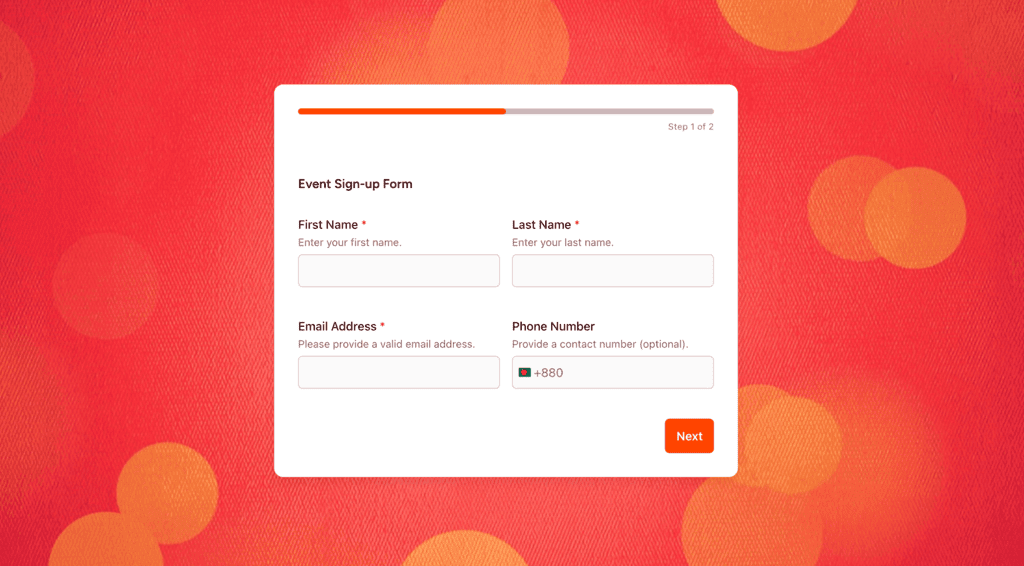
Every additional field reduces completion rates. Our experience consistently shows that forms with three fields significantly outperform those with five or more.
Ask only for what you need at this stage. You can always ask for more once someone’s already engaged.
And if your form is still long even after reducing all the unnecessary fields, try making the form multi-step or conversational to keep visitors better engaged.
👉 Experience a Multi-step Form made with SureForms
👉 Experience a Conversational Form made with SureForms
3. Place Forms Where Attention Is
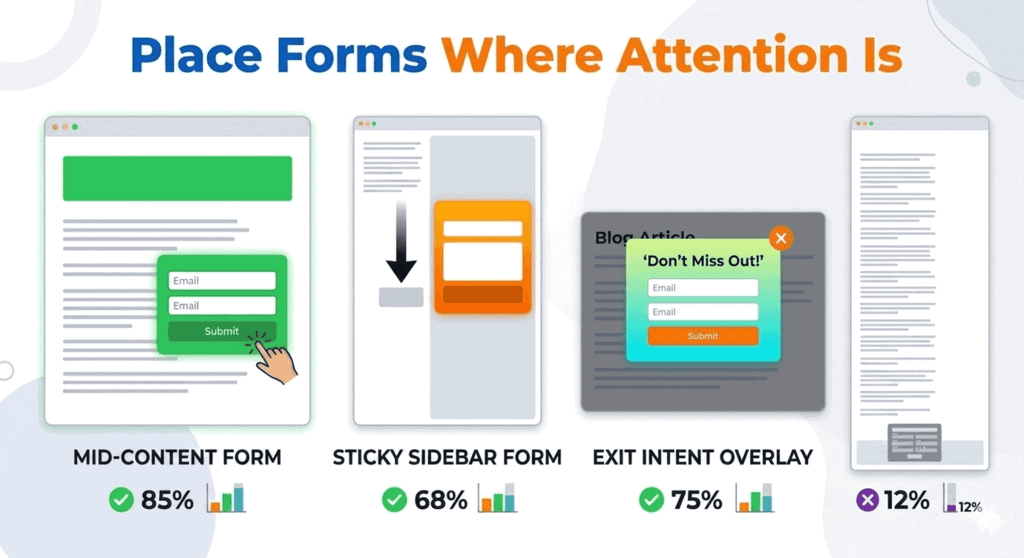
Mid-content forms, exit intent overlays and sticky sidebars consistently outperform footer forms.
A form embedded after a key insight in a blog post catches a reader at the moment of maximum engagement.
A form in the footer catches them on the way out, if they scroll that far at all.
4. Test Your Copy
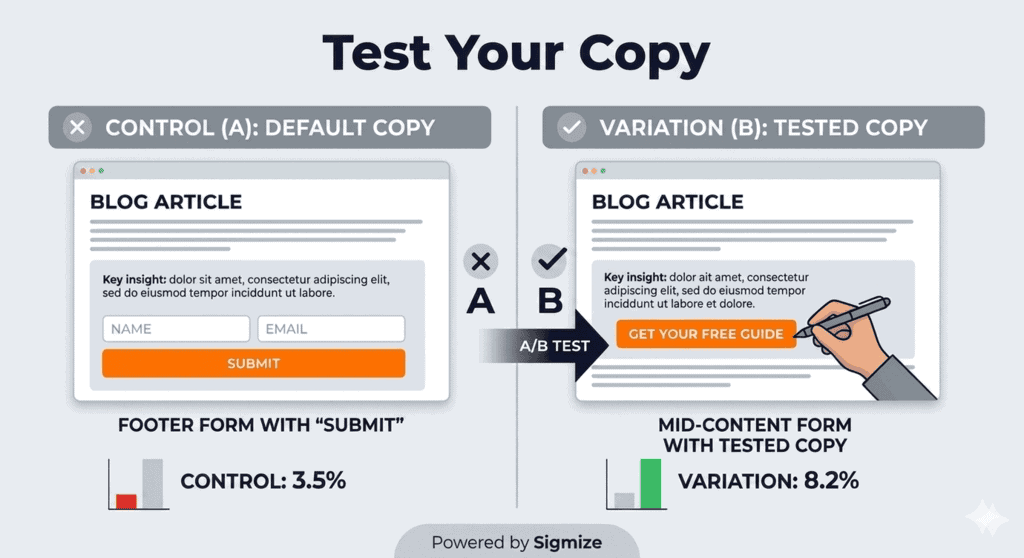
The text on your form, particularly the headline and the CTA, has a direct effect on completion rates.
“Get your free guide” typically outperforms “Submit” by a meaningful margin. “Save my spot” will always beat “Register” for webinar sign-ups.
Small wording changes are easy to run as A/B tests and often produce fast results. You can check out Sigmize if you’re new to A/B testing. Sigmize makes running A/B tests incredibly simple and easy to get started.
5. Use Conditional Logic
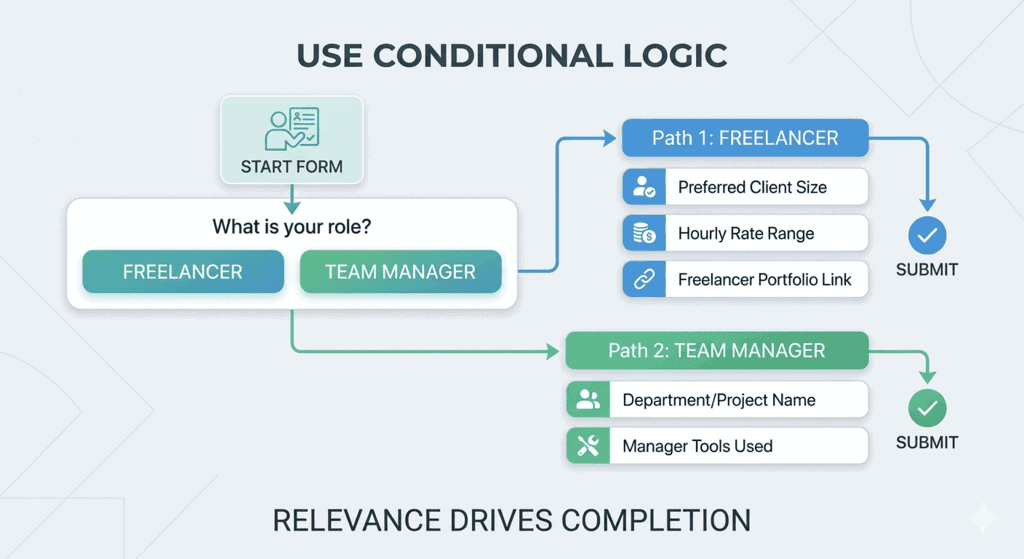
Forms that adapt based on a user’s answers feel more relevant and less like a generic data capture exercise.
If someone identifies as a freelancer, show them freelancer-specific questions. If they manage a team, take them down a different path.
Relevance drives completion.
👉 Experience a Conditional logic Form made with SureForms
6. Connect Forms to Your CRM and Email Tools
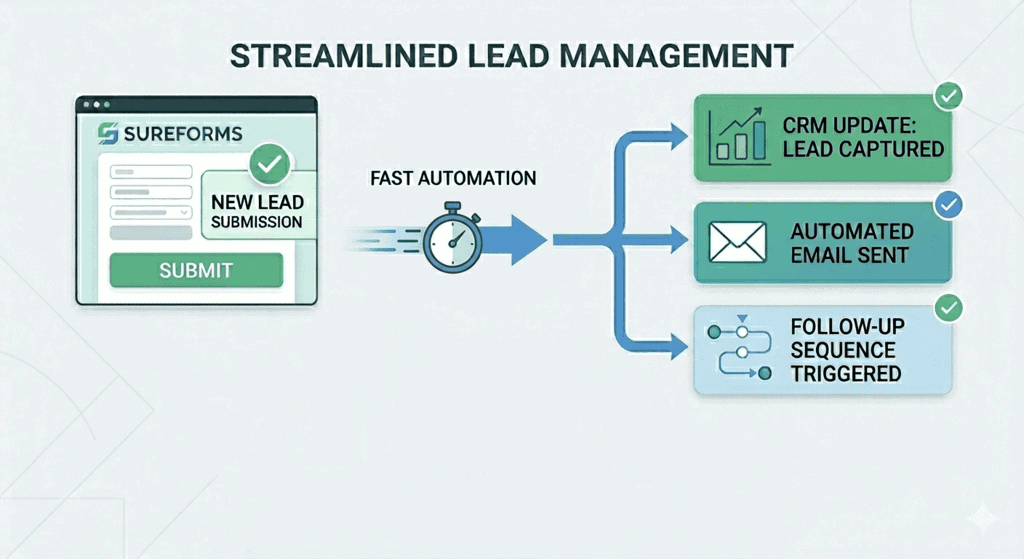
A lead sitting in a spreadsheet waiting to be imported manually is a lead going cold.
The moment someone submits, an automated welcome email, a sequence trigger, or a CRM entry should fire.
The faster the follow-up, the higher the conversion rate from lead to customer.
Need a low-cost, low-effort email marketing CRM? Check out SureContact. It pairs perfectly with SureForms to manage all your lead data!
Capture Leads From Your Content Using SureForms
If your site runs on WordPress, SureForms is built to handle lead capture.
It’s a modern WordPress form builder that makes it easy to create high-converting forms.
Whether you’re embedding a newsletter opt-in inside a blog post, gating a downloadable resource, or building a multi-step lead qualification form, it gives you the tools to get it done quickly and cleanly.
“But We Already Have a Form Builder”
Fair point, and a common one. Most WordPress sites have something in place, whether that’s a basic contact form plugin or something bundled with a page builder.
The question worth asking is whether it’s built for conversion or just for data collection.
Teams switch to SureForms because their existing tool requires developer involvement for basic changes, doesn’t support conditional logic without addons, or doesn’t integrate cleanly with their CRM and email tools.
If any of those sound familiar, it’s worth running a comparison on a single landing page before committing either way.
Here’s what makes SureForms a solid choice for marketing and lead generation:
- Drag and drop builder: Create and deploy forms without depending on your dev team every time something needs updating
- Conditional logic: Show or hide fields based on user inputs, keeping forms relevant to the specific reader completing them
- AI-powered form creation: Generate a working form from a simple text prompt, which speeds things up considerably when you’re running multiple campaigns at once
- Native integrations: Connect directly to email marketing tools, CRMs and automation platforms so leads flow into your systems the moment someone hits submit
- Conversion-focused design: Forms load fast and look polished, which matters more than most teams realize until they start tracking drop-off rates
SureForms also integrates naturally with the broader BrainstormForce ecosystem, including Spectra, Astra and the OttoKit automation platform.
If you’re already using any of those, adding SureForms to your content pages takes just a few minutes.
Conclusion
Content marketing lead generation works when the whole pipeline works together.
The content attracts the right people, the offer gives them a reason to share their details, and the form makes it easy to do so.
Weaken any one of those three and the others can’t always compensate.
For most marketing teams, the form is the weakest link. It’s often treated as an afterthought rather than a conversion asset.
A better form on the same piece of content, with the right offer matched to the right reader, can meaningfully change your lead volume without requiring additional traffic.
If you’re ready to start capturing more from the content you’re already publishing, SureForms is worth a look.
Start for free and begin collecting leads today!
Frequently Asked Questions
Does SureForms work with HubSpot, Mailchimp, or other CRMs?
Yes. SureForms connects with major email marketing platforms and CRMs, including SureContact, HubSpot and Mailchimp, so lead data flows directly into your existing systems without manual importing. Check the SureForms integrations page for the current full list.
Do I need a developer to set up and manage forms?
No. SureForms is built around a drag-and-drop interface that marketing teams can use independently. Creating a new form, updating copy, adjusting fields, or adding conditional logic doesn’t require any code, which means you can move faster and test more freely.
What’s the difference between a contact form and a lead capture form?
A contact form is reactive, it waits for someone to reach out. A lead capture form is proactive, it’s placed strategically within content to offer something of value in exchange for contact details. The mechanics are similar, but the intent, placement and copy are entirely different.
How many form fields should I use?
As few as possible for the stage of the relationship. Top-of-funnel content opt-ins work well with just a name and email. More complex lead qualification forms, for demo requests or consultations, can justify more fields, but each should earn its place. When in doubt, remove a field and see if conversion rates improve.