If you’ve been using WordPress for a while, chances are you’ve heard of
Contact Form 7.
For years, it has been the default answer to a simple question:
“How do I add a form to my website?”
But things are changing. Contact Form 7 has entered its feature freeze stage. But the dynamics are still constantly changing.
With newer tools like SureForms, the expectations around forms have shifted too. Forms are no longer just about collecting messages. They are about experience, automation, design, and even conversions.
So which one should you pick in 2026? Is SureForms the Contact Form 7 alternative you need right now?
Let’s break it down simply.
- The Big Shift: Stability vs Evolution
- Ease of Use: For Developers vs For Everyone
- Design and User Experience
- Features: Basic vs All-in-One
- AI and Speed of Building Forms
- Entries, Data, and Workflow
- Integrations and Automation
- Contact Form 7 vs SureForms: Comparison Table
- Where Contact Form 7 Still Makes Sense
- Where SureForms Stands Out
- The Bottom Line
- FAQ
The Big Shift: Stability vs Evolution
One of the most important differences between these two plugins is the direction they’re heading.
At WordCamp Asia 2026, Takayuki Miyoshi confirmed that Contact Form 7 will not receive any new features beyond version 6.2.
From here on, it moves into a feature freeze. That means security updates and compatibility fixes will continue, but no new capabilities are planned.
On the other side, SureForms is actively evolving, with frequent updates, new features, and improvements being shipped regularly.
So what does this mean for you?
If your website is simple and unlikely to change much, Contact Form 7 can still handle the job just fine.
But if your site is something you plan to grow, improve, or experiment with over time, choosing a plugin that is actively being developed becomes a much safer and more future-ready choice.
Ease of Use: For Developers vs For Everyone
This is where the difference becomes very noticeable.
Contact Form 7
- Uses shortcode-based form tags
- Requires manual configuration
- Often needs documentation to get things right
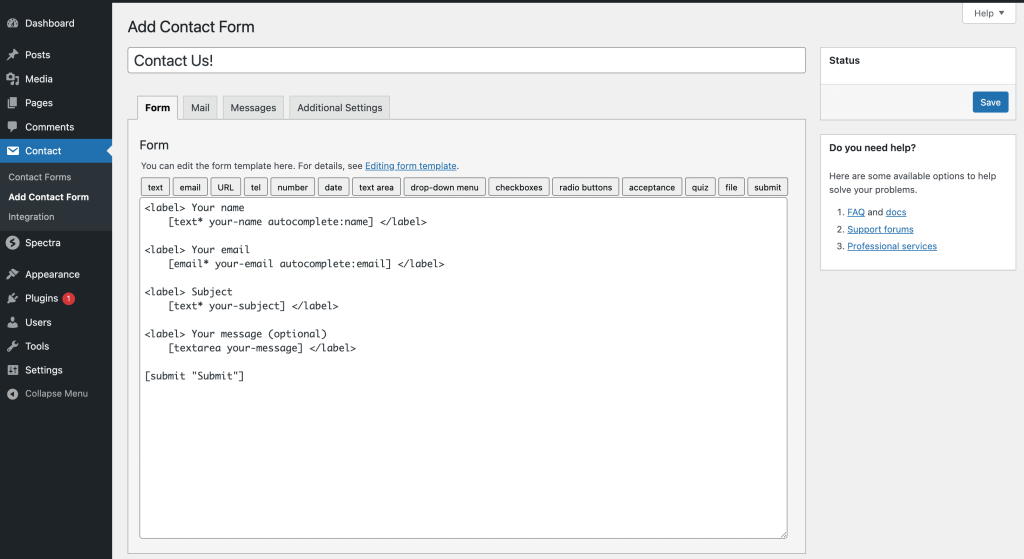
It works well if you are comfortable with technical setups. Many developers actually prefer this level of control.
SureForms
- Allows to generate forms from a simple prompt using AI
- Uses a visual builder inside WordPress
- Let’s you drag and drop fields
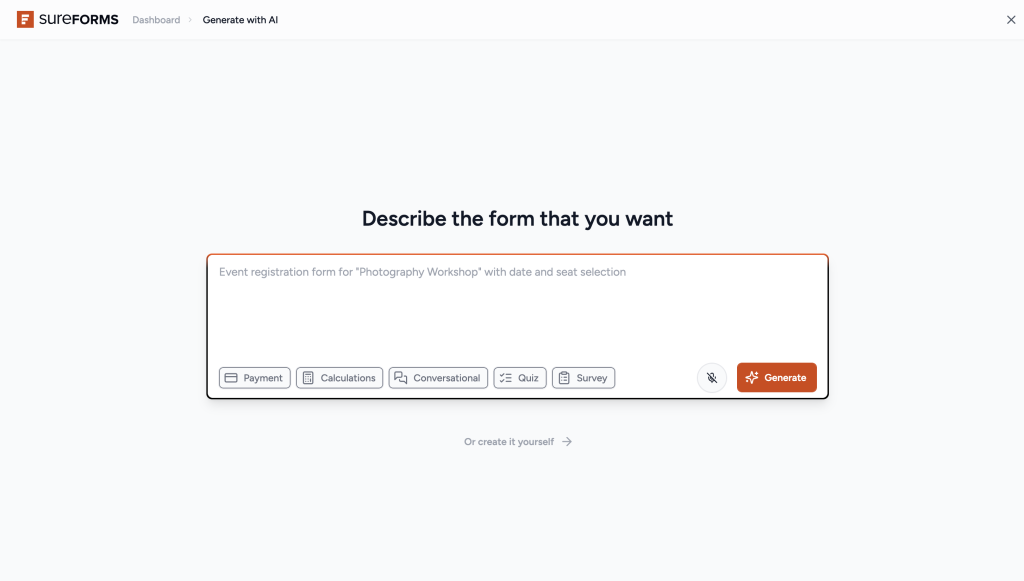
If you are a marketer, business owner, or someone who just wants to build a form quickly, SureForms feels much easier to work with.
That said, if you enjoy working with raw structure and code, Contact Form 7 still gives you that flexibility.
Design and User Experience
Let’s talk about how forms actually look and feel.
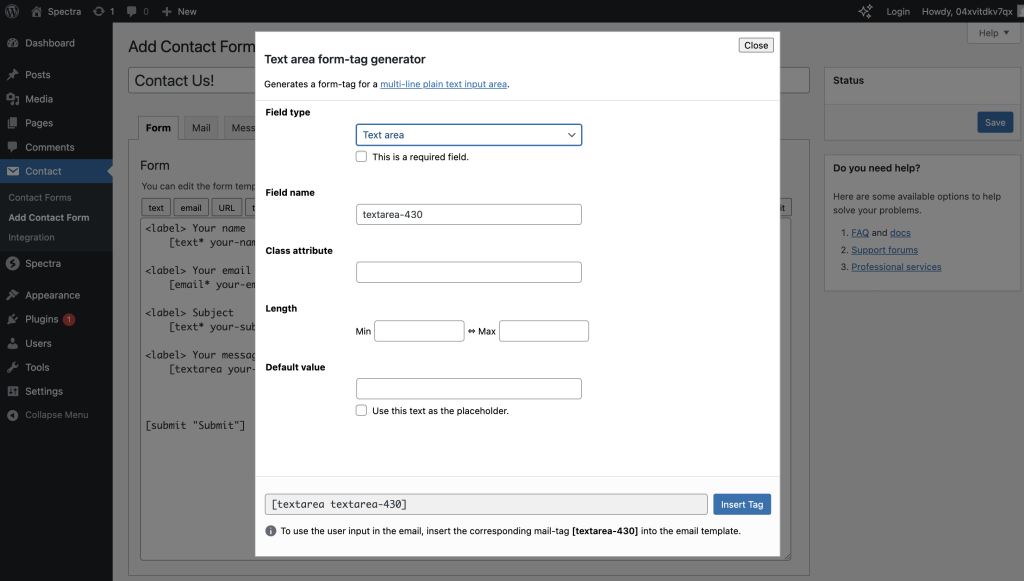
Contact Form 7
- Outputs basic HTML
- Design depends entirely on your theme or custom CSS
- Requires extra effort to make forms look polished
SureForms
- Comes with a clean, modern design by default
- Fields, layouts, and interactions are already optimized
- Works well across devices without extra styling
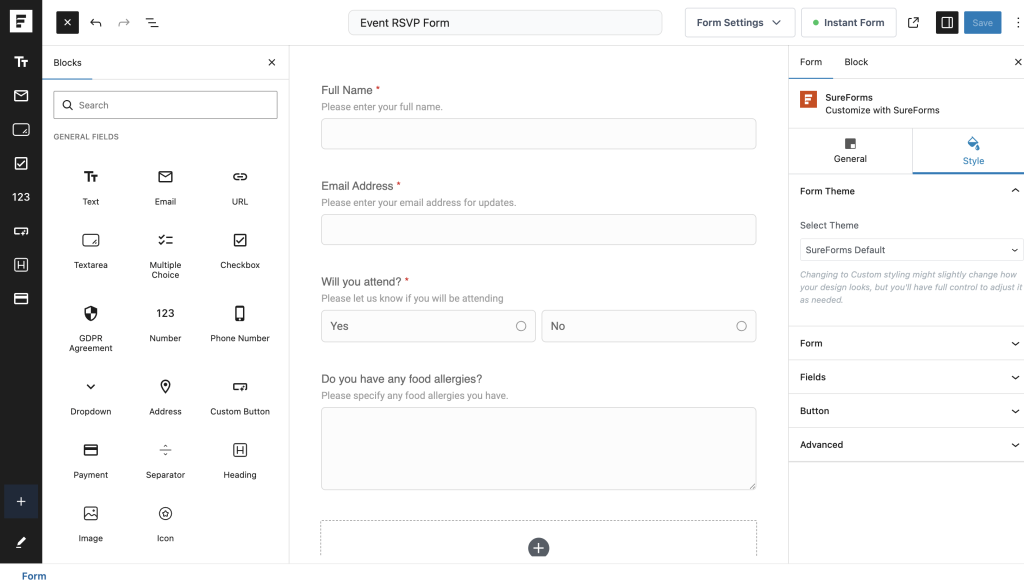
This is one of the biggest practical differences.
With Contact Form 7, you often build first and style later.
With SureForms, the form already looks good the moment you publish it.
Features: Basic vs All-in-One
This is where the gap becomes quite clear.
Contact Form 7 focuses on one thing:
👉 Simple contact forms
Anything beyond that usually requires additional plugins.
SureForms takes a broader approach.
You can create:
- Contact forms
- Multi-step forms
- Conversational forms
- Surveys and polls
- Quizzes
- Payment forms
- Calculators
- Login and registration forms
- PDF-generating forms
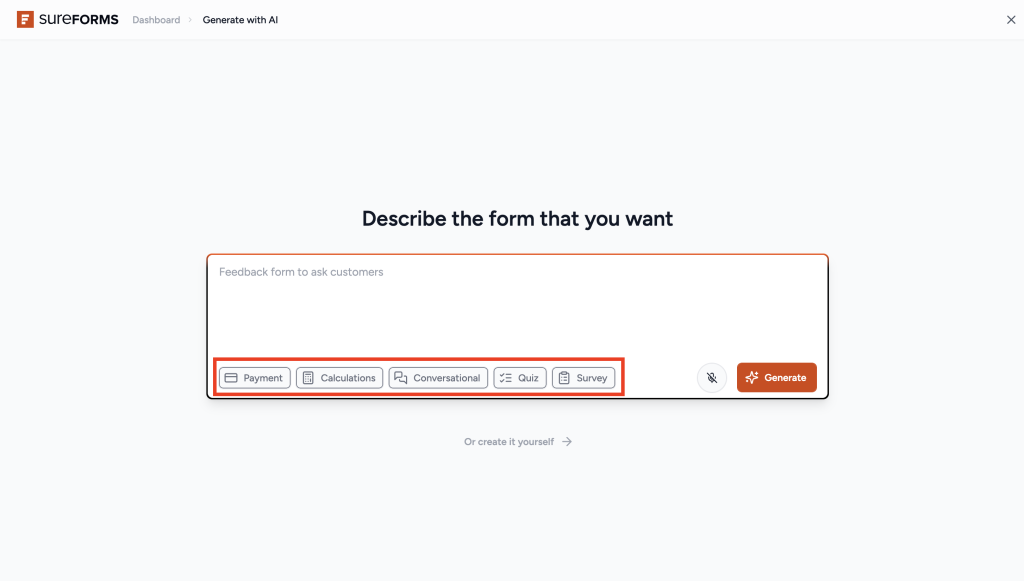
All within one plugin. You can also instantly share these forms created with SureForms as standalone pages with customized URLs.
It’s like sharing a Google Form, but with your own branding and full control over the form and the design, which is something you don’t often get.
To be fair, Contact Form 7 can still achieve some of these with third-party add-ons. But that usually means more setup, more plugins, and more maintenance.
AI and Speed of Building Forms
This is something Contact Form 7 does not offer.
With SureForms, you can simply describe the form you want, and it generates it for you.
For example:
“Create a booking form with name, email, date, and payment.”
And the form is ready in seconds.

With Contact Form 7, every field has to be created manually.
If you build forms often, this difference saves a lot of time.
Entries, Data, and Workflow
Contact Form 7
- Sends submissions via email
- Does not store entries by default
- Requires add-ons for database storage
SureForms
- Stores all entries inside WordPress
- Provides a dashboard to view and manage submissions
- Offers export options and reporting
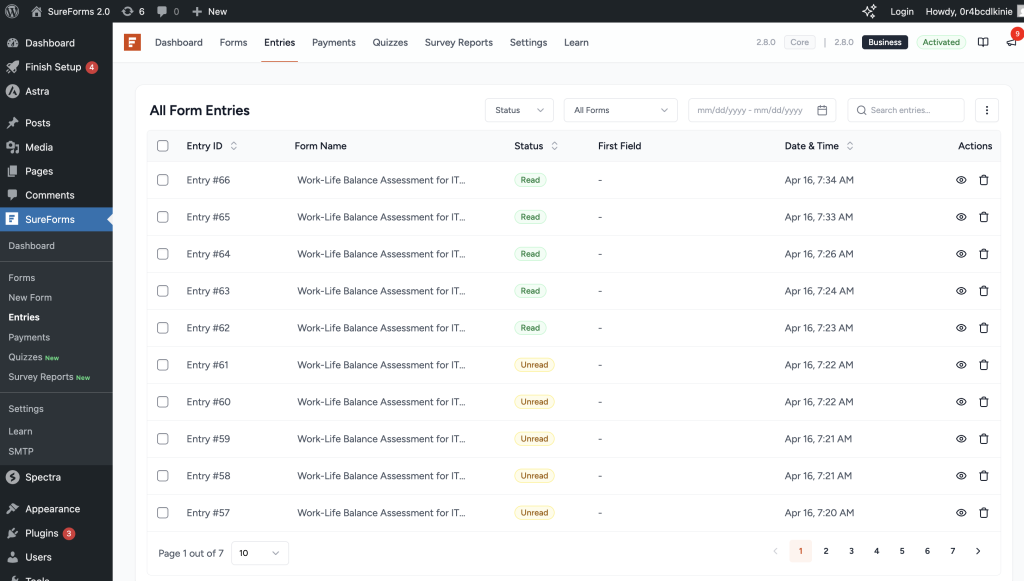
If you rely on form data regularly, having everything organized in one place makes a big difference.
Integrations and Automation
Both plugins support integrations, but the experience differs.
Contact Form 7
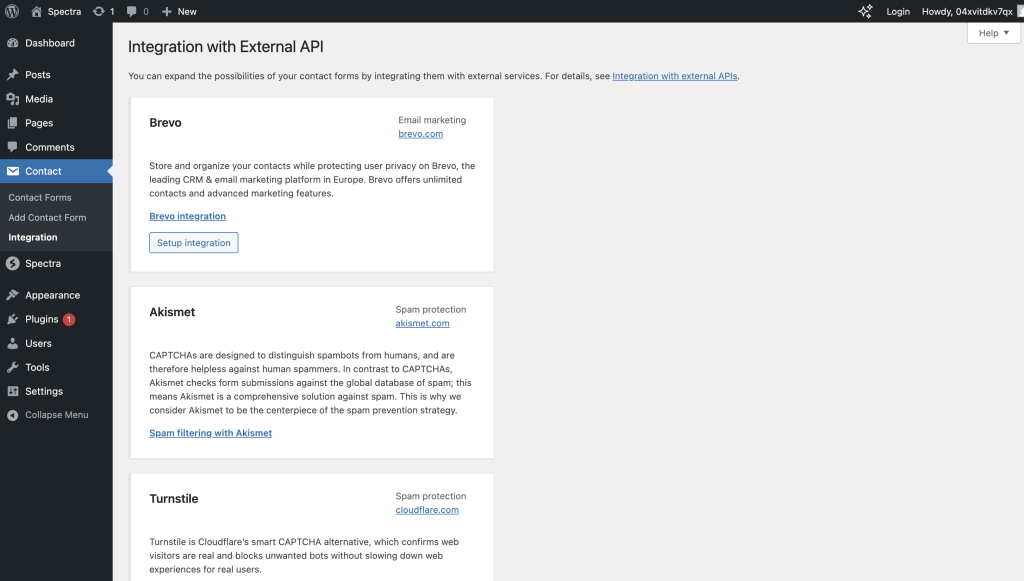
- Supports some integrations like reCAPTCHA and email tools
- Often requires extra plugins for advanced workflows
SureForms
- Comes with tons of native integrations
- Supports webhooks and automation tools
- Designed to connect easily with your existing stack

If automation is important for your workflow, SureForms offers more out of the box.
Contact Form 7 vs SureForms: Comparison Table
| Feature | SureForms | Contact Form 7 |
| Development | Actively evolving | Maintenance mode |
| Builder | Visual + AI | Shortcode-based |
| Ease of Use | Beginner-friendly | Developer-focused |
| Design | Modern, Visual, Support Custom CSS | Needs custom styling |
| Form Types | Multiple (survey, quiz, payment, etc.) | Basic contact forms |
| AI Support | Yes | No |
| Entries Storage | Built-in | Not available by default |
| Integrations | Natively integrated with 25+ apps | Limited without add-ons |
| Payment Support | Native | Limited via add-ons |
| Learning Curve | Low | Moderate to high |
Where Contact Form 7 Still Makes Sense
To keep things fair, Contact Form 7 is still a solid option in certain cases:
- You only need a very simple contact form
- You prefer full control using code
- You are already familiar with its system
- You want a completely free and minimal setup
It is stable, reliable, and has been tested over many years.
Where SureForms Stands Out
SureForms becomes the best Contact Form 7 alternative when:
- You want to build forms quickly without technical effort
- You care about design and user experience
- You need more than just a basic contact form
- Your form sets well when added to the page
- You want built-in features like payments, surveys, or PDFs
- You want things to be more automated instead of managing them manually
- You prefer everything in one place instead of multiple plugins
It is built for how people create websites today, not how they did ten years ago.
The Bottom Line
Choosing between Contact Form 7 and SureForms really comes down to your needs.
If you want something simple, stable, and developer-friendly, Contact Form 7 still works.
But if you want a modern, flexible, and easy-to-use form builder that grows with your site, SureForms is hard to ignore.
Forms are no longer just about collecting messages.
They are part of your user experience.
And the tool you choose should reflect that.
FAQ
Is SureForms better than Contact Form 7?
SureForms is the better choice for most modern WordPress users who want an easier setup, better design, built-in entry storage, and support for more advanced form types. Contact Form 7 still works well for simple contact forms, especially if you prefer a more technical and lightweight setup.
Which is easier to use: Contact Form 7 or SureForms?
SureForms is easier to use for most people. It offers a visual builder, drag-and-drop fields, and a much more beginner-friendly experience. Contact Form 7 is more manual and usually better suited for users who are comfortable working with shortcodes and form tags.
Is Contact Form 7 still worth using in 2026?
Yes, Contact Form 7 is still worth using if your needs are basic and you want a free, stable form plugin. But if you want modern features, a smoother user experience, and a plugin that continues to evolve, SureForms is the stronger long-term choice.
Does SureForms store form entries in WordPress?
Yes, SureForms stores form entries inside WordPress, making it easier to manage submissions, review responses, and export data when needed. Contact Form 7 does not store entries by default, so you usually need an extra plugin for that.
Can SureForms do more than Contact Form 7?
Yes, SureForms can handle much more than basic contact forms. It supports multi-step forms, conversational forms, surveys, quizzes, payment forms, calculators, login and registration forms, and more. Contact Form 7 is mainly built for simple forms unless you extend it with add-ons.
Which WordPress form plugin is better for beginners?
SureForms is better for beginners because it is easier to set up, easier to style, and easier to manage without technical knowledge. Contact Form 7 can feel limiting or confusing for new users who want a more visual and guided experience.
Is Contact Form 7 better for developers?
In some cases, yes. Developers who prefer a minimal plugin and more manual control may still prefer Contact Form 7. It gives a more code-oriented workflow, while SureForms is built to make form creation faster and more accessible for a wider range of users.
What is the best alternative to Contact Form 7?
SureForms is a strong alternative to Contact Form 7 if you want a more modern WordPress form builder with better usability, design, built-in features, and room to grow as your website evolves.