Google Forms is everywhere. It’s free, it’s fast, and it’s backed by Google’s infrastructure.
So why are so many WordPress users looking for something else?
The answer usually comes down to design, integration and control.
Google Forms gives you a form. What it doesn’t give you is control over how that form looks, where your data lives, how it connects to the tools you’re already using, or what happens the moment someone hits submit.
When you’re running a WordPress website, those gaps start to feel pretty significant.
SureForms, a dedicated WordPress form builder, tackles this head-on with a feature called Instant Forms.
It’s designed to give you the sharing simplicity of Google Forms while keeping all the flexibility of a native WordPress plugin.
This post walks you through what Instant Forms is, how it compares and why it might be the Google Forms alternative you’ve been looking for.
Why People Look for Google Forms Alternatives

Google Forms works well for basic data collection, but it runs into real limitations as soon as your needs get slightly more specific.
Here’s where the friction tends to show up.
Limited Design Customization
Google Forms gives you a handful of color options and the ability to add a header image. That’s about it.
You can’t match your brand fonts, adjust your form layout or style individual fields.
If your website has a distinct visual identity, a Google Form embedded in it will always look like a guest who didn’t get the dress code.
Harder to Fully Integrate with Websites
Embedding a Google Form on a WordPress page involves copying an iframe code and pasting it in.
It works, but it’s not exactly elegant.
The form sits inside its own sealed environment, which means it doesn’t inherit your site’s styles, it’s awkward on mobile, and it doesn’t connect natively to your WordPress data.
Branding and Flexibility Limitations
Every Google Form carries Google’s branding. The URL, the layout, the confirmation messages, all follow Google’s template.
For personal projects, that’s fine. For businesses and professional sites, it can undermine the experience you’re trying to create.
You want users to feel like they’re interacting with your brand, not filling out a Google spreadsheet.
Data Lives on Google’s Servers
When someone fills in a Google Form, that submission goes straight to Google.
For businesses handling client details, sensitive enquiries, or personal information, that’s a real concern, particularly for teams operating under GDPR or working in regulated industries.
You’re not just handing over your data. You’re handing it to one of the largest advertising platforms in the world.
What Is Instant Forms in SureForms?
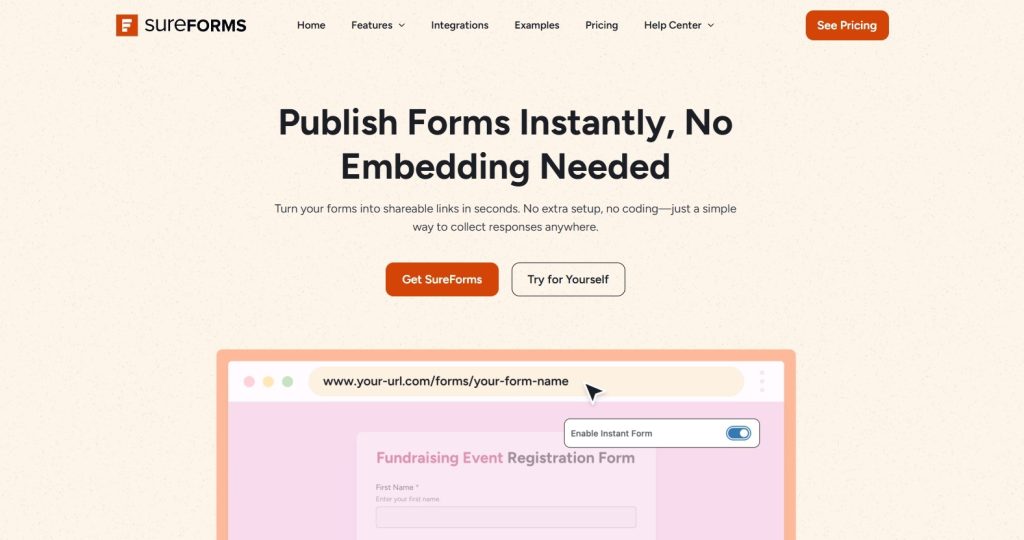
Instant Forms is a feature inside SureForms that generates a standalone and customizable URL that you can share publicly, for any form you build, without needing to embed it on a page first.
You build your form in SureForms, enable the Instant Form option and SureForms creates a dedicated page for that form automatically.
You get a clean link you can share anywhere, email, social media, a QR code, a WhatsApp message to a client.
Anyone who clicks the link lands directly on your form, hosted on your own WordPress site.
The experience is very close to sharing a Google Form, but there’s a meaningful difference.
Your form lives on your domain, inherits your WordPress theme and connects to your existing WordPress integrations.
It’s instant sharing without giving up ownership.
You don’t need to create a page, configure a template, or touch any code. SureForms handles all of that in the background.
You build the form, flip a switch, and share the link.
What Makes Instant Forms a Good Google Forms Alternative?
Let’s break down the specific reasons SureForms Instant Forms holds up well as a Google Forms replacement.
Easy Sharing and Instant Publishing
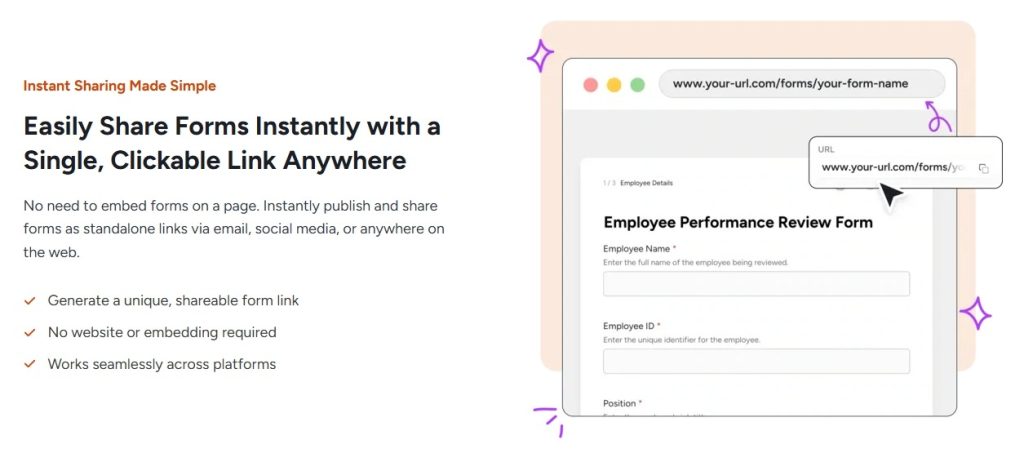
Once you enable Instant Forms, SureForms generates a shareable link immediately.
No embedding, no page creation, no shortcodes. You just copy the link and share it.
The process is as fast as Google Forms, if not faster, because you’re working inside your WordPress dashboard the whole time.
Custom Design and Branding
SureForms gives you full control over your form’s appearance. You can match your brand colors, typography, and layout using the familiar WordPress block editor.
Your form looks like it belongs on your site, because it does.
There’s no Google branding, no locked-down templates and no visual disconnect between your form and the rest of your content.
Website Embedding
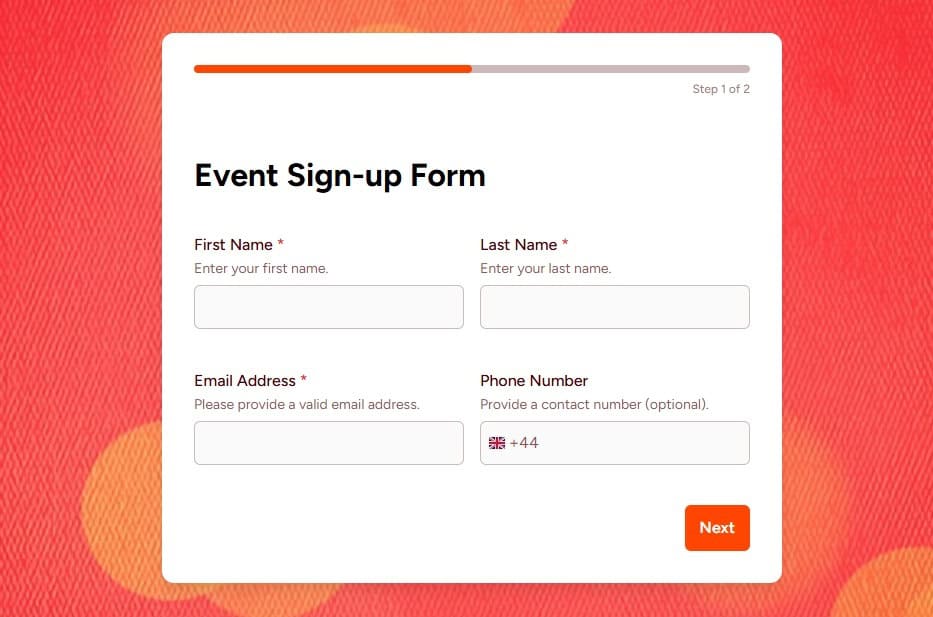
Beyond the Instant Form link, you can still embed any SureForms form directly on your WordPress pages and posts with a simple block.
You’re not locked into one delivery method.
The Instant Form is there when you need a quick shareable link; the embedded version is there when you want the form built into a specific page.
Payment Collection
Google Forms can’t take payments. Full stop.
SureForms integrates with SureCart and other payment tools, so you can collect deposits, sell products, run paid event registrations, or charge for services directly through a form.
If any part of your business involves collecting money, this is a gap Google Forms simply can’t fill.
Automation and Integrations

SureForms connects natively with popular tools like Mailchimp, HubSpot, ActiveCampaign, and Zapier.
It also integrates with the broader Brainstorm Force ecosystem, including OttoKit for workflow automation and the new SureContact email marketing CRM.
That means form submissions can automatically trigger email sequences, CRM updates, or other actions.
Google Forms can connect to Sheets and some third-party tools, but the native WordPress integration SureForms offers is considerably deeper.
Spam Protection
Google Forms has no built-in spam filtering, which means a public form is an open invitation for bots.
SureForms supports reCAPTCHA, honeypot fields and other anti-spam measures that keep submissions clean without adding friction.
For anyone who’s had a Google Form hammered by junk submissions, this alone can be a deciding factor!
Multi-Step Forms and Conditional Logic
Google Forms is quite complex to arrange in multiple page and its conditional logic is basic at best.
SureForms supports multi-step forms, breaking longer forms into manageable sections, which meaningfully reduces abandonment.
Conditional logic goes deeper too, letting you show or hide fields based on what a user has already entered.
For applications, onboarding flows or detailed intake forms, that flexibility is hard to replicate in Google Forms.
File Upload Flexibility
Google Forms limits file uploads to 1GB total per form and requires respondents to have a Google account just to upload a file.
SureForms has no account requirement and gives you considerably more flexibility over upload limits and accepted file types.
For client-facing forms where you’re collecting documents, images or portfolios, that’s a significant practical difference.
Works Directly Inside WordPress
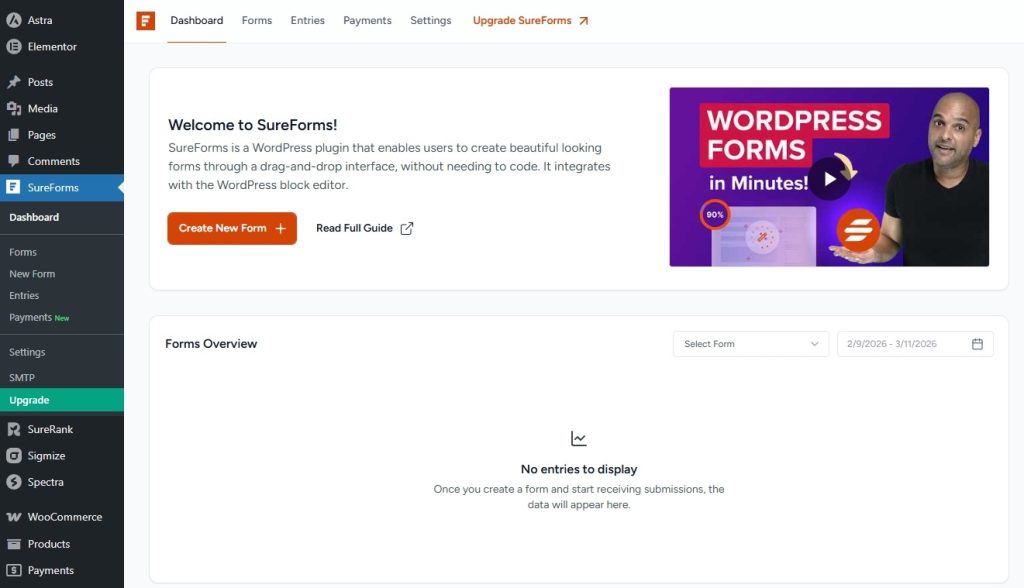
Because SureForms is a WordPress plugin, everything stays inside your site.
Form entries are stored in your WordPress database.
Notifications go through your WordPress email settings.
Conditional logic, multi-step forms, file uploads and payment fields all work within the same environment.
There’s no separate account to manage, no data siloed in an external platform, and no dependency on Google’s infrastructure.
Data Privacy and GDPR Compliance
With SureForms, all submission data stays in your own WordPress database, on your server, under your control.
SureForms also supports consent checkboxes and privacy policy links built directly into your forms, which makes it considerably easier to meet GDPR requirements without workarounds.
For businesses handling client data, contact forms, or any personally identifiable information, this is worth taking seriously.
Access Control
Google Forms gives you two options, make the form public, or restrict it to people with a Google account.
SureForms integrates with SureMembers, which means you can restrict form access to logged-in users or specific membership tiers.
Useful for client portals, member-only surveys, gated intake forms or any situation where you need to control who can actually reach the form.
Notification and Confirmation Flexibility
Google Forms sends a basic confirmation email.
SureForms lets you set up custom HTML email notifications, conditional notifications based on what was submitted and custom redirect URLs after submission.
If you’re collecting leads, running client onboarding, or tracking different form types across your site, that level of control over what happens after submission makes a real difference.
More Control Over Branding and User Experience
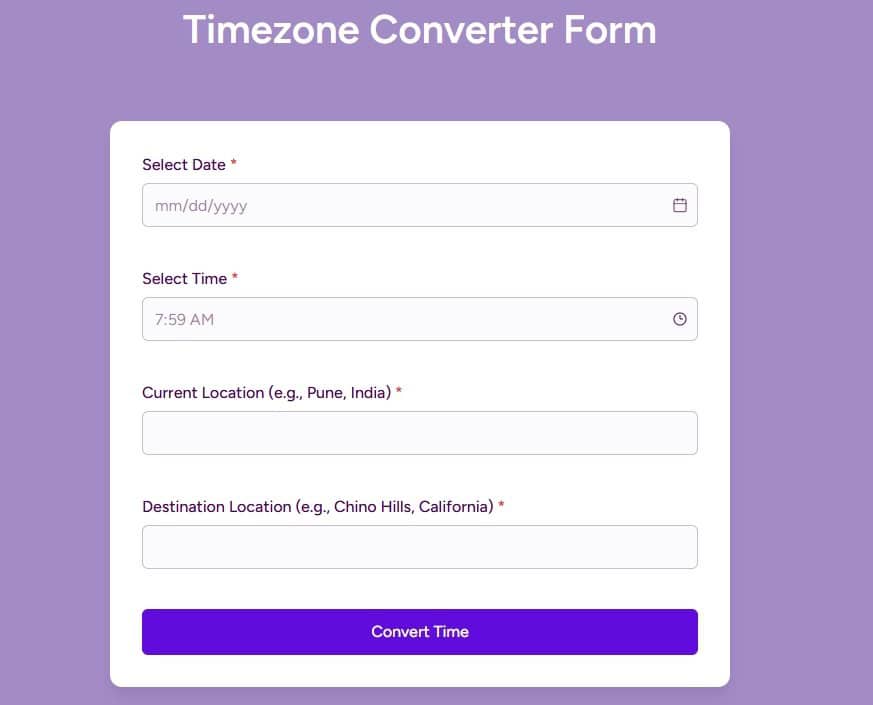
With SureForms, you control the full user journey. That includes the form design, the confirmation message, the redirect after submission, and even the URL structure of the Instant Form page.
For businesses collecting leads, running event registrations, or gathering client information, that level of control matters.
Google Forms vs SureForms Instant Forms
Here’s a full comparison listing the areas that matter most for WordPress users.
| Feature | Google Forms | SureForms Instant Forms |
| Shareable link | Yes, instantly | Yes, instantly |
| Brand customization | Very limited | Full control |
| WordPress integration | Via iframe embed | Native, no embed needed |
| Form styling | Basic themes only | Full block editor control |
| Branding in URL | Google’s domain | Your own domain |
| Automation and integrations | Sheets, limited third-party | CRM, Zapier, OttoKit, and more |
| Data storage | Google Sheets / Drive | Your WordPress database |
| Conditional logic | Basic | Advanced, multi-step |
| Multi-step forms | Not supported | Full support |
| File uploads | 1GB limit, Google account required | No account required, flexible limits |
| Payment collection | Not supported | Via SureCart and other integrations |
| Spam protection | None built-in | reCAPTCHA, honeypot, and more |
| Data privacy | Stored on Google’s servers | Stored in your WordPress database |
| GDPR compliance tools | Limited | Consent fields, privacy links built-in |
| Access control | Public or Google accounts only | Restrict by login or membership tier |
| Email notifications | Basic confirmation only | Custom HTML, conditional notifications |
| Post-submission redirect | Not supported | Custom redirect URL |
| Cost | Free | Free + paid plans |
How to Create and Share an Instant Form with SureForms
Creating an Instant Form takes just a few minutes. Let’s take a look at how you can do it 👇

Step 1: Create Your Form
Install SureForms on your WordPress site and select Create New Form from the main dashboard.
You can start from a pre-built template or build your form from scratch using the drag and drop block editor.
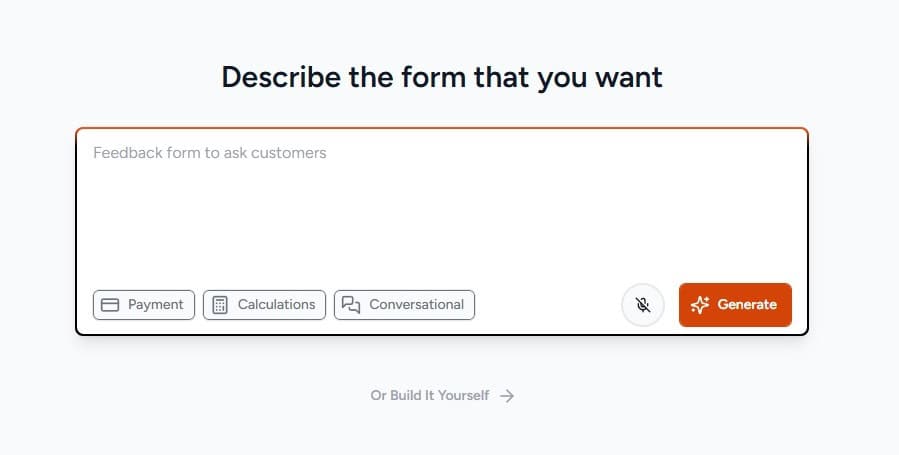
If you use AI, describe the form you want and select Generate.
If you want to build it yourself, use the drag-and-drop editor to create the form.
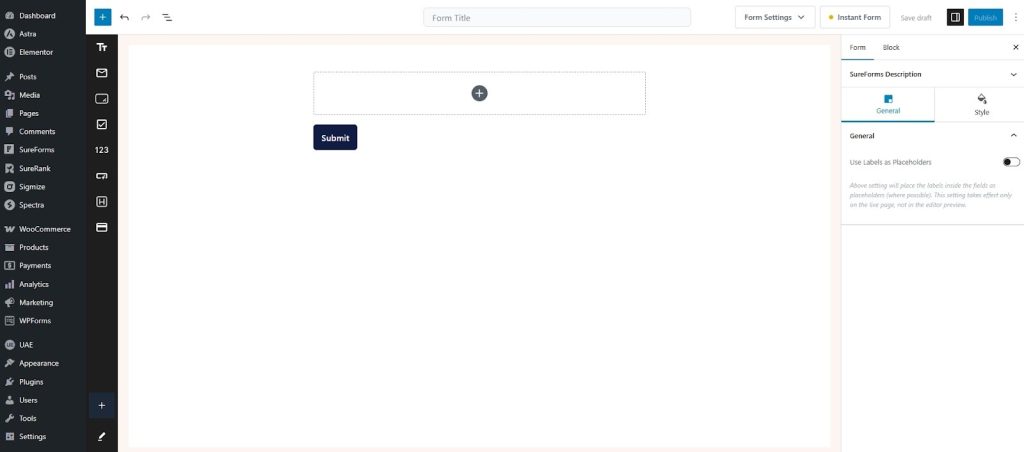
Add fields, set up conditional logic, configure notifications and style the form to match your brand.
Step 2: Enable the Instant Form Page
Inside your form settings, you’ll find the Instant Form option.
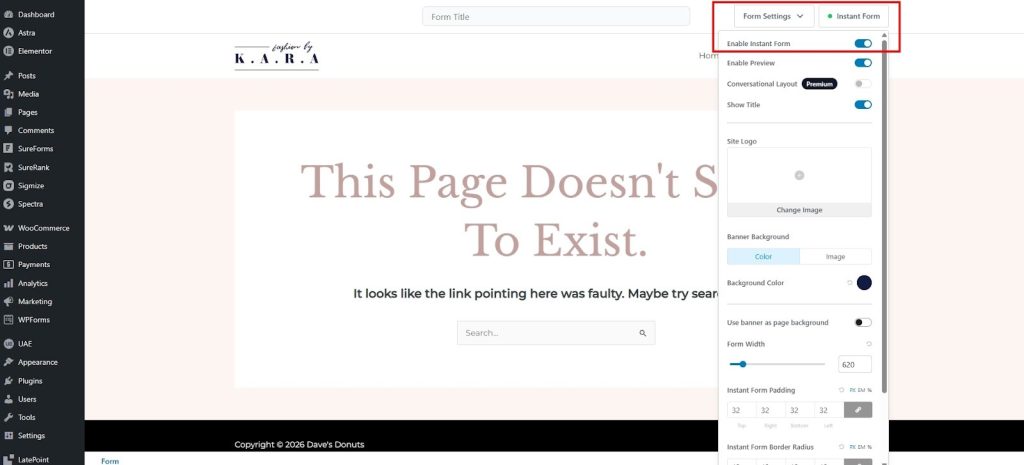
Toggle it on. SureForms will generate a dedicated page for your form automatically, with its own clean URL.
You can change the URL as you want and even change the styling as you want from the dropdown.
No page creation required on your end. You can customize the page title and slug if you want to keep things organized.
Step 3: Share the Link
Copy the Instant Form URL from your settings and share it however you like.
Drop it in an email, post it on social media, add it to a QR code, or send it to a client directly.
Anyone who follows the link lands on your form, hosted on your site, styled to match your brand.
Conclusion
Google Forms is a solid tool for simple, quick data collection.
But if you’re running a WordPress site and you want forms that match your brand, live on your domain, connect to your existing workflows, and keep your data where it belongs, it starts to show its limits pretty quickly.
SureForms Instant Forms gives you the same effortless sharing experience with none of the trade-offs.
You get a shareable link in seconds, a form that looks like it belongs on your site, spam protection, payment support, GDPR-friendly data handling and the full power of a native WordPress form builder behind it.
If you’ve been putting up with Google Forms because it felt like the simplest option, SureForms might change your mind.
You can explore SureForms instantly and see how quickly you can get an Instant Form up and running.