You can spend months refining your product, polishing your website and training your support team, but if you’re not asking customers what they really think, you’re working from incomplete information.
Customer surveys close that gap.
They give you direct access to the opinions, frustrations, and preferences of the people your business depends on.
The challenge isn’t convincing yourself that surveys are worth doing. Most business owners already know they are.
The real challenge is figuring out what to ask, how to ask it and how to get enough responses to make the data meaningful.
This guide walks you through 25 survey questions to ask your customers that work, explains why they work, and gives you practical tips for building surveys that people actually complete.
Whether you’re running your first customer feedback form or overhauling an existing one, there’s something here for you.
Why Customer Surveys Matter for Businesses
Before jumping into the questions, it’s worth being clear about what customer surveys actually do for a business
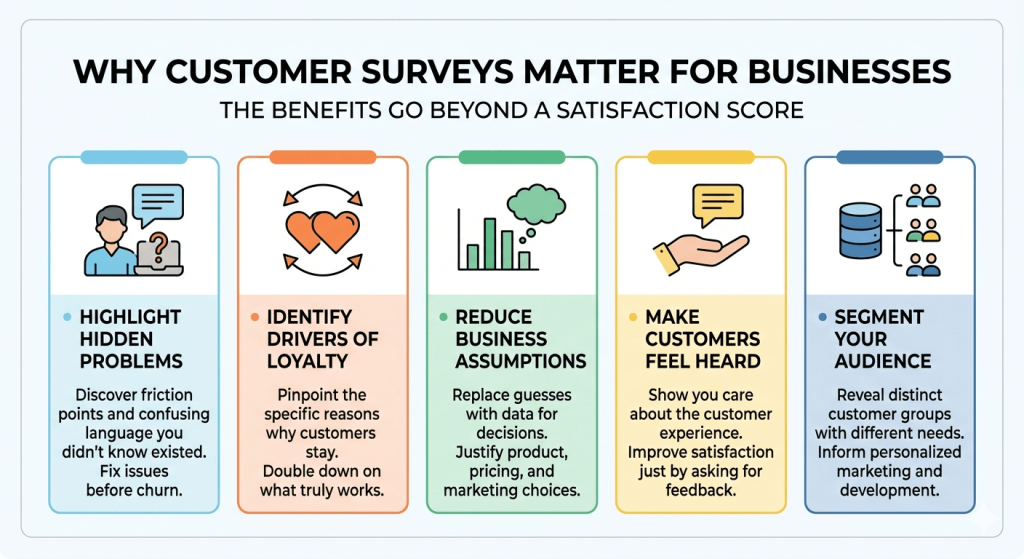
We believe the benefits go beyond a simple satisfaction score:
- They highlight problems you didn’t know you had. Customers encounter friction points, confusing language and broken processes that your internal team is too close to notice. A well-placed question brings those issues into the open before they turn into churn or negative reviews.
- They tell you what’s driving loyalty. When customers stay with you, it’s usually for one or two specific reasons. Surveys help you identify those reasons so you can double down on them, rather than guessing at what’s working.
- They reduce assumptions. Every business runs on assumptions about what customers want. Surveys replace those assumptions with data, which makes product decisions, pricing changes and marketing investments much easier to justify.
- They make customers feel heard. The act of asking for feedback shows you care about the customer experience. That alone can improve satisfaction, even before you’ve acted on a single response.
- They help segment your audience. Not every customer is the same. Survey responses can reveal distinct groups within your customer base, each with different needs, expectations and behaviors. That’s useful for everything from email marketing to product development.
What Types of Survey Questions Should You Ask?
Not all survey questions are created equal.
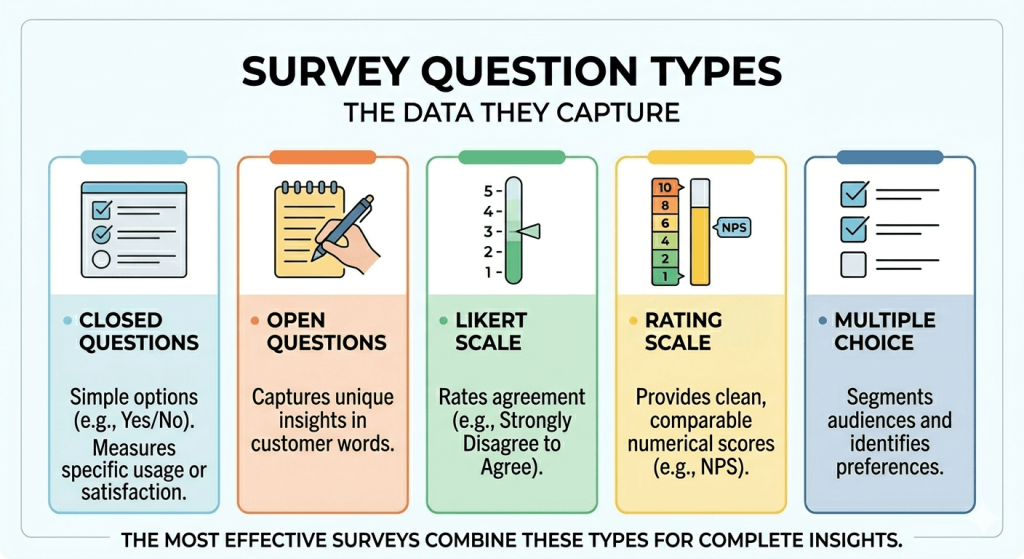
The type of question you use shapes the kind of data you get back and some data is much more useful than others depending on what you’re trying to learn.
- Closed questions give respondents a fixed set of options. They’re fast to answer, easy to analyze and great for measuring things like satisfaction scores, feature usage or likelihood to recommend. The tradeoff is that they don’t capture the nuance behind a response.
- Open questions invite respondents to answer in their own words. They take longer to complete and analyze, but they highlight insights that no pre-written option could anticipate.
- Likert scale questions ask respondents to rate their agreement with a statement on a scale, typically from 1 to 5 or 1 to 7. They’re effective for measuring attitudes, opinions and feelings about a product or experience.
- Rating scale questions ask for a numerical rating, often on a scale of 1 to 10. The Net Promoter Score (NPS) question is the most well-known example. These questions produce clean, comparable data over time.
- Multiple-choice questions let respondents choose one or more options from a list. They work well for demographic data, categorizing customer types, or identifying which features or channels matter most.
The best surveys combine these types thoughtfully.
In our opinion, an opening rating question followed by a short open-ended follow-up is one of the most effective combinations you can use.
Example Customer Survey Questions
Here are 25 survey questions to ask customers, organized by the type of insight you’re trying to gather.
Satisfaction and Overall Experience
These questions establish a baseline for how customers feel about their experience with your business.
They’re typically short, easy to answer and suitable for post-purchase or post-interaction surveys.
1. How satisfied are you with your experience today? (Scale: Very satisfied / Satisfied / Neutral / Dissatisfied / Very dissatisfied)
Simple and direct. This is often the first question in a post-transaction survey and sets the tone for everything that follows.
2. How likely are you to recommend us to a friend or colleague? (Scale: 0 to 10)
This is the classic NPS question. Respondents who score 9 or 10 are Promoters, 7 or 8 are Passives, and 0 to 6 are Detractors. Track this over time to spot trends.
3. How would you rate the overall quality of our product/service? (Scale: 1 to 5 stars, or Excellent / Good / Fair / Poor)
A broader quality rating that’s useful for benchmarking across time periods or customer segments.
4. Did we meet your expectations today? (Yes / Mostly yes / No / I’m not sure)
This question does something useful that pure satisfaction scores don’t: it measures the gap between expectation and delivery, which is often where dissatisfaction originates.
5. What was the best part of your experience with us? (Open-ended)
Positive open-ended questions are often overlooked in favor of problem-finding questions. This one identifies your genuine strengths in the customer’s own words.
Product and Feature Feedback
These questions dig into how customers use what you’re selling and what they think about it.
They’re particularly valuable for product teams making roadmap decisions.
6. Which features do you use most often? (Multiple choice, list your key features)
Usage data from your analytics tells you what gets clicked. This question tells you what customers consciously value, which isn’t always the same thing.
7. Is there a feature you wish we offered that we don’t currently have? (Open-ended)
One of the highest-value questions you can ask. Customer-generated feature ideas are often more practical and better targeted than internally generated ones.
8. How easy is our product to use? (Scale: Very easy / Somewhat easy / Neutral / Somewhat difficult / Very difficult)
Usability is frequently underestimated as a driver of churn. Customers who struggle often just leave rather than complain.
9. How would you feel if you could no longer use our product? (Very disappointed / Somewhat disappointed / Not disappointed / I no longer use it)
This is the core of the Product-Market Fit survey, originally popularized by Sean Ellis.
If more than 40% of respondents say “very disappointed,” that’s a strong signal that you’ve built something people genuinely need.
10. Which problem does our product solve best for you? (Open-ended)
The answers to this question often reveal customer value propositions that your marketing team hasn’t articulated.
Customer Service and Support
If your business involves customer-facing support, these questions help you evaluate the quality of those interactions and identify training opportunities.
11. How satisfied were you with the support you received? (Scale: Very satisfied / Satisfied / Neutral / Dissatisfied / Very dissatisfied)
A direct satisfaction rating tied specifically to a support interaction, rather than the product overall.
12. How quickly did we resolve your issue? (Much faster than expected / About as fast as expected / Slower than expected / It wasn’t resolved)
Resolution speed is one of the most consistent predictors of support satisfaction. This question captures both speed and whether the issue was actually fixed.
13. Did our team member fully understand your issue? (Yes / Somewhat / No)
Understanding is a separate variable from resolution. A customer might get their issue solved but still feel unheard, which affects loyalty even when the outcome was positive.
14. What could we have done better during your support experience? (Open-ended)
This is your most direct route to actionable service improvements. Give it enough space in the survey to get a detailed response.
Pricing and Value
These questions help you understand whether customers feel your pricing is fair, which directly affects renewal and upsell rates.
15. Do you feel our product offers good value for the price? (Definitely yes / Somewhat yes / Not sure / Not really / Definitely not)
Value perception isn’t just about price, it’s about whether the benefit feels proportionate. This question measures that perception directly.
16. Which pricing option best describes how you currently feel about our plans? (Too expensive / Priced about right / Good value / Unusually good value)
This is a gentler version of price sensitivity research. It gives you directional signals without asking customers to propose a specific number.
17. What would make you consider upgrading to a higher-tier plan? (Open-ended)
Useful for identifying what features, limits or benefits are holding customers back from spending more.
Often reveals quick wins for the product or sales team.
Loyalty and Competitive Awareness
These questions explore why customers stay, why they might leave and how you compare to the alternatives they’re aware of.
18. How long have you been a customer? (Less than 3 months / 3 to 12 months / 1 to 3 years / More than 3 years)
Segmenting survey responses by tenure often reveals different satisfaction patterns between new and established customers, each requiring different responses.
19. Have you ever considered switching to a competitor? (Yes, and I switched / Yes, but I stayed / No, never)
This question can feel a little direct, but it’s worth asking. Customers who considered leaving and stayed are a goldmine of insight about what tipped the balance in your favor.
20. What’s the main reason you’ve stayed with us? (Open-ended or multiple choice: price / features / support / ease of use / familiarity / other)
This is your retention signal. The reasons people stay are often different from the reasons they initially chose you, which has implications for both marketing and product development.
21. What would cause you to stop using our product? (Open-ended)
Asking about hypothetical churn before it happens lets you address the triggers proactively.
Common answers include price increases, missing features, and support quality drops.
Demographics and Customer Understanding
These questions help you build a clearer picture of who your customers are, which makes every other piece of survey data more useful.
22. What best describes your role? (Multiple choice: owner / manager / individual contributor / freelancer / other)
Role-based segmentation is particularly valuable for B2B products. Decision-makers and end users often have very different priorities.
23. How did you first hear about us? (Multiple choice, search engine / social media / word of mouth / review site / advertisement / other)
Attribution is notoriously tricky to measure through analytics alone.
This question doesn’t give you perfect data, but it gives you directional insight into which channels are generating customers worth keeping.
24. What’s your primary goal when using our product? (Multiple choice or open-ended)
Jobs-to-be-done framing. Understanding what customers are trying to accomplish, rather than just how they use your features, is one of the most powerful inputs to product strategy.
25. Is there anything else you’d like us to know? (Open-ended)
Always end with an open invitation. Some of the most useful feedback comes from this question, because it gives customers space to say the thing that didn’t fit anywhere else in the survey.
How to Get Better Survey Responses
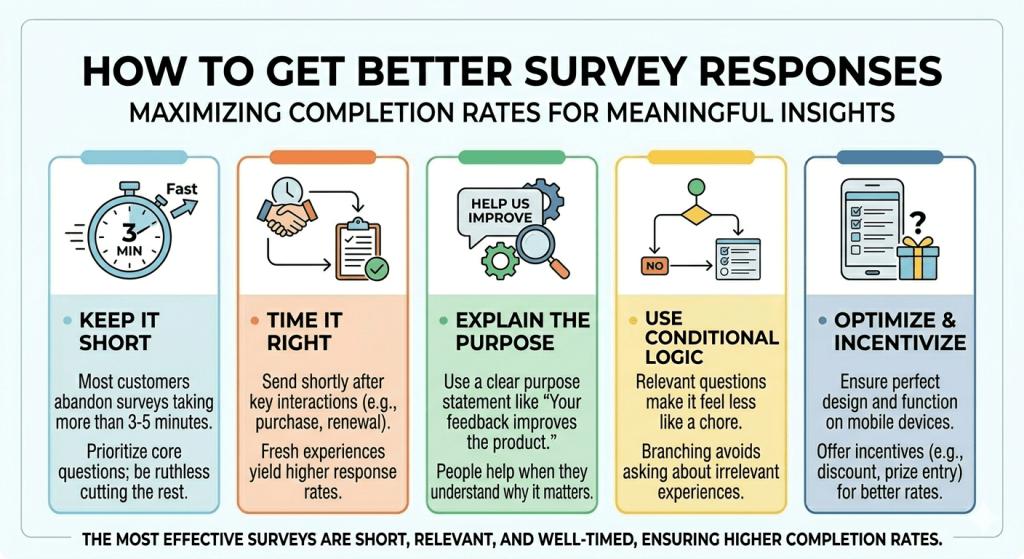
Having great questions is half the job. The other half is getting enough people to complete the survey so that the results are actually meaningful.
- Keep it short. Most customers will abandon a survey that takes more than three to five minutes. Prioritize the questions that matter most and be ruthless about cutting the ones that are just nice to have.
- Time it right. Send satisfaction surveys shortly after a key interaction, such as a purchase, support conversation, or subscription renewal. The experience is fresh and the response rate will be higher.
- Explain the purpose. A short sentence at the top of the survey, such as “your feedback helps us improve the product,” increases completion rates. People are more likely to spend time on something when they understand why it matters.
- Use conditional logic. If a customer answers “no” to having contacted support, there’s no point asking them to rate the support experience. Branching logic keeps the survey relevant to each individual respondent, which makes it feel less like a chore.
- Make it mobile-friendly. A significant portion of survey responses come from mobile devices. If your form isn’t designed to work on a phone, you’re losing responses before they start.
- Offer something in return. Not every business needs to offer an incentive, but a discount code, small gift, or entry into a prize draw can meaningfully increase response rates, especially for longer surveys.
- Test before you send. Walk through the survey yourself, then ask a colleague to do the same. Check that questions are clear, conditional logic works and the final submission screen confirms that the response was received.
- Follow up on what you learn. If you can close the loop with respondents, even just a “here’s what we changed based on your feedback” email, customers are far more likely to respond to future surveys.
How to Create Surveys in WordPress (The Easiest Way)
Building a survey that looks professional, works on every device, and actually collects useful data doesn’t have to be a technical project.
SureForms makes it straightforward.
SureForms is a WordPress form builder designed for flexibility without complexity.
You can build customer surveys from just a prompt, describe the question types you need (including Likert scales, rating questions, dropdowns and open-ended text fields), and a fully working survey is prepared to deploy in minutes.
👉 Check out our step-by-step guide on surveys in WordPress and how to create one easily using AI.
You can also configure everything from conditional logic to email notifications without touching a single line of code.
A few things that make SureForms particularly well-suited to customer surveys:
- Conditional logic lets you show or hide questions based on previous answers, which keeps surveys focused and relevant. If a customer rates their experience a 3 or below, you can automatically show a follow-up question asking what went wrong.
- Multi-page forms let you break longer surveys into shorter sections, which reduces the visual load and improves completion rates. Progress indicators show respondents how far they’ve come, which encourages them to finish.
- Instant email notifications mean you don’t have to wait until the end of the month to see feedback. High-priority responses, like a customer who gives you a 1 out of 10, can trigger immediate alerts so your team can follow up quickly.
- Entry management gives you a clear view of all your responses in one place, making it easy to spot patterns and export data for deeper analysis.
- Spam protection keeps your results clean. Built-in tools filter out bot submissions and duplicate entries without creating friction for genuine respondents.
- Instant Forms to publish your survey as a standalone page, instantly, and share it with your audience with a custom URL.
SureForms integrates smoothly with the WordPress tools many businesses already use.
You can easily connect survey responses to your CRM, email marketing platform, or analytics setup without any third-party tool, using Native Integrations in SureForms.
If you’re ready to stop guessing and start listening, try SureForms for free in your WordPress site.
👉 You can also try creating Surveys in SureForms on a demo site with no setup needed from your side.
Conclusion
Customer surveys work when they’re designed with intention. The right questions, asked at the right time, in the right format, produce data that actually changes decisions.
The 25 survey questions in this guide cover the full range of what you might want to learn about your customers, from surface-level satisfaction to deep-seated reasons for staying or leaving.
Start with five to eight questions rather than trying to use all 25 at once.
Pick the ones that address the most pressing gaps in your current understanding, then build from there as you get more comfortable interpreting responses.
The goal isn’t to run a perfect survey, it’s to build a habit of listening and acting on what you hear.
SureForms gives you the tools to build those surveys cleanly and collect responses without technical headaches.
SureForms also includes instant visual reporting to help you analyze survey data at a glance. And if you’d like to share live results with your audience, you can display real-time charts anywhere on your site using a simple shortcode.
The insights are waiting, you just have to ask the right questions.
FAQs
How do I create a survey in WordPress?
– To create a survey in WordPress, install a survey form plugin like SureForms, create a new form, add survey fields such as ratings, Likert scales, multiple-choice questions, and text boxes, then publish the form on any page or post. You can also use conditional logic, multi-step layouts, and email notifications to collect and manage responses efficiently.
What is the best WordPress survey plugin?
– The best WordPress survey plugin depends on your needs, but SureForms is a strong option for creating professional surveys with conditional logic, multi-page forms, spam protection, and integrations. Other popular options include WPForms, Formidable Forms, and Gravity Forms.
Can I create surveys in WordPress without coding?
– Yes, you can build surveys in WordPress without writing any code. Modern plugins such as SureForms provide drag-and-drop builders and pre-designed templates, allowing you to create customer satisfaction surveys, polls, quizzes, and feedback forms visually.
What questions should I ask in a customer survey?
– Effective customer survey questions focus on satisfaction, product usability, pricing, support quality, and loyalty. Examples include:
- How satisfied are you with your experience?
- How likely are you to recommend us?
- What feature do you use most?
- What could we improve?
How many questions should a customer survey have?
– Most customer surveys perform best with 5 to 10 questions and take less than five minutes to complete. Shorter surveys tend to generate higher response rates and more reliable feedback.
What are the best customer satisfaction survey questions?
– Some of the most effective customer satisfaction survey questions include:
- How satisfied are you with our product or service?
- Did we meet your expectations?
- What was the best part of your experience?
- What could we do better?
How do I increase survey response rates?
– To improve survey response rates:
- Keep surveys short
- Ask clear questions
- Make surveys mobile-friendly
- Use conditional logic
- Send surveys immediately after key interactions
- Offer incentives when appropriate
Are WordPress surveys mobile-friendly?
– Yes, most modern WordPress survey plugins are responsive and automatically adjust to mobile devices, ensuring customers can complete surveys easily on smartphones and tablets.