Right now, while you read this, people are filling in the first few fields of a form on your WordPress site and then closing the tab.
They are not going somewhere else to complete it. They are not coming back later. They are simply gone, and you have no notification, no error, no alert of any kind. The submission never arrived, so nothing tells you it was ever started.
The average web form abandonment rate in 2026 sits at 67.9%, based on tracking data across 4.2 million form submissions. That means roughly 7 out of every 10 people who start your form never finish it.
Almost every cause of form abandonment is fixable. Not by adding features or complexity, but by removing friction – asking less, expecting less, explaining more. This guide covers the specific reasons people leave forms and gives 10 concrete fixes you can apply this week.
What Is Form Abandonment and Why Does It Go Undetected?
Form abandonment is what happens when a visitor starts filling out a form – clicks into the first field, begins entering data – but leaves before clicking Submit.
Unlike a broken page or a 404 error, form abandonment does not produce an error. Nothing triggers. No notification fires. No alert appears in your dashboard. If your only visibility into form submissions is your email notifications, abandoned forms are entirely invisible to you.
Invisibility is the core problem. A high abandonment rate can persist for months without anyone noticing, because the evidence is defined by absence: a submit event that never occurred, a lead that never appeared, a conversion that never happened.
Why it matters
The 67.9% average abandonment rate means that for every 100 people with enough intent to start your form, only about 32 actually submit. If your form gets 100 starts per month and you close 20% of inquiries into clients, you are working with roughly 6.4 clients. Improving completion from 32% to 45% without touching anything else in your business produces more than 9 clients from the same traffic.
The leverage point is significant. A form with 100 monthly starts and a 68% abandonment rate has more untapped potential than most marketing channels.
The Real Reasons People Abandon WordPress Forms
Generic form optimization advice (“make it shorter,” “use clear labels”) is not wrong, but it is not specific enough to act on. Here are the actual mechanisms behind form abandonment.
Too many fields, or fields that demand effort
Every additional field is a decision point: do I want to provide this information badly enough to continue? Each question costs the visitor something, time, effort, attention, and sometimes privacy. When the cost accumulates past the perceived value of submitting, the visitor leaves.
The phone number field is the highest-abandonment trigger in most lead generation forms. Across multiple industry studies, adding a required phone number field reduces form conversion rates by 5 to 10 percentage points. Most visitors interpret a required phone number as “someone will call me unsolicited.” Whether or not that is your intention, it is the perception, and perception determines behavior.
Unexpected or sensitive questions appear
Visitors do not just abandon because of how many questions there are. They abandon when they encounter a question they did not expect, and especially when that question feels disproportionately personal or invasive relative to what they are getting in return.
“Annual Revenue,” “Budget Range,” and “Current Provider” are reasonable questions for a B2B service business to ask. But they feel intrusive when they appear before the visitor has been given any reason to trust that the information will be handled appropriately or used sensibly.
The fix is not eliminating these fields, it is placing them later, after the visitor has invested time in completing earlier steps and is more committed to finishing.
No indication of how long the form is
Visitors want to know what they are signing up for before they commit. A form that starts with “Your Name” and then reveals ten more screens after the visitor completes it feels like a bait-and-switch. Visitors who do not know how long the form is often abandoned rather than risk investing time in something that turns out to be longer than they expected.
The form does not work properly on mobile
Mobile devices now account for more than 45% of web form submissions. A form that functions perfectly on a desktop browser and produces tiny tap targets, horizontal scrolling, or keyboard layout issues on a mobile screen has a mobile abandonment rate that is likely substantially higher than its desktop rate. Testing in a browser window resized to mobile dimensions is not sufficient, actual device testing on real phones is necessary to catch the specific issues that only appear on hardware.
Anxiety about what happens after submission
“Submit” is the most common form button label on the internet. It is also meaningless from the visitor’s perspective. Submit what? To whom? For what purpose? What happens next? When will someone respond?
Visitors who do not know what they are agreeing to when they click Submit often abandon rather than find out the hard way. The same principle applies to the overall form: a form that says nothing about next steps, response times, or what the submitted data will be used for creates anxiety. Anxiety causes abandonment.
Trust signals are absent near the submit button
The moment of highest anxiety for a visitor is the moment before they submit. This is the moment when security concerns become most active. A form page without any trust signals, no privacy statement, no SSL indicator, no brief reassurance about data handling, leaves the visitor with nothing to counter that anxiety.
This matters especially for forms that collect contact information, financial details, or health-related data. 29% of visitors cite security concerns as a reason for not completing a form.
The form is too long to complete in one sitting
Some forms are long for legitimate reasons, detailed project briefs, comprehensive application forms, complex intake questionnaires. A visitor who genuinely intends to complete the form may be interrupted midway and return later, only to find their progress lost and have to start over. That experience produces a category of abandonment that is entirely preventable with the right feature.
Ten Fixes That Reduce Form Abandonment
Fix 1: Audit every field and justify it
Go through your form field by field and write one sentence explaining how you will use each piece of information in the first communication you send after someone submits. If you cannot write that sentence clearly, the field is probably not necessary. Remove it.
The baseline: a contact form should not need more than Name, Email, and a brief Message field to accomplish its purpose. Every field added beyond that should have a specific, justifiable use.
Fix 2: Make the phone number field optional
If your team genuinely calls leads: make the phone number field optional with a label that explains why you are asking (“Optional – for faster follow-up”). Visitors who want to be called will provide it. Visitors who do not want to be called should not be required to provide it to get in touch.
If your team does not call leads: remove the phone number field entirely. It is causing abandonment without providing any value.
Fix 3: Switch forms with more than 5 fields to multi-step format
A form with 10 fields shown as two screens of 5 fields each produces consistently higher completion rates than the same 10 fields on one page. The progress indication (Step 1 of 2) sets expectations. The commitment to completing Step 1 creates momentum to complete Step 2.
How to Create a Multi-Step Form in WordPress
Fix 4: Add trust signals near the submit button
Add a brief, plain-language privacy statement immediately above or below the submit button: “We never share your information. We will respond within one business day.”
This does not need to be long. It does not need to reference GDPR regulations. It needs to answer the visitor’s implicit question: “Is it safe to click this button?” A single sentence that addresses that question directly reduces the anxiety barrier at the most critical moment.
Fix 5: Rewrite your submit button label
“Submit” describes what the button does mechanically. “Get My Free Quote,” “Book My Consultation,” “Send My Message,” and “Start My Project” describe what the visitor receives by clicking it. The distinction is not subtle, benefit-framed button labels consistently outperform action labels in form completion tests.
Write the button label from the visitor’s perspective: “What do I get by clicking this?” That is what the label should say.
Fix 6: Explain what happens after submission
Add a brief sentence above the form or as part of the form’s helper text that sets expectations: “We review all submissions within 24 hours and will reach out by email with next steps.” This removes the uncertainty that drives last-minute abandonment. Visitors who know what to expect are more confident clicking Submit.
Fix 7: Move sensitive questions to later steps
In a multi-step form, fields like Budget Range, Annual Revenue, and Team Size belong in the final step, not the first. By the time the visitor reaches Step 3 of 3, they have invested enough time that these questions feel like a reasonable next step rather than an unexpected demand.
In a single-step form, order fields so that sensitive or effort-intensive questions appear later in the visual sequence, after easier questions that the visitor has already completed.
Fix 8: Enable Save and Resume for long forms
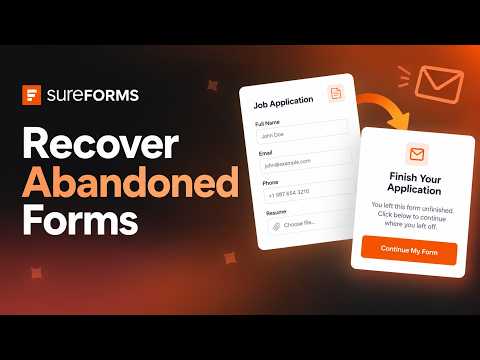
For intake forms, application forms, and any form where visitors may need to gather information before completing, enable SureForms’ Save & Progress feature. A “Save My Progress” button appears on the form. Visitors who click it receive an email link to continue later from where they left off.
Without Save & Progress, a visitor interrupted mid-way must start over when they return. Starting over often means not returning at all.
Enable Save & Progress: Form Settings > Save & Progress > Enable
Fix 9: Enable partial entry capture and immediate notifications
SureForms Pro captures the data visitors enter even if they never click Submit. These partial entries appear in SureForms > Entries and are marked as partial.
SureForms v2.12.3 added automatic admin notifications the moment a visitor saves their progress and pauses. This notification arrives while the visitor’s intent is still fresh, following up within minutes of a save event produces dramatically different results than following up hours later.
Configure partial entry notifications in your form’s notification settings.
Fix 10: Use form analytics to find your specific abandonment field
Generic advice about form abandonment applies to averages. Your specific form may have a very particular field that is causing your specific visitors to abandon. Without data, you can only guess.
SureForms Pro’s built-in form analytics show field-level completion data: which fields visitors complete, and where the drop-off concentrates.
Access analytics: SureForms > All Forms > [form] > Analytics
If your analytics show that 90% of visitors complete Fields 1 through 6 but only 40% complete Field 7, the problem is Field 7. You now have a specific, addressable problem instead of a general “people are abandoning my form” problem.
How to Track Form Abandonment in WordPress
Option 1: SureForms built-in form analytics (Pro)
SureForms Pro includes form analytics that track views, submissions, and completion rates for every form. The analytics dashboard shows you:
- Total impressions (how many times the form was loaded)
- Total submissions
- Overall completion rate
- Trends over time
For step-level drop-off on multi-step forms, analytics show how many visitors reached each step and where abandonment was highest.
Access: SureForms > All Forms > [your form] > Analytics icon
Option 2: Partial entries dashboard
Even without opening the analytics view, the partial entries dashboard gives you a practical picture of abandonment. Go to SureForms > Entries and filter by form. Entries marked as partial were started but not completed.
Comparing the count of complete entries to the count of partial entries gives you a rough abandonment rate. If you have 30 complete entries and 70 partial entries in the same period, your completion rate is approximately 30%.
Calculating your baseline abandonment rate
Before making changes, establish your current rate as a baseline:
- Note the date when you start tracking
- After two weeks, count complete submissions and partial entries in SureForms
- Calculate: partial entries / (complete + partial) = abandonment rate
- Make one change (from the list above)
- Measure again after two weeks
Change one thing at a time. If you change five things simultaneously and completion improves, you cannot identify which change caused the improvement. Isolated testing produces actionable data.
SureForms Features That Recover Abandoned Submissions
Partial Entry Capture
When enabled, SureForms saves the data visitors enter into form fields even if they never click Submit. Partial entries appear in the entries dashboard alongside complete submissions, labeled as partial.
This means that even when a visitor abandons, you have some of their information, often enough to identify them and follow up if appropriate.
Save & Progress with Resume Link
Visitors who click the Save Progress button receive an email with a personalized link. Clicking the link returns them to the exact step they left, with all their entered data intact. This is the most effective recovery mechanism for long forms and application flows where visitors genuinely want to complete but run out of time.
Automatic Partial Entry Admin Notifications (v2.12.3)
The critical difference between recovering abandoned form submissions and missing them entirely is often timing. A visitor who saves their progress is still thinking about your form, your service, or your product at that moment. A personal follow-up email within 10 to 15 minutes of a save event can recover a significant portion of incomplete submissions.
SureForms v2.12.3 sends the admin an email the moment a visitor saves their progress. This makes immediate follow-up possible without requiring you to monitor the entries dashboard continuously.
CRM Integration Routing for Partial Submissions
With conditional integration routing, partial entries that contain enough information can trigger CRM actions even before the visitor completes the form. This is an advanced configuration but allows high-intent partial submissions to enter your lead nurture workflow even when the form was never completed.
Conclusion
A 67.9% form abandonment rate is not a fixed number you have to accept. It is a baseline you can move by making specific, targeted improvements to your form’s design and setup.
The highest-leverage changes are almost always about removing something rather than adding it: fewer fields, simpler language, no phone number requirement, no surprises. After that, structural changes, multi-step layout, progress indication, save-and-resume, make longer forms sustainable for visitors who want to complete them but cannot do so in one sitting.
SureForms Pro includes form analytics that show you exactly where your visitors are dropping off, partial entry capture that saves data even from incomplete submissions, and v2.12.3’s automatic admin notifications that tell you the moment someone saves their progress and pauses.
Related guides: How to Create a Multi-Step Form | How to Stop WordPress Form Spam | SureForms Free vs Pro
Explore SureForms Pro at $59 per year