Team SureForms
July 21, 2026

SureForms 2.12.2: Payment History Widget and Smarter Repeater Webhooks

Hey everyone šŸ‘‹

If you build with Elementor or Bricks, this release makes it easier to give paying users a better account experience. It also makes repeater-based automations cleaner in SureForms Pro, and fixes three annoying edge cases.

Let’s get into it.

What’s New

Payment History widget for Elementor and Bricks

If your site accepts payments through SureForms, you can now drop a Payment History widget onto any Elementor or Bricks page and let logged-in users see their own payment records right there.

What that means for you:

  • Add payment history to member dashboards, client portals, or account pages without custom code
  • Keep the experience inside the builder you already use
  • Match the widget to the rest of your page layout more easily

→ Learn how to display payment history

Send repeater field data as a list in webhook payloads (Pro)

Repeater rows can now be sent as a structured list in webhook payloads for Make, Zapier, and n8n. That means each row arrives ready to loop through, map, and process without extra parsing.

What that means for you:

  • Build multi-row automations more easily
  • Create separate CRM records, tasks, or follow-ups from one submission
  • Spend less time cleaning up webhook data before using it

→ Learn how to use repeater data in webhooks

Squashed

  • Custom CSS now applies correctly on single form view pages. Fixed.
  • AI-generated quizzes now score answers with accented characters correctly. Fixed.
  • Files with special characters in their names now download without errors. Fixed.

We think you’ll like this one. Update when you’re ready.

As always, support is one click away if anything feels off.
Team SureForms
July 8, 2026

SureForms 2.12.1: Retry failed deliveries

Hey everyone šŸ‘‹

2.12.1 adds one feature you’ll appreciate the first time an integration fails, plus four fixes that sort out some real day-to-day frustrations including a Gmail notification issue that made Repeater fields look broken. Let’s get into it.

 What’s New

Retry failed webhooks and integrations without resubmitting the form When a webhook or native integration fails to deliver, you can now retry it directly from the activity log. Each entry gets its own Retry button so you can re-send a single failed delivery instantly. There’s also a bulk “Retry Failed Webhooks / Integrations” action for when multiple deliveries need to go out at once.

What this means for you:

  • No more asking users to resubmit a form just because a webhook timed out
  • Recover failed CRM, email, or automation deliveries in a couple of clicks
  • The bulk action handles multiple failures at once, so cleanup is fast

Fixes

Raw CSS no longer appears in Gmail notifications from Repeater fields An inline style block in the Repeater field’s table markup was being rendered as visible text in Gmail. Notification emails were showing raw CSS instead of a clean table. Removed. Fixed.

Reset form now works correctly across all fields The reset form option was silently failing for certain field types, leaving values behind after a reset. All fields are cleared correctly now. Fixed.

User Registration child fields now appear in Payment block mappers The Email and Name field mappers inside the Payment block weren’t showing child fields from User Registration container blocks. That left some setups unable to map correctly. They’re included now. Fixed.

Files with dots in their names now open without errors Uploading a file with a dot in its name like report.v2.pdf was triggering an “Invalid filename format” error during validation. The file would upload but fail to open. Resolved. Fixed.

We think you’ll like this one. Update when you’re ready.

As always, support is one click away if anything feels off.
Team SureForms

Team SureForms
June 26, 2026

SureForms 2.12.0: Payments, Entries, and Conditional Buttons

SureForms 2.12.0 brings payment lifecycle hooks for Stripe and PayPal, a Pro shortcode to display form entries on any page, conditional logic for Custom Buttons, and fixes across payments, CRM mapping, spam protection, and the form editor.

sureforms 2 12 0

What’s New

Connect payment events with memberships, courses, and CRMs SureForms now triggers actions on payment success, subscription cancellation, and refunds, for both Stripe and PayPal. Connected tools can respond automatically when a payment status changes.

What this means for you:

  • SureMembers can grant or revoke access based on real payment events
  • LMS platforms can enrol or unenrol students when payment status changes
  • CRMs can update contact records without manual work
  • Automation tools can start follow-up workflows after any payment event

→ Learn how it works

Display form entries anywhere with a shortcode: The new shortcode displays submitted entries in a sortable, paginated table on any page. Choose which columns to show, filter by user, and switch between read, unread, and trash views.

What this means for you:

  • Build a front-end submission dashboard without custom development
  • Let logged-in users view their own entries
  • Create member portals, client areas, or internal dashboards

→ Learn how it works

Add conditional logic to Custom Buttons: The Custom Button can now be shown or hidden based on field values. Show a payment button only when a paid option is selected, or a next-step button only after required fields are filled. Hidden buttons also block submission correctly.

Better Than Before

  • FluentCRM Date of Birth fields now map correctly: Date Picker values are normalized to YYYY-MM-DD before mapping, so birthday data sends without a format error.
  • Page Break settings are easier to find: Progress indicator, label visibility, and button text now appear directly in the block’s inspector panel with a note clarifying they apply form-wide.
  • Settings panels restored for single-tab blocks: Block settings are accessible again in affected configurations.

Fixed

  • PayPal subscriptions now cancel through PayPal, not Stripe. Fixed.
  • Multiple Cloudflare Turnstile widgets on the same page now validate correctly. Generic submission errors from multiple widgets are gone.
  • Stripe Payment Element now renders on live accounts with Bacs Direct Debit, Link, Cash App, or BNPL enabled. Squashed.
  • Form editor restored on WordPress 6.x sites running ThirstyAffiliates, Ninja Forms, or Gravity Forms. Older-style block conflicts are resolved. Fixed.

We think you’ll like this one. Update from your WordPress dashboard when you’re ready.

Team SureForms

Team SureForms
June 17, 2026

SureForms 2.11.1: Bug Fixes & Security Update

Hey everyone šŸ‘‹

2.11.1 is a focused patch. No new improvements,  just three things that needed to be fixed. One of them is a security fix, so update as soon as you can.

Phone field auto-country detection now works correctly The Phone field was defaulting every visitor to the United States, regardless of where they were located. A visitor in Germany or India would see the US dial code pre-selected and have to manually correct it before typing their number. It now detects the right country automatically, so the correct dial code is pre-selected from the start. Fixed.

Cloudflare Turnstile “Get Keys” link now goes to the right place The link inside the Turnstile settings that’s supposed to take you to your Cloudflare dashboard wasn’t going there. Anyone setting up spam protection for the first time had to leave the flow and hunt for the right page themselves. It now goes exactly where it should. Corrected.

Security fix A security vulnerability in SureForms has been identified and patched. We recommend updating to 2.11.1 immediately. Props to Yaswanth Reddy Sunkara from WPScan for responsibly disclosing this to our team.

Team SureForms

Team SureForms
June 12, 2026

SureForms 2.11.0: Migrate, translate, style, and store all in one release

Hey everyone šŸ‘‹

2.11.0 is a big one. You can now migrate forms from four major form plugins in a single click, translate each form individually with full WPML support, pick colours with a native colour picker field, store file uploads across Dropbox, Google Drive, and Amazon S3, and format post content visually inside CPT feeds. A handful of important fixes round it out. Let’s get into it.

final sureforms 2.11

✨ What’s new

Migrate from Contact Form 7, WPForms, Gravity Forms, and Ninja Forms in one click If you’ve been putting off switching to SureForms because of the forms you’d leave behind, that’s no longer a reason to wait. The new Form Migrator imports your existing forms from the four most popular form plugins in a single click. No rebuilding, no copying fields manually, no starting over.

What that means for you:

  • Switch to SureForms without losing forms you’ve spent time building
  • Migrated forms land inside SureForms immediately with entries, integrations, and analytics ready to go
  • Works for both free and Premium users

→ Migrate Contact Form 7 Forms to SureForms | Migrate Ninja Forms to SureForms | Migrate WPForms to SureForms | Migrate Gravity Forms to SureForms

Translate each form individually with WPML SureForms now has native WPML support. Translate each form on its own using WPML’s String Packages, so multilingual sites can serve the right form in the right language without workarounds or duplicated setups.

→ Learn how it works

Native Color Picker field  Add a colour picker directly to your form. Useful for product customisers, design request forms, or any workflow where you need visitors to select or specify a colour as part of their submission.

→ Learn how it works

Format post body content visually in CPT feeds) The Post Content field in CPT feeds now has a rich text TinyMCE editor. Format post bodies with headings, bold, lists, and links right inside the feed. No raw HTML required.

Store file uploads to Dropbox, Google Drive, and Amazon S3Ā  File submissions now support third-party cloud storage. Route uploads from any file field directly to Dropbox, Google Drive, or Amazon S3 in a unified workflow, instead of storing everything locally or managing separate integrations.

What that means for you:

  • Keep file submissions organised inside your existing cloud storage setup
  • Works across providers, so you’re not locked into one
  • No extra plugins needed

→ Learn how it works

 Squashed

  • Conditional logic rules are now preserved on re-render – configured conditions were silently dropped when the form re-rendered, undoing logic you’d already set. Fixed.
  • CPT feed taxonomy terms now resolved by slug – terms were being duplicated in SureDash instead of mapping to existing ones. Gone.
  • Survey and poll smart tags now emit structured data in integrations – tags were sending unformatted output, which broke data mapping downstream. Squashed.

We think you’ll like this one. Update when you’re ready.

As always, support is one click away if anything feels off.
Team SureForms

sureforms 2.11.0
Team SureForms
June 3, 2026

SureForms 2.10.1: Block API, Textarea Counter, & {entry_id} Smart tag

A quick follow-up. A couple of things, now right.

Hey everyone šŸ‘‹

Small but worthwhile update. Three things that needed tidying up are now tidied up. Each one makes the experience feel more polished and reliable. If you updated to 2.10 recently, this one is worth grabbing. Here’s what changed.

sureforms 2.10.1

Improved Block API Compatibility

Some sites running older Block API versions were hitting inconsistent editor behaviour after 2.10. In certain environments, the form editor wouldn’t load at all. We’ve improved compatibility across the board so the editor now loads cleanly regardless of your WordPress setup. If you were affected, this fixes it. If you weren’t, you wouldn’t notice a thing.

Textarea Character Counter Alignment Fixed

We shipped the character counter in 2.10 and it worked, but it wasn’t sitting where it should visually. The counter was appearing misaligned, making the field look unfinished even when the functionality was fine. It’s the kind of detail that stands out on a client-facing form. Fixed!

{entry_id} Smart Tag Now Resolves in Email Notifications

This one was quietly breaking notification templates for anyone using {entry_id} to track submissions. Instead of inserting the entry ID, the tag was returning blank — meaning email logic, ticket references, and internal workflows built around it weren’t working. It now resolves correctly on every submission. Gone!

Update when you get a chance, no urgency, but the {entry_id} fix is worth having if your notification relies on it for any kind of tracking or reference.As always, support is one click away if anything feels off.

sureforms 2.10.1
Team SureForms
May 27, 2026

SureForms 2.10: Forms that are faster to build, style, and manage all at once

Hey everyone šŸ‘‹

This release brings a full form design system, no more restyling forms one by one. A one-click HTML importer, smarter fields, a new Bigin action, and a few fixes. Here’s a quick look šŸ‘‡

This content is blocked because it requires YouTube cookies.

✨ What’s new

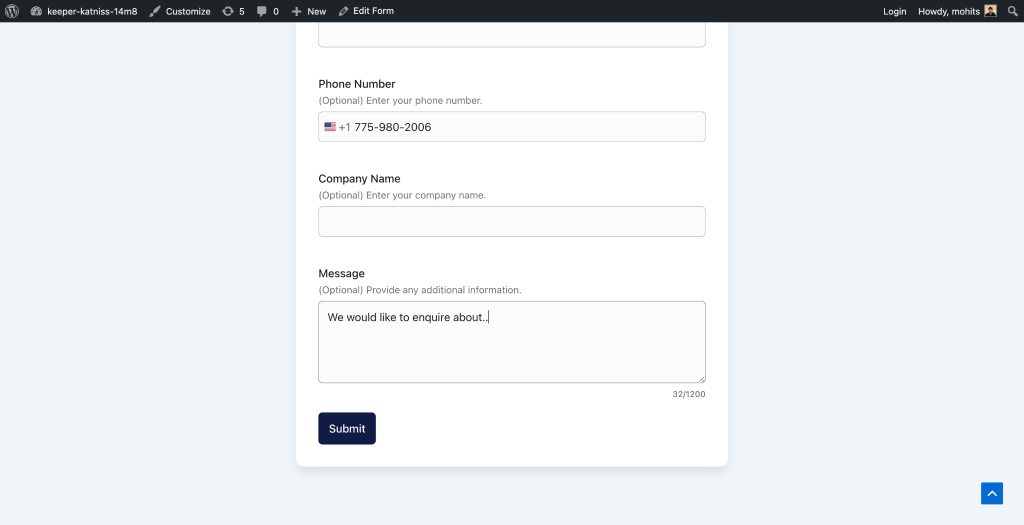
Live character counter on Textarea
image

Visitors now see their character count update as they type. No more vague instructions or submissions you have to manually check for length. Set the limit, let the field do the communicating.

One-click HTML form importer

Got raw HTML forms sitting on your site legacy embeds, old contact forms, anything built in plain HTML? Convert them into native SureForms in one click. Fields, structure, and all. No rebuilding from scratch, no copy-pasting field by field. Every converted form lands straight into SureForms with entries, analytics, and integrations ready to go.

Dynamic Default Values for multi-select fields 

Dropdown (multi-select) and Multi-Choice checkbox fields now support Dynamic Default Values, the same way single-select and text fields already do. Build smarter intake forms, pre-filled applications, and personalised experiences without extra code

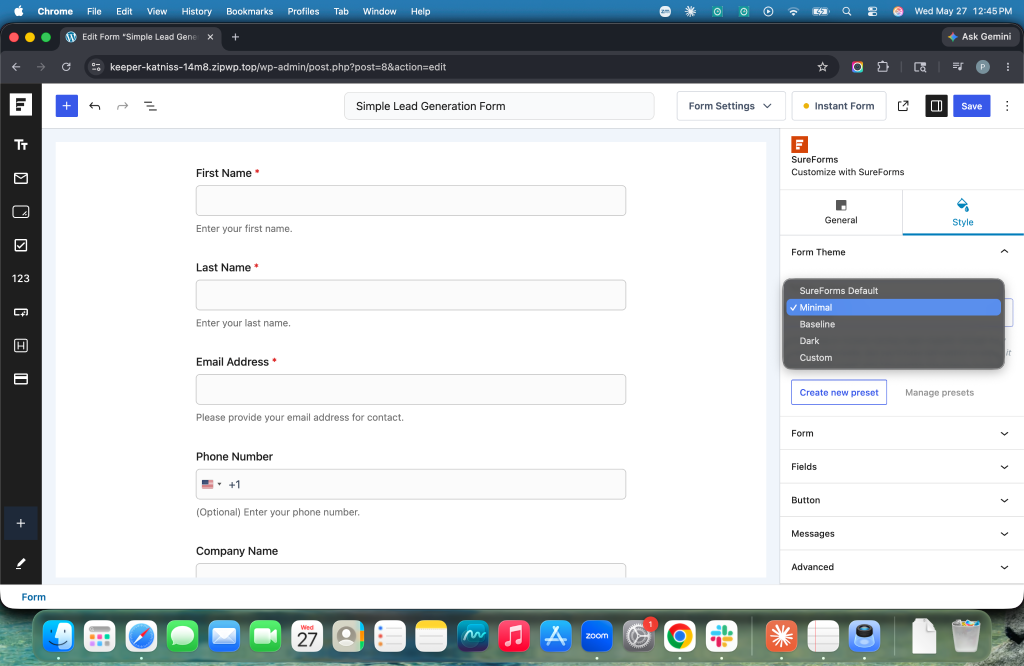
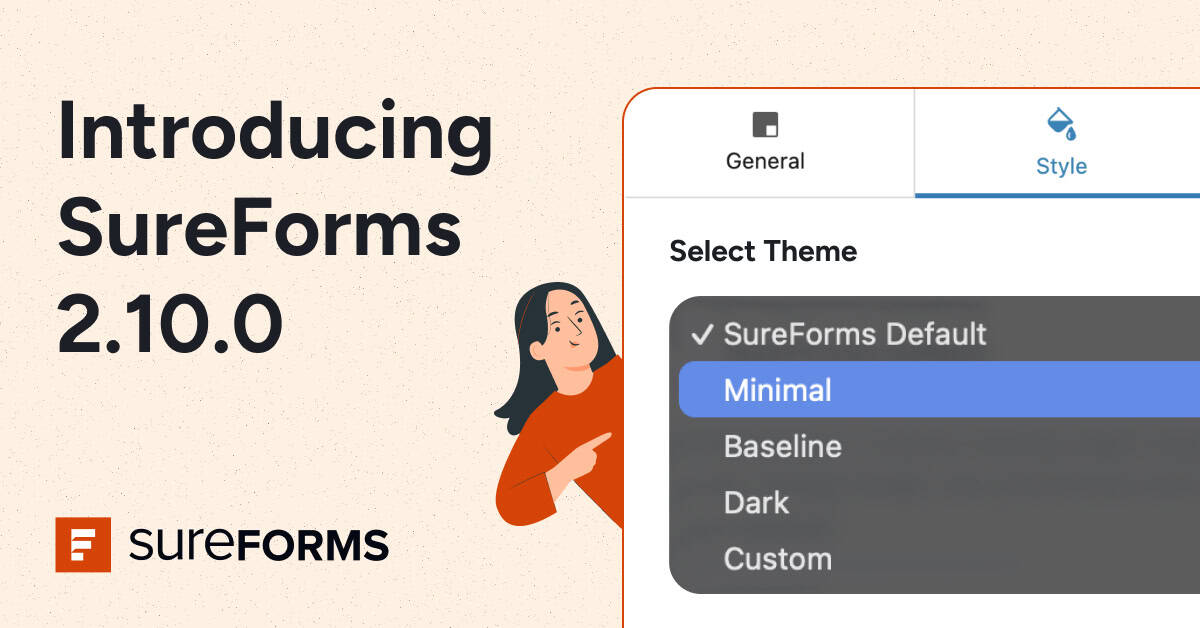
Style Presets – built-in themes and custom presets 
image

Minimal, Thin, and Dark (Pro) Three new presets in the Form Style – Theme picker. Pick one and your form takes on that style instantly, standalone forms and embed blocks both included. Each preset is still fully customizable once applied.

Create or Update Pipeline Record, Begin by Zoho integration

The Bigin integration gets a new action: Create or Update a Pipeline Record directly from a form submission. Form submissions can now drive your sales pipeline, not just your contacts list

Upserts keep your CRM clean, no duplicate records when someone submits again and connect quote requests, booking forms, and lead forms directly to deal stages.

    šŸ› Squashed

    • CSV exports now preserve line breaks from Textarea submissions — multi-line answers were being flattened. Fixed.
    • Entry URL now records the actual submission page, not the form permalink. Gone.
    • Help text on Dropdown and Address fields moved outside <legend> — screen readers were reading it as part of the label. Corrected.
    • Google Drive uploads on OttoKit submissions now arrive every time(Pro) — only the first submission was delivering files. Every submission now delivers. Squashed.
    introducing sureforms 2.10.0 (1)
    Team SureForms
    May 14, 2026

    SureForms v2.9.0: Capture Partial Entries, Set Global Defaults, Answer Description for Quizzes & More.

    Hey everyone šŸ‘‹

    This release gives you more control over how forms behave by default, how settings get saved, and what happens when people start a form but don’t finish it.

    Here’s a sneak peek šŸ‘‡

    This content is blocked because it requires YouTube cookies.

    ✨ What’s new

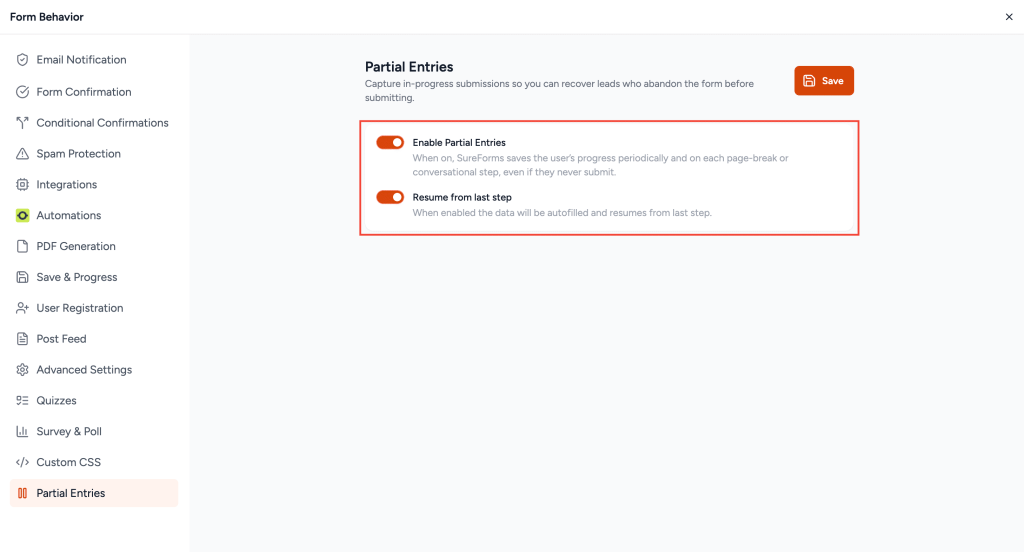
    Partial Entries (in SureForms Business)

    Capture in-progress submissions, so you can recover abandoned data and follow up with respondents who dropped off.

    Partial Entries in SureForms

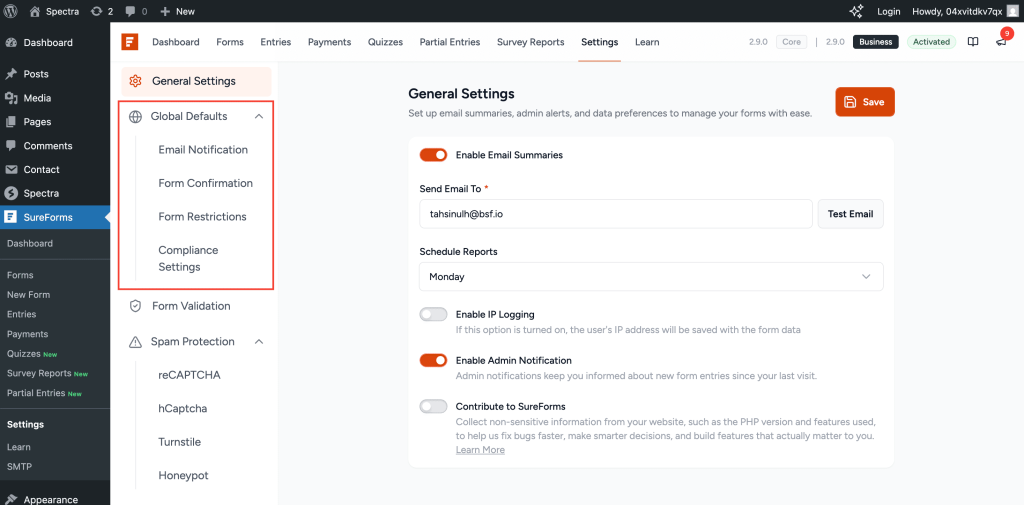
    Global Settings for every new form

    Configure form defaults once and have every new form inherit them. On Premium, the same applies to IP, Country, and Keyword restrictions.

    Global Settings in SureForms

    Save means save, across every settings tab

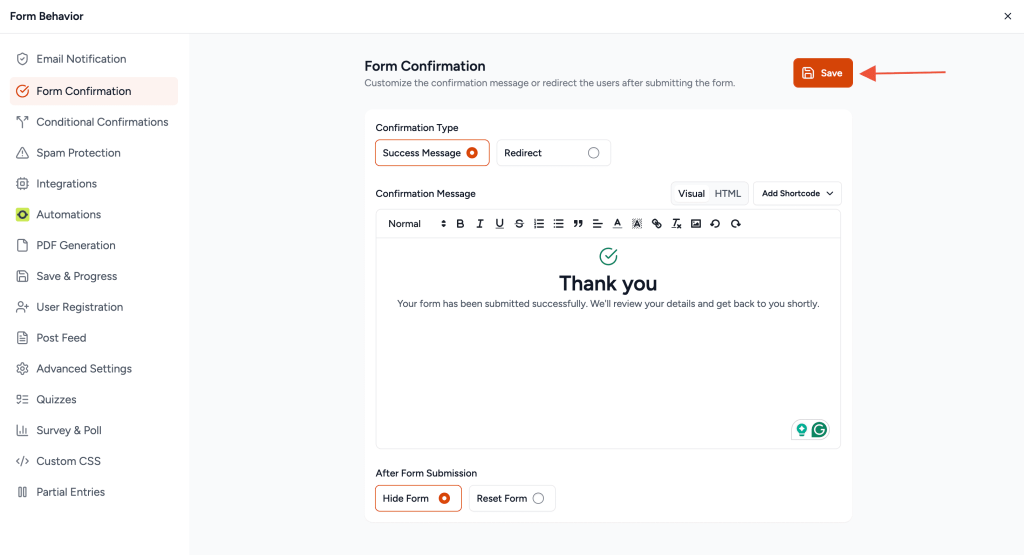
    Every settings tab now has its own explicit Save button, with an unsaved-changes guard before you switch tabs.

    Save Button in Form Settings

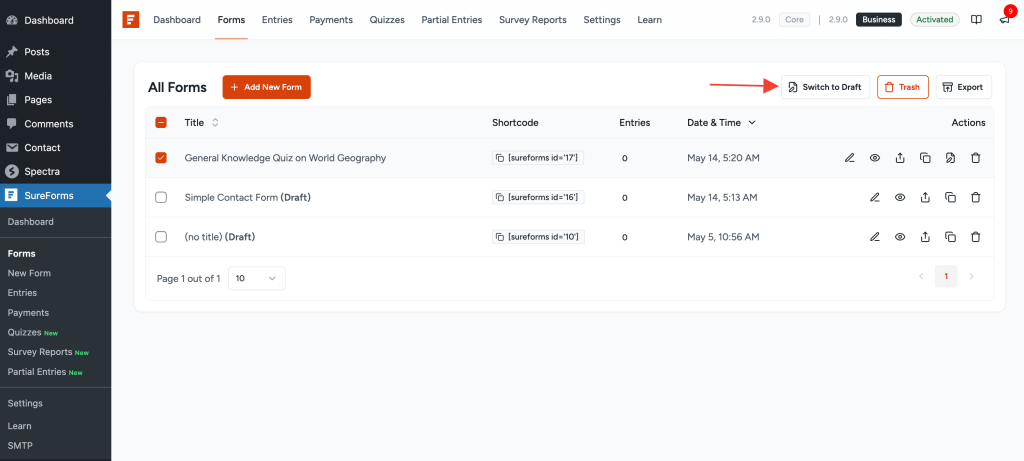
    Switch a published form back to a draft

    The All Forms list has a new Switch to Draft row action, so you can unpublish without opening the editor.

    switch to draft

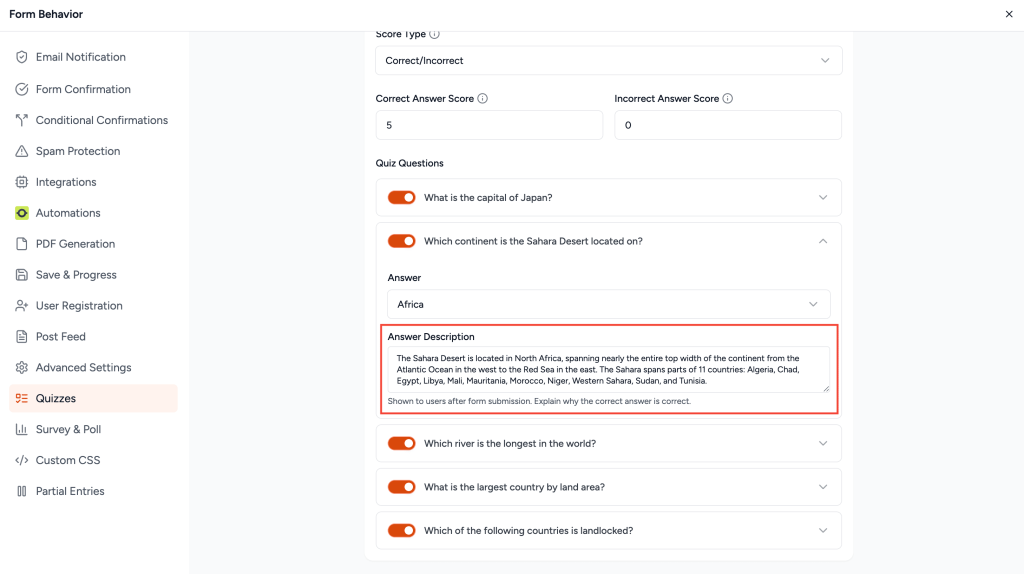
    Answer descriptions in Quizzes (in SureForms Business)

    Quiz questions now support answer descriptions, so respondents see an explanation alongside the correct answer.

    Answer Description for Quiz

    šŸš€ Better than before

    • Customizable ZIP filenames on export. A new srfm_export_zip_filename filter lets developers set their own naming convention.

    šŸ› Squashed

    • Refunds work again on cancelled subscriptions, including PayPal subscriptions on Premium.
    • Webhooks no longer leak unreachable file URLs for Upload and Signature fields (Premium).
    • No more false errors on Login and Registration page selectors (Premium).

    Update when you’re ready. – ā¤ļø from Team SureForms

    Team SureForms
    May 5, 2026

    SureForms v2.8 (Free 2.8.2 / Premium 2.8.3): Flexible Payments, Smarter Hidden Fields, Finer Control Over Limits & More

    This content is blocked because it requires YouTube cookies.

    Hey everyone šŸ‘‹

    This release gives you more ways to take payments, more reasons to lean on Hidden fields, and finer control over how often people can submit.

    There’s a single “Both” payment type that mixes one-time and subscription (PayPal included on Premium), Hidden fields that can drive payment amounts and run real calculations, minimum character limits on Textarea, and recurring entry caps that go beyond just “lifetime.” A couple of quiet bugs are gone too.

    Premium-only items are tagged inline, so you know what comes with the upgrade.

    Let’s get into it.

    ✨ What’s new

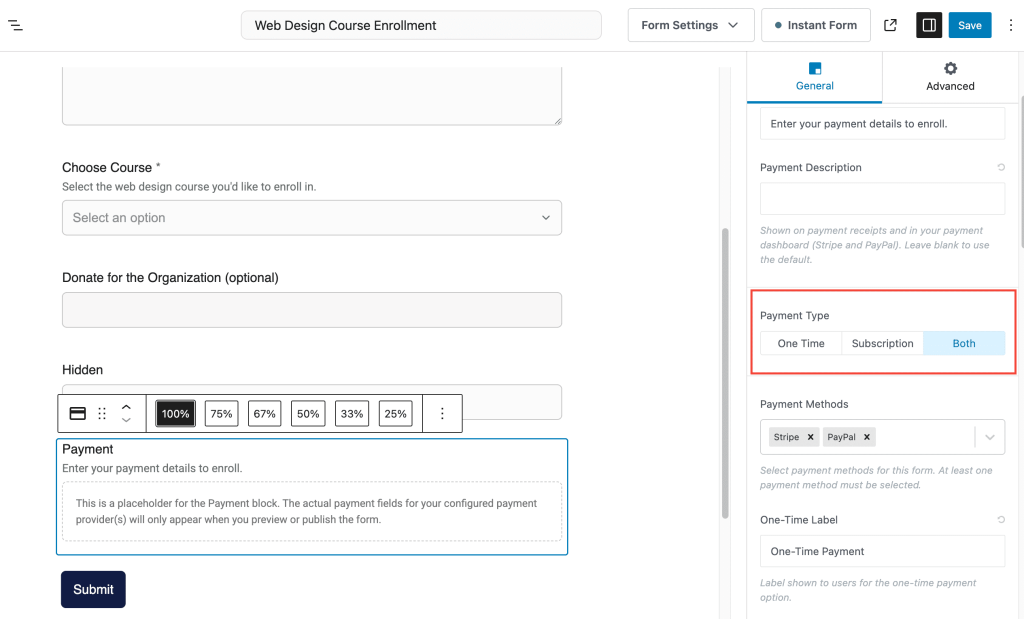
    Multiple payment types in one form

    multiple payment types

    Pick “Both” as your payment type and a single form can collect one-time payments and subscriptions side by side. On Premium, PayPal joins in too, with the SDK loading dynamically based on what the shopper picks.

    What that means for you:

    • Sell a product and offer a subscription upgrade in the same place
    • Stop maintaining duplicate forms for “buy once” vs “subscribe”.
    • On PayPal forms, page loads stay light. The right SDK loads only when it’s needed (Premium)
    • Cleaner flow for memberships, donations, or product bundles where shoppers pick their own commitment

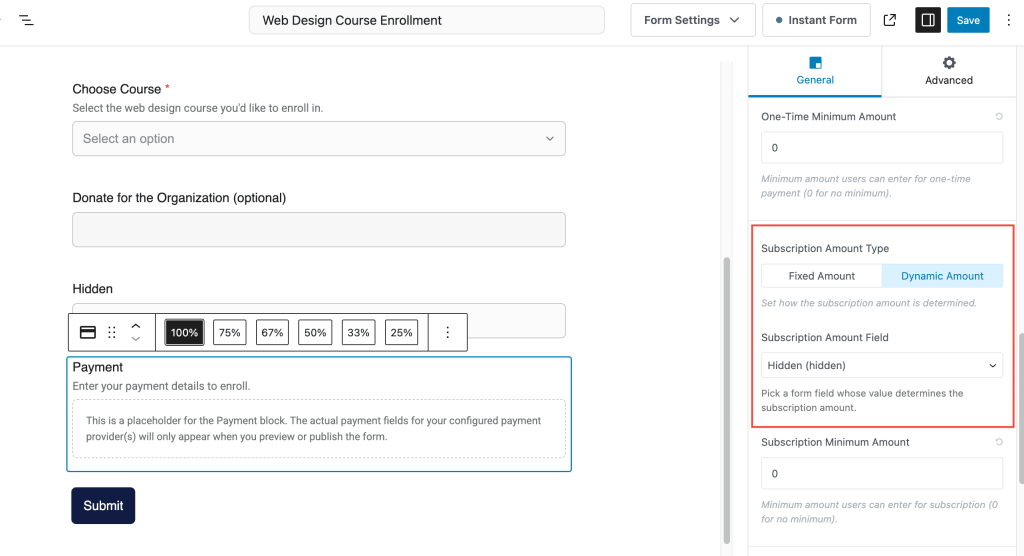
    Hidden fields can now do math and drive payments

    Hidden fields on Payments

    Hidden fields take on two new jobs this release. They can now act as a source for the payment block’s dynamic amount, and on Premium, they support full calculations too. Use them as inputs in your formulas or as the target where a calculated result lands, with server-side numeric validation when calculation is on.

    What that means for you:

    • Push calculated or backend-set totals into payments without showing them on the form
    • Set pricing from a URL parameter, a server response, or a backend rule
    • Run pricing logic, scoring, or running totals behind the scenes without cluttering the form (Premium)
    • Trust your numbers. Server-side validation keeps the math honest even if someone tampers with the front end (Premium)

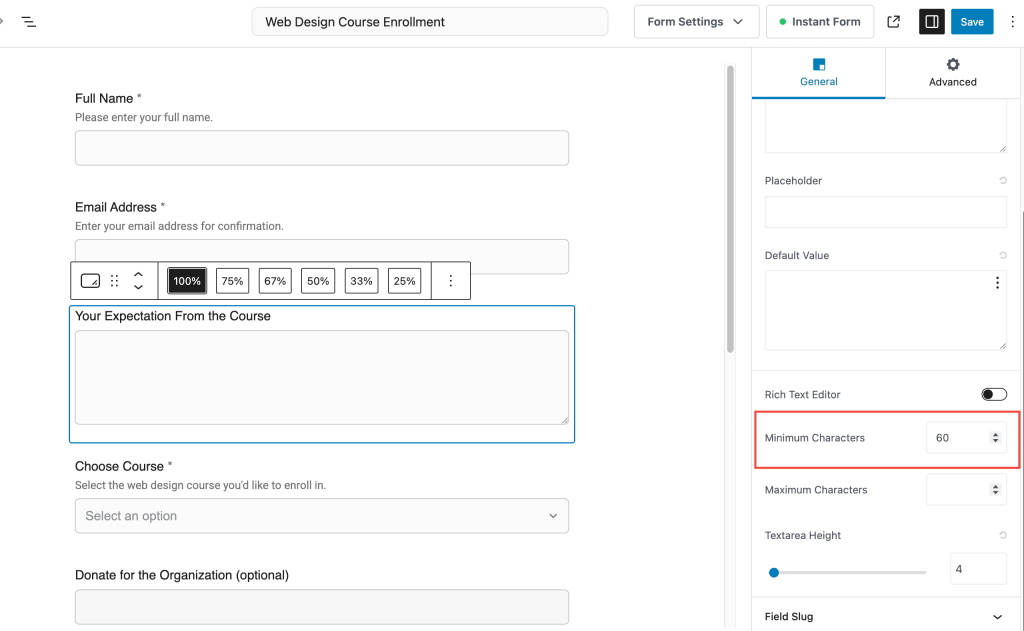
    Minimum character limit on Textarea

    Minimum character limit on text field

    Textarea fields now support a minimum character count, the same way other text fields do.

    What that means for you:

    • Stop getting one-word answers on questions that need real responses
    • Set realistic length expectations for feedback, applications, or short essays

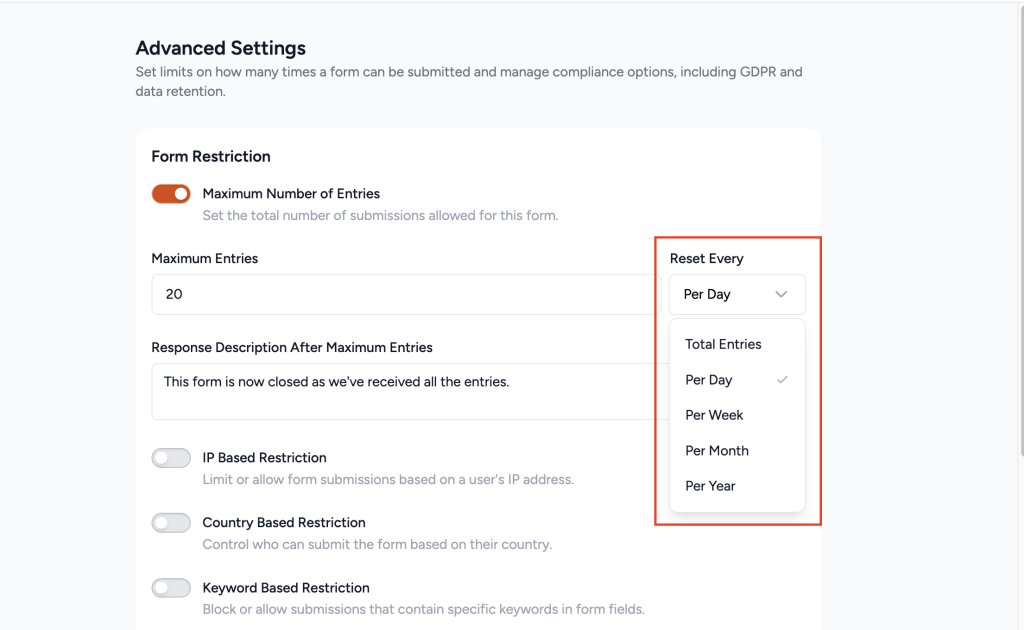
    Recurring entry limits (Premium)

    Recurring entry limits

    You can now cap submissions per day, week, month, or year, on top of the existing lifetime limit.

    What that means for you:

    • Limit giveaways or contests to one entry per day per person
    • Cap weekly support requests, monthly RSVPs, or yearly applications
    • Stop reaching for workarounds when “lifetime” is too strict and “no limit” is too loose

    šŸš€ Better than before

    • Extension hooks for windowed entry caps. Developers can now plug into form restriction and add their own daily, weekly, or monthly submission limits. Handy if you’re building an extension on top of SureForms.

    šŸ› Squashed

    • AI Form Builder no longer fails silently. Generic error messages have been replaced with clearer feedback, so you actually know what went wrong and how to fix it.
    • Confirm Email no longer blocks submissions on optional Email fields. If the Email field wasn’t marked as required, the Confirm Email check could quietly stop the form from submitting. Fixed.

    We think you’ll like this one. Update when you’re ready.

    As always, support is one click away if anything feels off.
    – With ā¤ļø from Team SureForms