
- Creating and Publishing a Form
- Conversational Form
- Create Multi Step Forms In WordPress
- Using Calculations in SureForms: A Step-by-Step Guide
- Calculation Formula Guide
- SureForms Login Block – Step-by-Step Guide
- SureForms Registration Block – Step-by-Step Guide
- SureForms – PDF Generation Feature
- GDPR Compliant Forms
- Create WordPress Forms With Conditional Logic
- Adjust Form Notification Emails
- Form Confirmation
- Entries Management Feature Guide
- How to Add Query Parameters to Form Redirects
- How to Fetch Query Parameters from URL
- Set the “From Email” in SureForms
- Setting Up “Reply-To” Email Using Form Input Tags – SureForms
- Restrict Form Entries in SureForms
- Form Scheduling in SureForms
- Conditional Confirmations in SureForms
- How to Connect Your Stripe Account with SureForms
- How to Connect PayPal in SureForms
- How to Create a Payment Form in SureForms
- SureForms Payments
- How Refunds Work in SureForms Payments
- Understanding Payment Processing Fees
- How to Display the Payment Dashboard on the Frontend (SureForms)
- Enable One-Time Payment and Subscription in a Single Form
- SureForms Integration with ActiveCampaign
- SureForms Integration with AgileCRM
- SureForms Integration with Airtable
- SureForms Integration with LatePoint
- SureForms Integration with FluentCRM
- Connect SureForms To Zapier
- WordPress Forms with the Custom App Builder
- SureForms Integration with Telegram
- SureForms Integration with Breeze
- SureForms Integration with Brevo
- Unable to Upload SureForms ZIP: File Unzipped On Download
- Browser Support for SureForms
- Not Getting Update Notifications
- How To Rollback to Previous SureForms Versions
- Publishing Failed: Invalid JSON Response
- Troubleshooting Email Sending In SureForms
- SureForm Submissions Marked as Spam – How to Fix
- API Request Failed – Nonce Verification Error
- Fixing the “Destination folder already exists” Error When Installing SureForms
- How to Set Up SureForms with Caching Plugins
- srfm_enable_redirect_activation
- sureforms_plugin_action_links
- srfm_quick_sidebar_allowed_blocks
- srfm_integrated_plugins
- srfm_suretriggers_integration_data_filter
- srfm_form_submit_response
- srfm_enable_gutenberg_post_types
- srfm_languages_directory
- srfm_form_template
- srfm_disable_nps_survey
How to Enable Distraction Free Mode in SureForms
The Distraction Free Mode in SureForms helps keep your WordPress admin area clean by hiding non-essential SureForms notices, promotional content, dashboard widgets, and other recommendations.
This is especially useful when you are handing over a website to a client or simply want a cleaner WordPress dashboard without additional SureForms messages.
What Does Distraction Free Mode Do?
By default, SureForms may display helpful information across the WordPress and SureForms dashboards, including form checks, troubleshooting notices, quick-access links, product recommendations, and other useful resources.
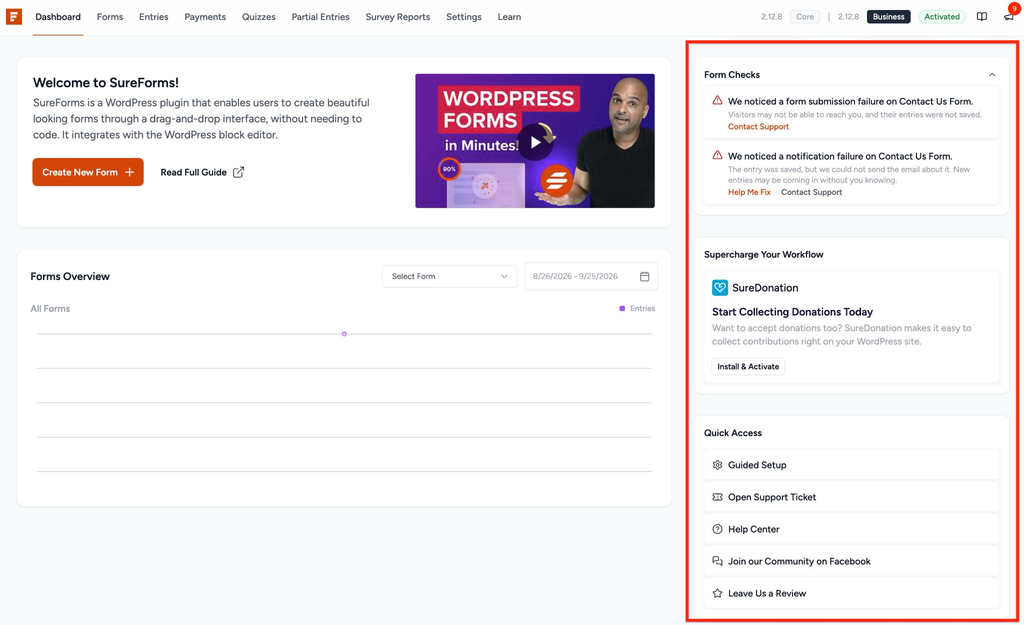
You may also see SureForms widgets and form-related notices on the main WordPress dashboard.
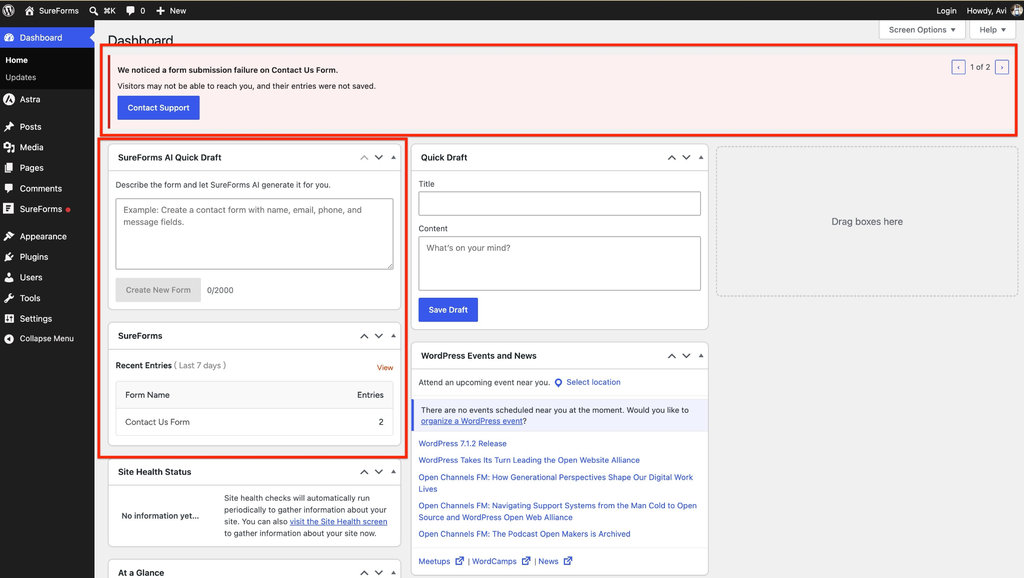
When Distraction-Free Mode is enabled, SureForms hides these non-essential elements to provide a cleaner admin experience.
Enable Distraction Free Mode
From your WordPress dashboard, navigate to:
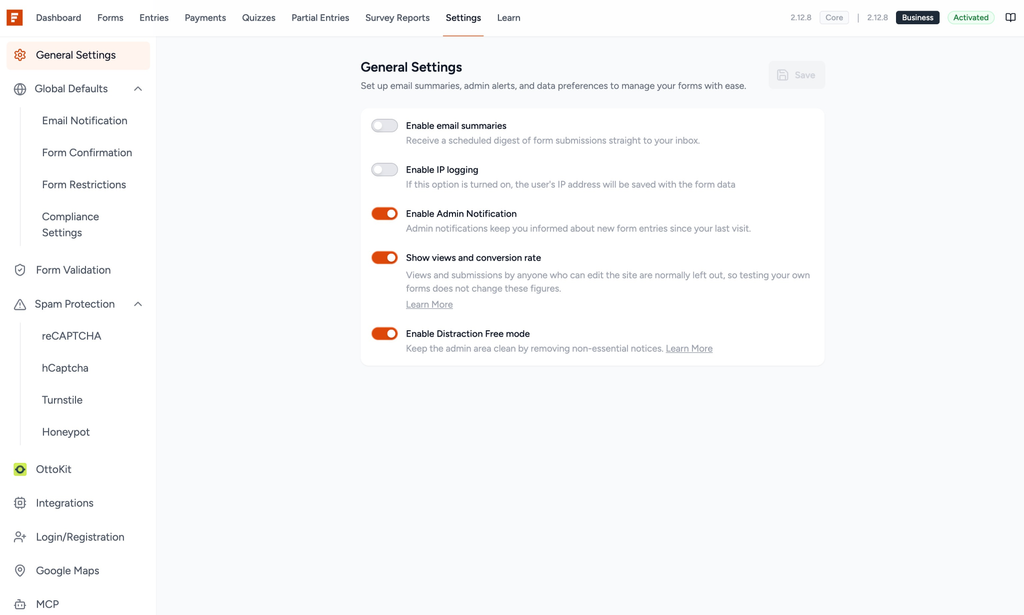
SureForms → Settings → General Settings
Under General Settings, locate the Enable Distraction Free mode option.
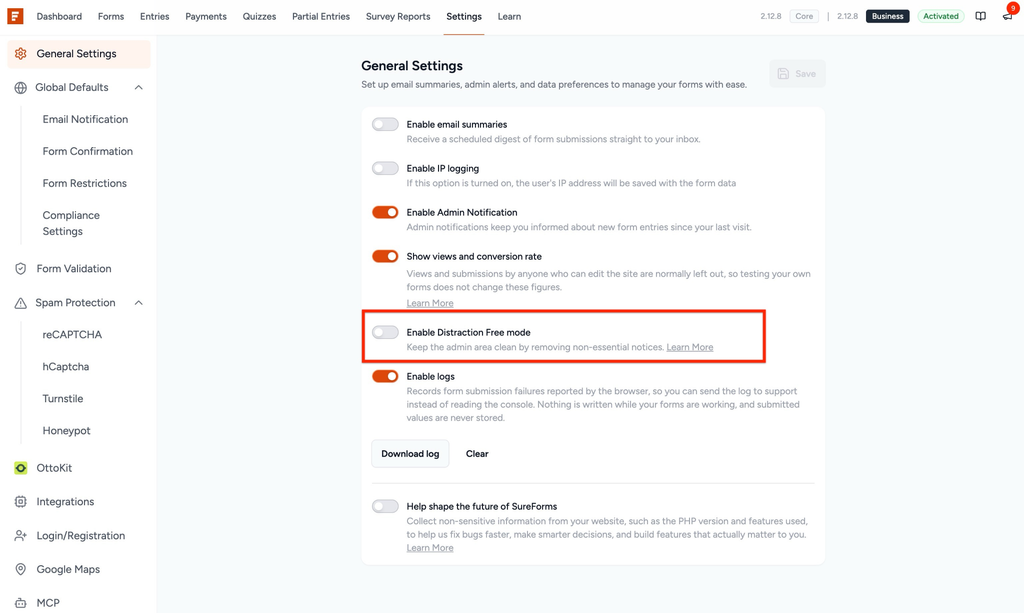
Turn on the Enable Distraction Free mode toggle and click Save.
Once enabled, SureForms removes non-essential notices and promotional elements from the admin area.
What Changes After Enabling It?
Distraction-Free Mode cleans up both the SureForms Dashboard and the main WordPress Dashboard.
On the SureForms dashboard, sections such as product recommendations, Quick Access links, and other non-essential dashboard content are hidden. The dashboard uses the available space for the main SureForms content.
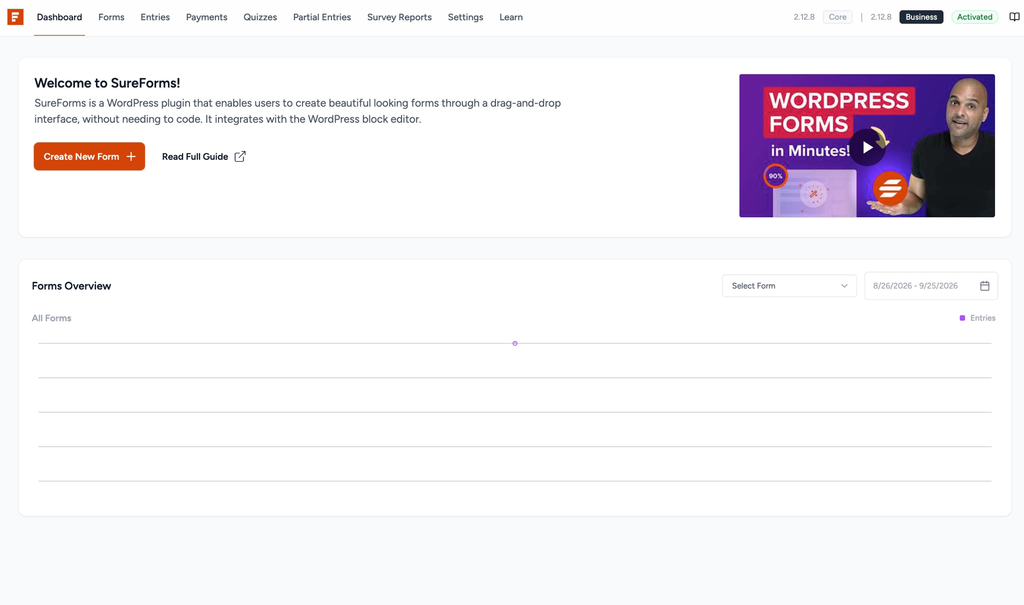
On the WordPress dashboard, SureForms-specific widgets, promotional messages, and form-related notices are also hidden.
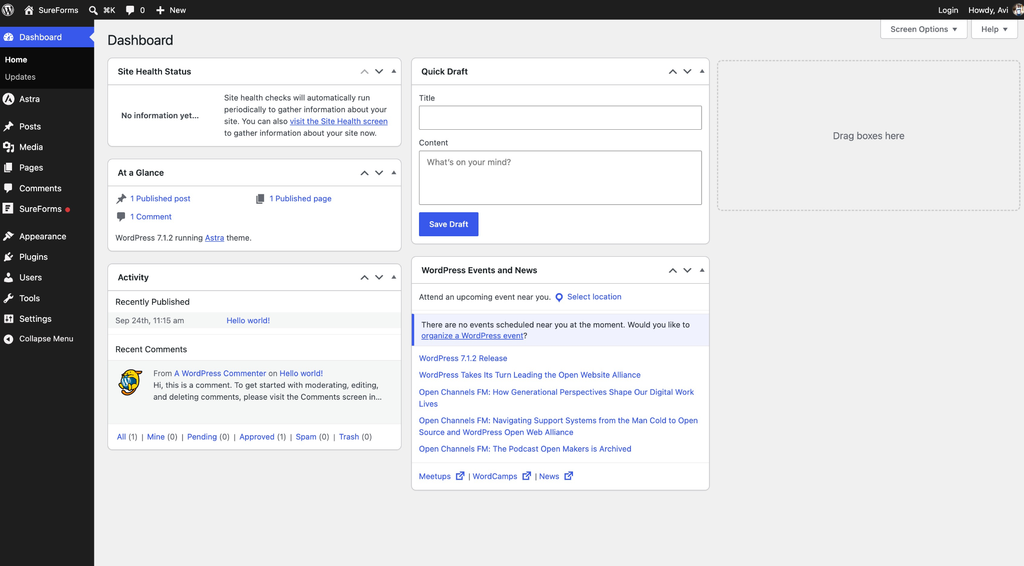
Additionally, some non-essential options, such as Enable logs and Help shape the future of SureForms, are hidden from General Settings while Distraction-Free Mode is active.
What Gets Hidden?
When Distraction-Free Mode is enabled, SureForms can hide elements such as form submission or email notification failure notices, SureForms dashboard widgets, the AI Quick Draft widget on the WordPress dashboard, plugin recommendations, Guided Setup and support shortcuts, community and review prompts, SMTP-related recommendations, and other promotional or non-essential admin notices.
Disable Distraction Free Mode
If you want these notices and dashboard resources back, navigate to SureForms → Settings → General Settings, turn off Enable Distraction Free mode, and click Save.
The hidden SureForms dashboard elements and applicable admin notices will become available again.
We don't respond to the article feedback, we use it to improve our support content.