
- Creating and Publishing a Form
- Conversational Form
- Create Multi Step Forms In WordPress
- Using Calculations in SureForms: A Step-by-Step Guide
- Calculation Formula Guide
- SureForms Login Block – Step-by-Step Guide
- SureForms Registration Block – Step-by-Step Guide
- SureForms – PDF Generation Feature
- GDPR Compliant Forms
- Create WordPress Forms With Conditional Logic
- How to Create Inline Forms in SureForms
- How to Add Smart Tags as Default Values in SureForms
- Adding Custom Posts Using SureForms
- Validate as Unique in SureForms
- How to Use Conditional Logic in SureForms
- How to Use OttoKit with Repeater Field in SureForms
- How to Duplicate a Form in SureForms
- Custom Lost Password and Reset Password Pages
- Test
- Quiz Feature in SureForms
- SureForms – Survey & Polls Feature
- Using the Google Maps API with SureForms
- How to Move a Published Form to Draft Mode
- Convert HTML Forms to SureForms
- Hide the Submit Button Using Conditional Logic
- Adjust Form Notification Emails
- Form Confirmation
- Entries Management Feature Guide
- How to Add Query Parameters to Form Redirects
- How to Fetch Query Parameters from URL
- Set the “From Email” in SureForms
- Setting Up “Reply-To” Email Using Form Input Tags – SureForms
- Restrict Form Entries in SureForms
- Form Scheduling in SureForms
- Conditional Confirmations in SureForms
- How to Connect Your Stripe Account with SureForms
- How to Connect PayPal in SureForms
- How to Create a Payment Form in SureForms
- SureForms Payments
- How Refunds Work in SureForms Payments
- Understanding Payment Processing Fees
- How to Display the Payment Dashboard on the Frontend (SureForms)
- Enable One-Time Payment and Subscription in a Single Form
- SureForms Integration with ActiveCampaign
- SureForms Integration with AgileCRM
- SureForms Integration with Airtable
- SureForms Integration with LatePoint
- SureForms Integration with FluentCRM
- Connect SureForms To Zapier
- WordPress Forms with the Custom App Builder
- SureForms Integration with Telegram
- SureForms Integration with Breeze
- SureForms Integration with Brevo
- Unable to Upload SureForms ZIP: File Unzipped On Download
- Browser Support for SureForms
- Not Getting Update Notifications
- How To Rollback to Previous SureForms Versions
- Publishing Failed: Invalid JSON Response
- Troubleshooting Email Sending In SureForms
- SureForm Submissions Marked as Spam – How to Fix
- API Request Failed – Nonce Verification Error
- Fixing the “Destination folder already exists” Error When Installing SureForms
- How to Set Up SureForms with Caching Plugins
- srfm_enable_redirect_activation
- sureforms_plugin_action_links
- srfm_quick_sidebar_allowed_blocks
- srfm_integrated_plugins
- srfm_suretriggers_integration_data_filter
- srfm_form_submit_response
- srfm_enable_gutenberg_post_types
- srfm_languages_directory
- srfm_form_template
- srfm_disable_nps_survey
SureForms – Survey & Polls Feature
Overview
The Survey & Polls feature in SureForms allows you to turn any form into a powerful survey or live poll directly inside WordPress.
With this feature, you can collect responses, analyze data visually, and even show results instantly to users.
AI Form Builder (Survey Type)
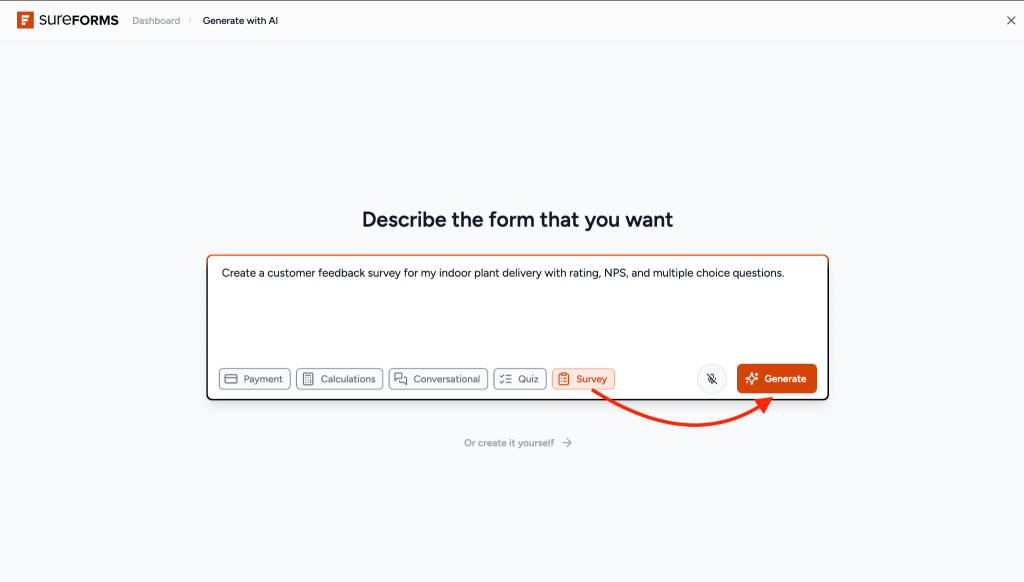
You can quickly create a survey using the AI Form Builder.
Steps
- Go to Add New Form
- Select AI Form Builder
- Choose Survey
- Enter your survey description
- Click Generate
Key Features
- Visual reports dashboard
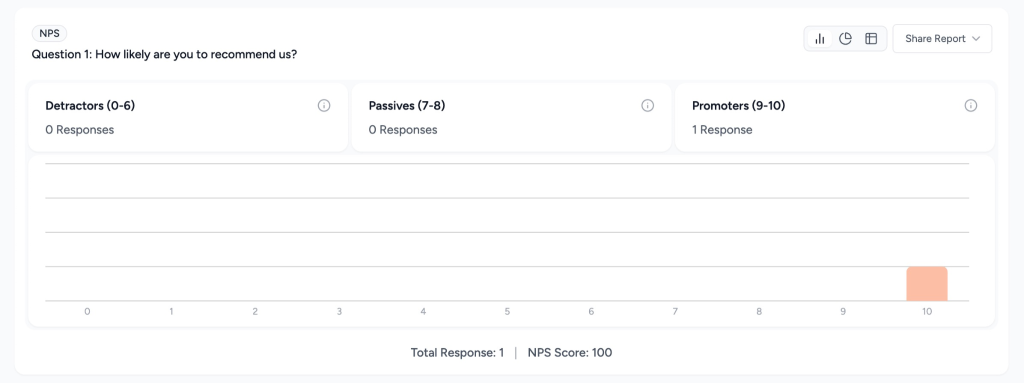
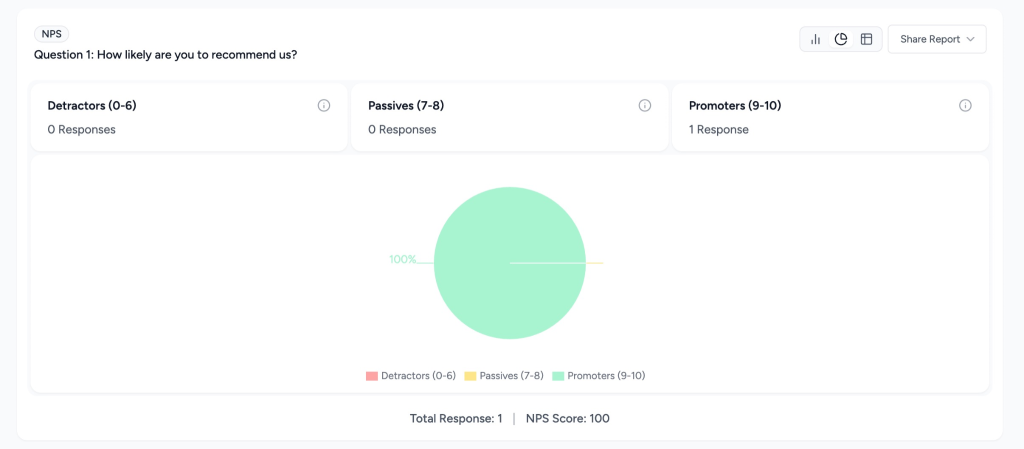
- Charts: Bar, Pie, Donut, Table
- NPS (Net Promoter Score) tracking
- Live poll results after submission
- Shortcode to display results anywhere
- Smart tags for dynamic results
- CSV export for full data
1. Enable Survey Mode
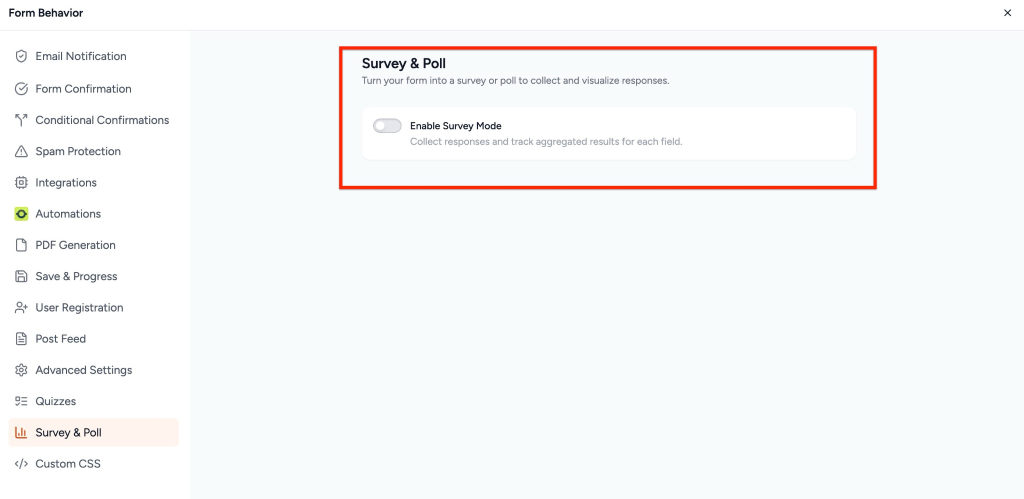
You can enable Survey Mode for any form.
Steps
- Go to SureForms → Forms
- Open an existing form or create a new one
- Form Setting > Survey & Poll Settings
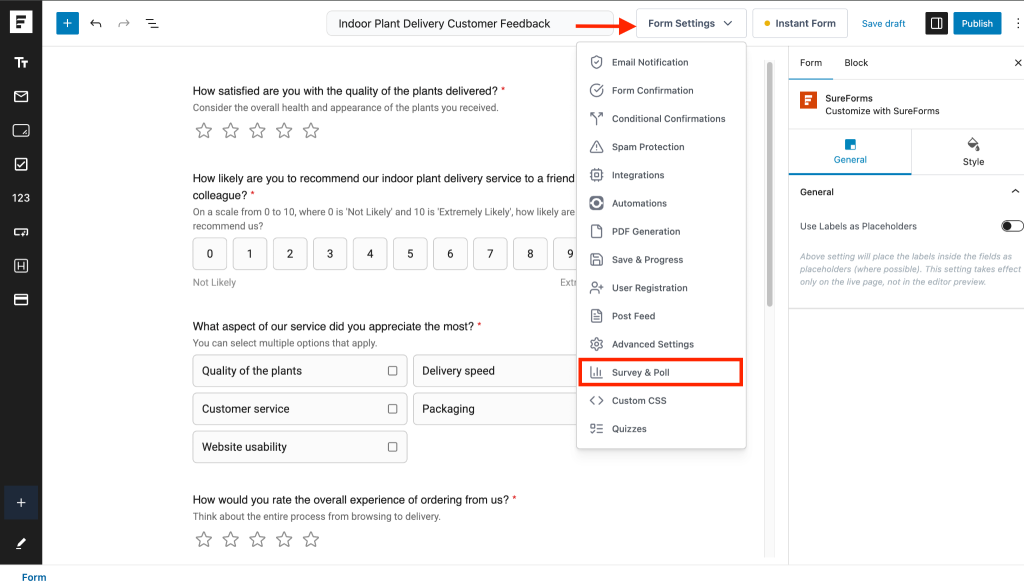
- Enable Survey Mode
2. Survey Mode vs Poll Mode
Survey Mode includes two options:
| Setting | Survey Mode | Poll Mode |
| Live Results | Off | On |
| Visibility | Admin only | All users |
| Confirmation | Normal message | Shows results |
| Redirect | Works normally | Disabled |
Enable Poll Mode
Turn ON Show Live Results After Submission
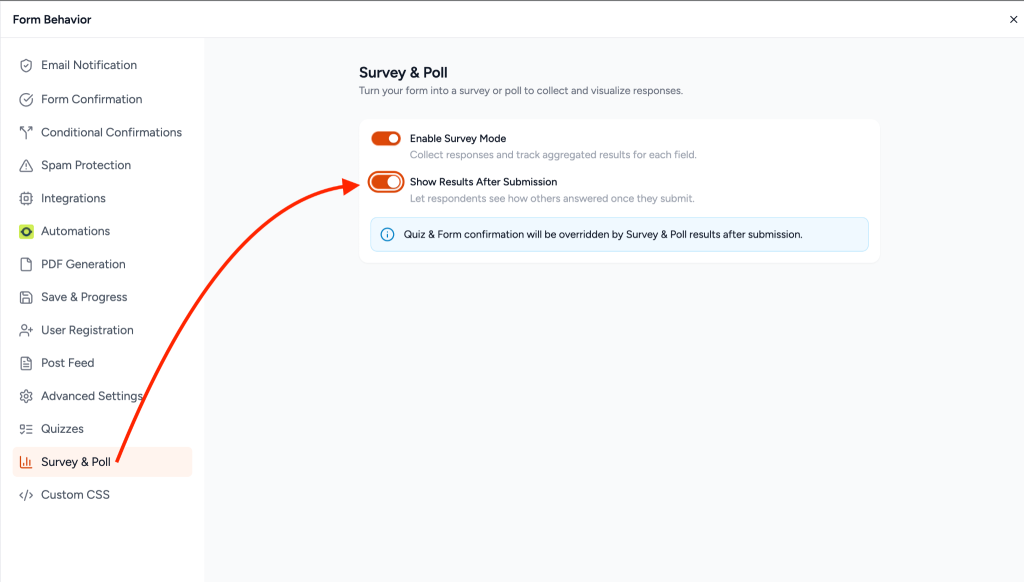
3. Supported Fields
Charts are automatically generated based on field types:
| Field Type | Output |
| Radio | Bar chart |
| Checkbox | Bar chart |
| Dropdown | Bar chart |
| Slider | Value chart |
| Rating | Average + distribution |
| NPS | Score + categories |
| Text / Email | Count + preview |
| Textarea | Count + preview |
| Number | Average + distribution |
4. NPS (Net Promoter Score)
The NPS field helps measure customer satisfaction.
Add NPS Field
- Open form editor
- Click + Add Block
- Search NPS
- Insert into the form
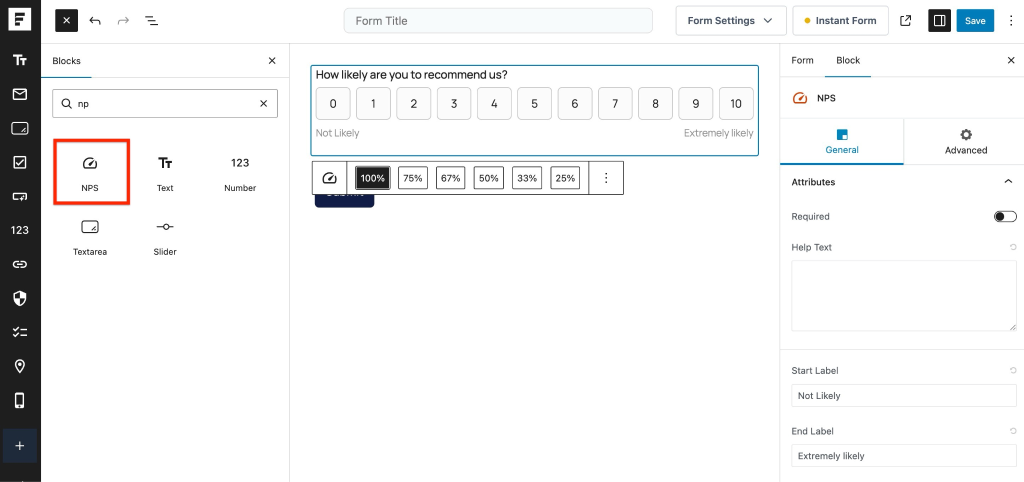
NPS Settings
| Setting | Description |
| Label | Question text |
| Start Label | For score 0 |
| End Label | For score 10 |
| Required | Make field mandatory |
| Error Message | Validation message |
| Conditional Logic | Show/hide logic |
| Slug | Used in shortcode |
NPS Categories
| Category | Score |
| Detractors | 0–6 |
| Passives | 7–8 |
| Promoters | 9–10 |
Formula
\text{NPS Score} = %\text{Promoters} – %\text{Detractors}
Range: -100 to +100
5. Survey Reports Dashboard
Access
Go to: SureForms → Survey Reports
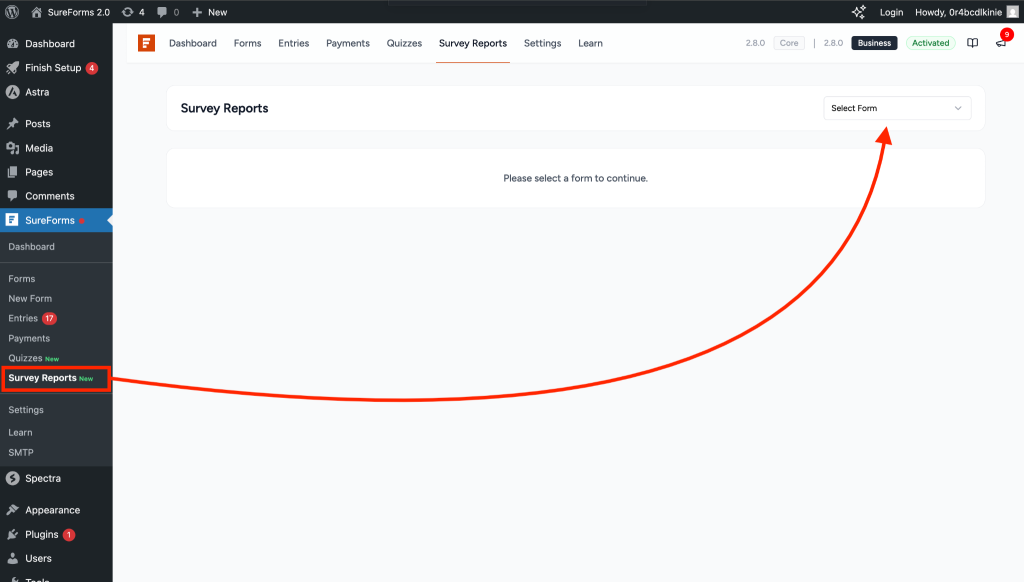
Dashboard Sections.
Select Form from the drop-down.
- Form Selector – Choose form
- Date Filter – Select time range
- Share Report – Export & shortcode
- Summary – Total responses.
- Trends Chart – Daily/Weekly/Monthly
- Field Charts – Per-field data
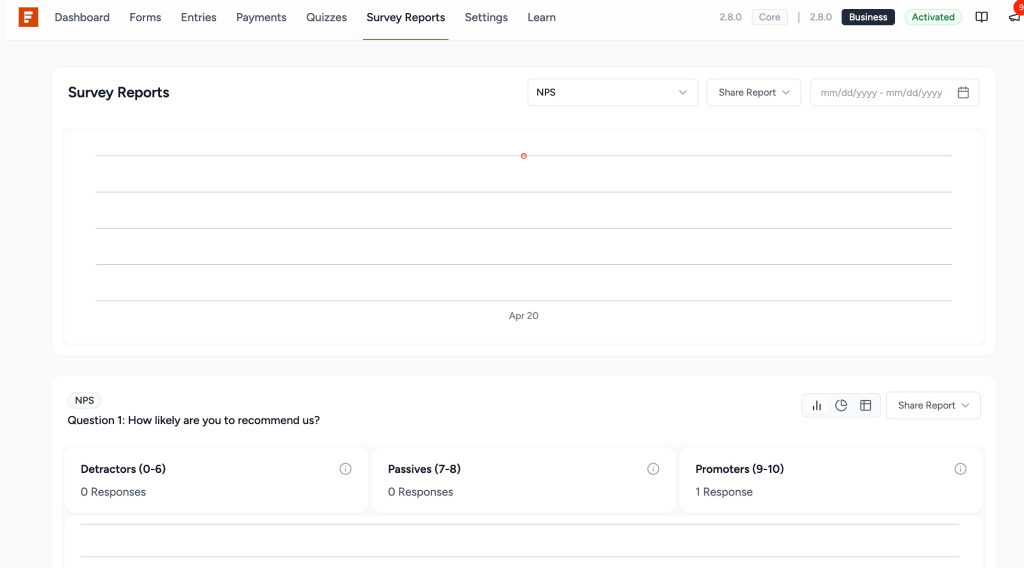
Chart Types
- Bar Chart
- Pie / Donut Chart
- Table View
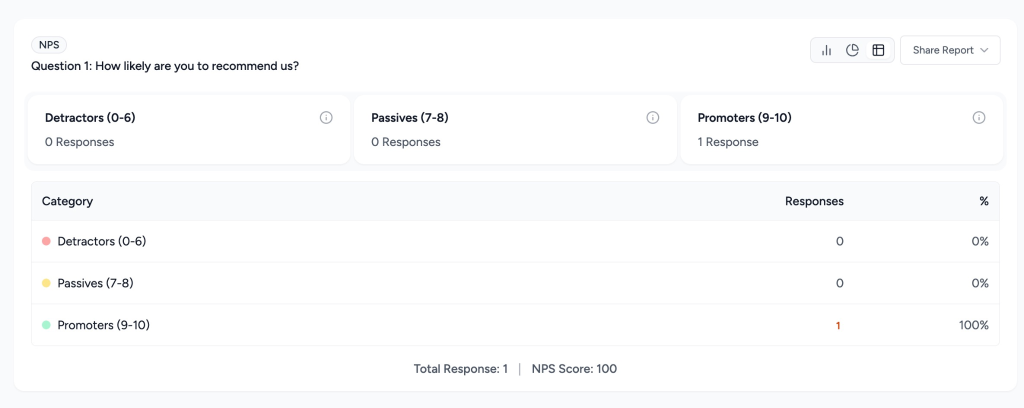
NPS Report Includes
- NPS Score
- Category breakdown
- Score distribution
- Drilldown access
6. Drilldown (Detailed Data View)
View detailed responses for any selection.
How to Open
- Click chart bars or slices
- Click table rows
- Click NPS categories
📸 [Add Screenshot: Drilldown Modal]
Features
- Response count
- Search and filter
- Column visibility
- Pagination
- CSV export
7. Display Results with Shortcode
Basic Usage
[sureforms_survey_results id="FORM_ID"]Examples
[sureforms_survey_results id="6805"][sureforms_survey_results id="6805" slug="how-likely-are-you-to-recommend-us"][sureforms_survey_results id="6805" slug="srfm-rating"]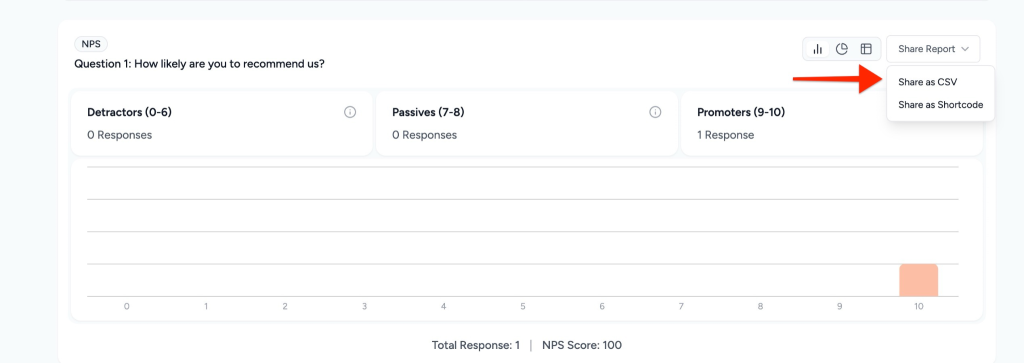
Visibility Rules
- Works only if Survey Mode is enabled
- Admin-only unless Live Results is ON
- Form must be published
8. Smart Tags
Use smart tags in emails or confirmations.
Available Tags
| Tag | Output |
| All results | |
| Specific field |
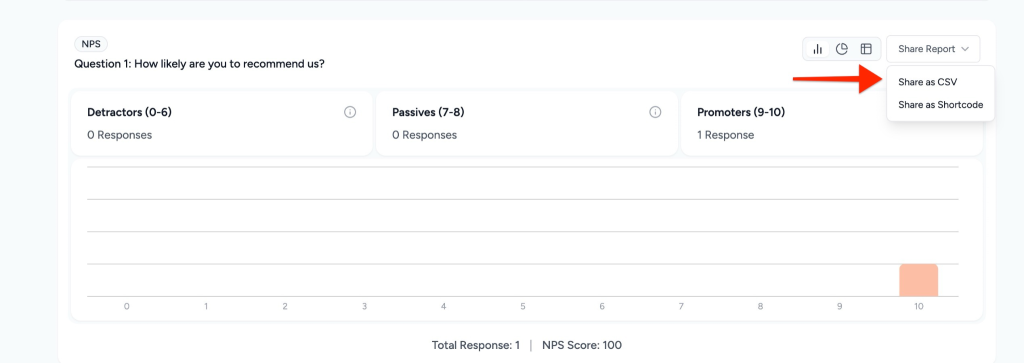
9. CSV Export
Export Options
- Full form export
- Single field export
- Drilldown export
Includes
- Field data
- Counts and percentages
- NPS score
- Individual responses
- Submission date
This feature helps you turn simple forms into powerful tools for collecting feedback, running polls, and making data-driven decisions all within SureForms.
We don't respond to the article feedback, we use it to improve our support content.