
- Creating and Publishing a Form
- Conversational Form
- Create Multi Step Forms In WordPress
- Using Calculations in SureForms: A Step-by-Step Guide
- Calculation Formula Guide
- SureForms Login Block – Step-by-Step Guide
- SureForms Registration Block – Step-by-Step Guide
- SureForms – PDF Generation Feature
- GDPR Compliant Forms
- Create WordPress Forms With Conditional Logic
- Adjust Form Notification Emails
- Form Confirmation
- Entries Management Feature Guide
- How to Add Query Parameters to Form Redirects
- How to Fetch Query Parameters from URL
- Set the “From Email” in SureForms
- Setting Up “Reply-To” Email Using Form Input Tags – SureForms
- Restrict Form Entries in SureForms
- Form Scheduling in SureForms
- Conditional Confirmations in SureForms
- How to Connect Your Stripe Account with SureForms
- How to Connect PayPal in SureForms
- How to Create a Payment Form in SureForms
- SureForms Payments
- How Refunds Work in SureForms Payments
- Understanding Payment Processing Fees
- How to Display the Payment Dashboard on the Frontend (SureForms)
- Enable One-Time Payment and Subscription in a Single Form
- SureForms Integration with ActiveCampaign
- SureForms Integration with AgileCRM
- SureForms Integration with Airtable
- SureForms Integration with LatePoint
- SureForms Integration with FluentCRM
- Connect SureForms To Zapier
- WordPress Forms with the Custom App Builder
- SureForms Integration with Telegram
- SureForms Integration with Breeze
- SureForms Integration with Brevo
- SureForms Integration with GetResponse
- SureForms Integration with Drip
- Integrating SureForms with OttoKit
- Webhooks
- Webhook Conditional Logic
- SureForms Integration with Salesflare
- SureForms Integration with Hostinger Reach
- SureForms Integration with MailPoet
- SureForms Integration with Mailchimp
- Conditional Logic with Integrations
- SureForms Integration with Zoho CRM
- SureForms Integration with Keap
- SureForms Integration with MailerPress
- SureForms Integration with Google Sheets
- SureForms Integration with Notion
- SureForms Integration with WP Fusion
- SureForms Integration with Kit
- SureForms Integration with Mailjet
- SureForms Integration with MailerLite
- HubSpot Integration in SureForms
- SureForms Integration with Klaviyo
- SureForms Integration with Constant Contact
- SureForms Integration with Bigin by Zoho CRM
- How to Sell Membership Access Using a SureForms Payment Form
- Unable to Upload SureForms ZIP: File Unzipped On Download
- Browser Support for SureForms
- Not Getting Update Notifications
- How To Rollback to Previous SureForms Versions
- Publishing Failed: Invalid JSON Response
- Troubleshooting Email Sending In SureForms
- SureForm Submissions Marked as Spam – How to Fix
- API Request Failed – Nonce Verification Error
- Fixing the “Destination folder already exists” Error When Installing SureForms
- How to Set Up SureForms with Caching Plugins
- srfm_enable_redirect_activation
- sureforms_plugin_action_links
- srfm_quick_sidebar_allowed_blocks
- srfm_integrated_plugins
- srfm_suretriggers_integration_data_filter
- srfm_form_submit_response
- srfm_enable_gutenberg_post_types
- srfm_languages_directory
- srfm_form_template
- srfm_disable_nps_survey
SureForms Integration with WP Fusion
SureForms allows you to integrate with WP Fusion to send form submissions to your CRM, apply tags, update contacts, and trigger automations automatically.
This integration helps you connect your forms with popular CRMs supported by WP Fusion, without any manual work.
Global Integration Settings
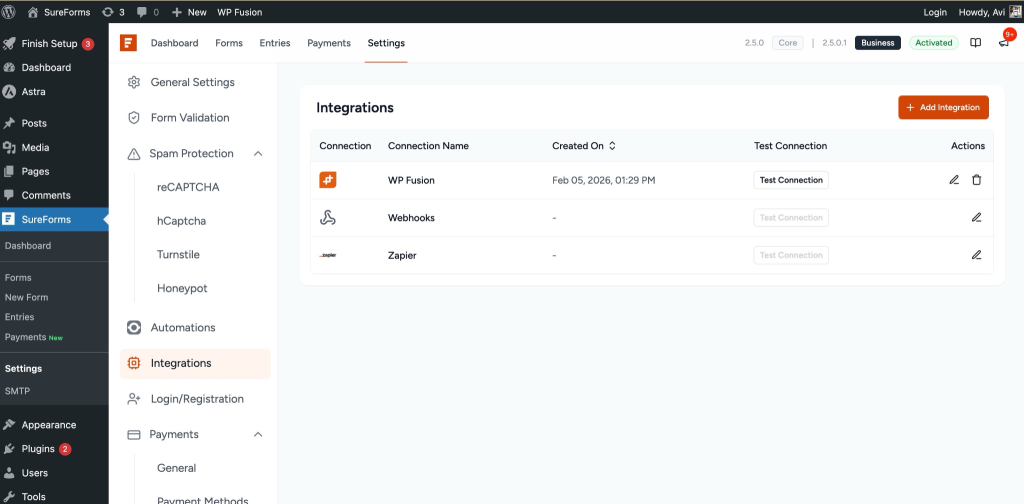
Before adding WP Fusion to a form, make sure the plugin is installed and configured.
- Go to your WordPress dashboard.
- Navigate to SureForms → Settings.
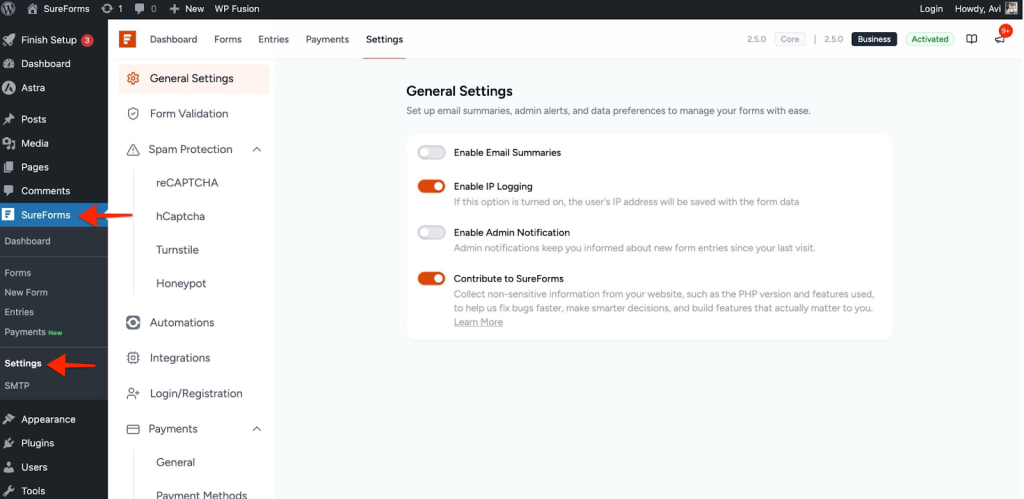
- Click the Integrations tab > Click Add Integration.
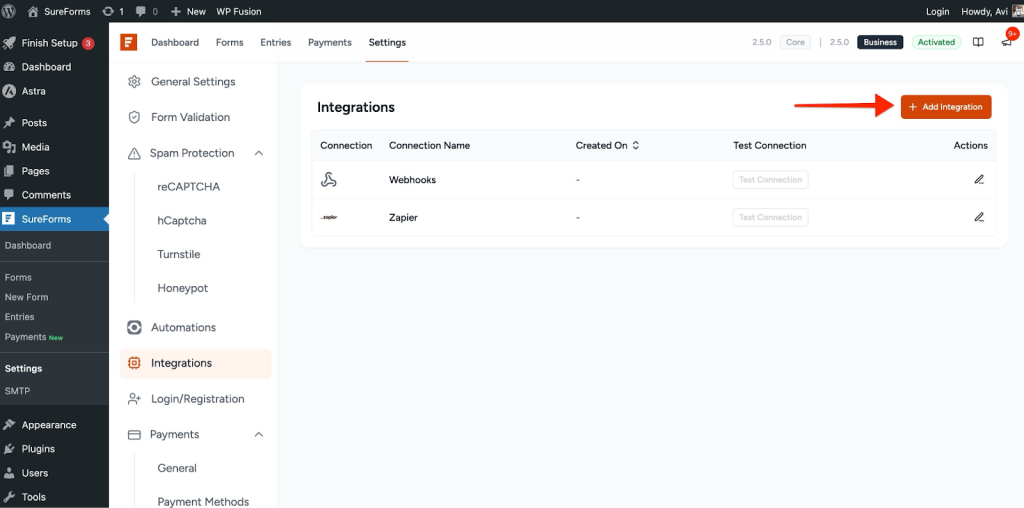
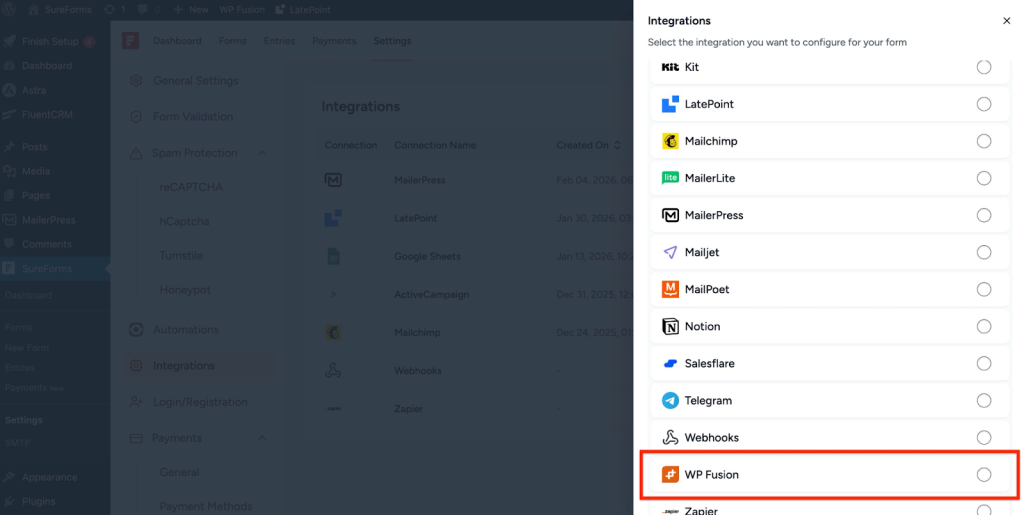
- Select WP Fusion from the list.
- Enable the integration toggle.
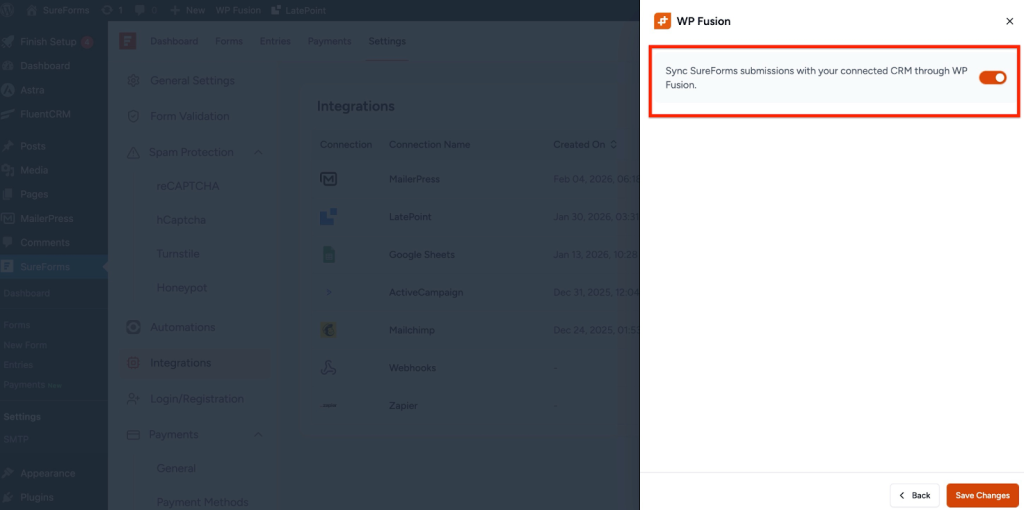
Once enabled, you’ll see a success message confirming the integration is ready.
Add WP Fusion to a Form
- Go to SureForms → Forms.
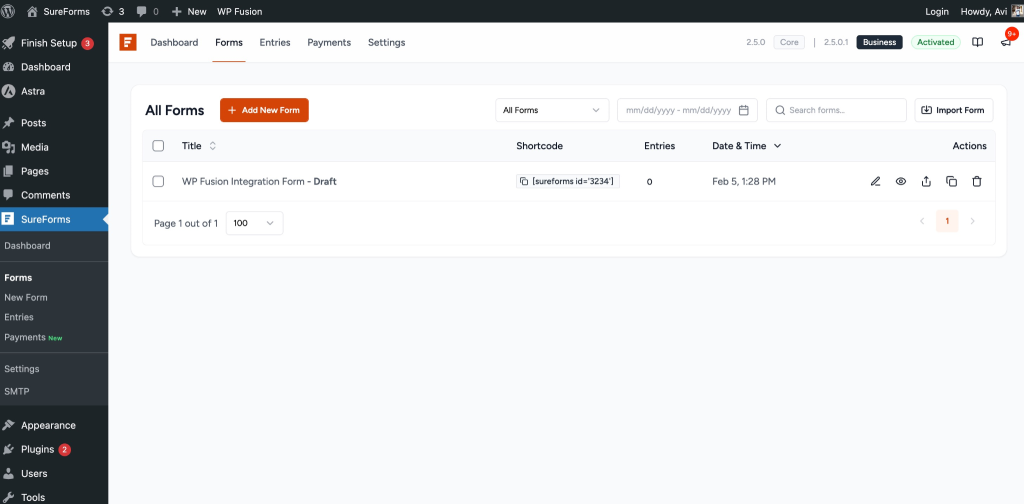
- Edit the form where you want to use WP Fusion.
- Inside the form editor, look at the top Form Settings option.
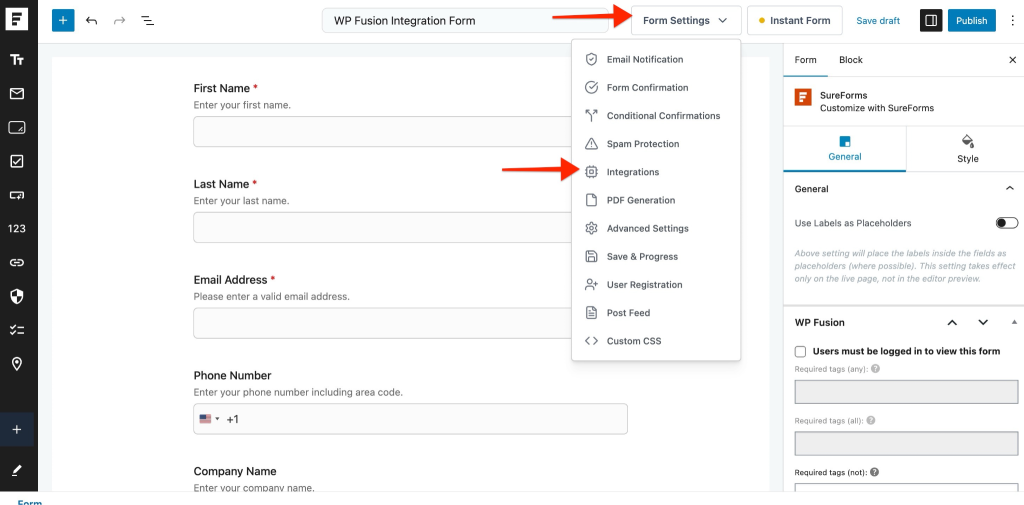
- Click the Integrations option form drop down.
- Click Add Integration.
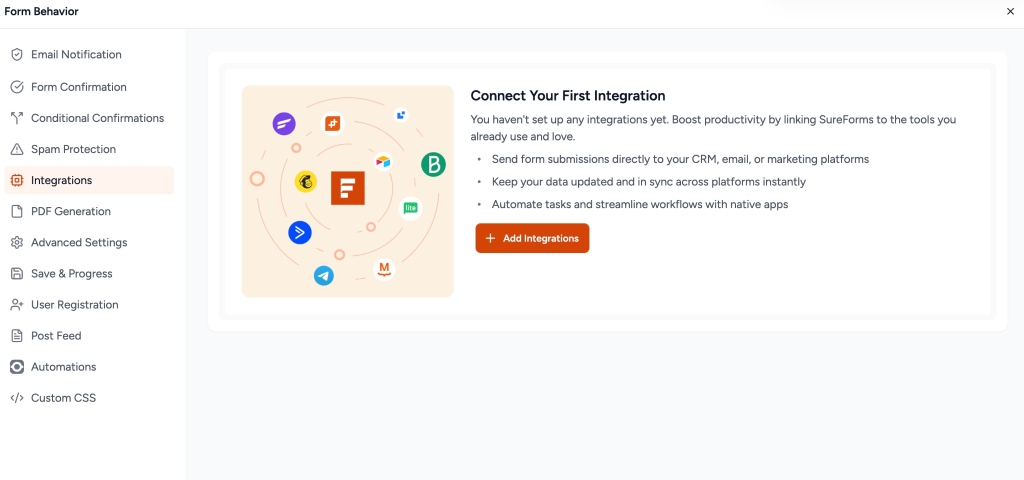
- Select WP Fusion from the available integrations.
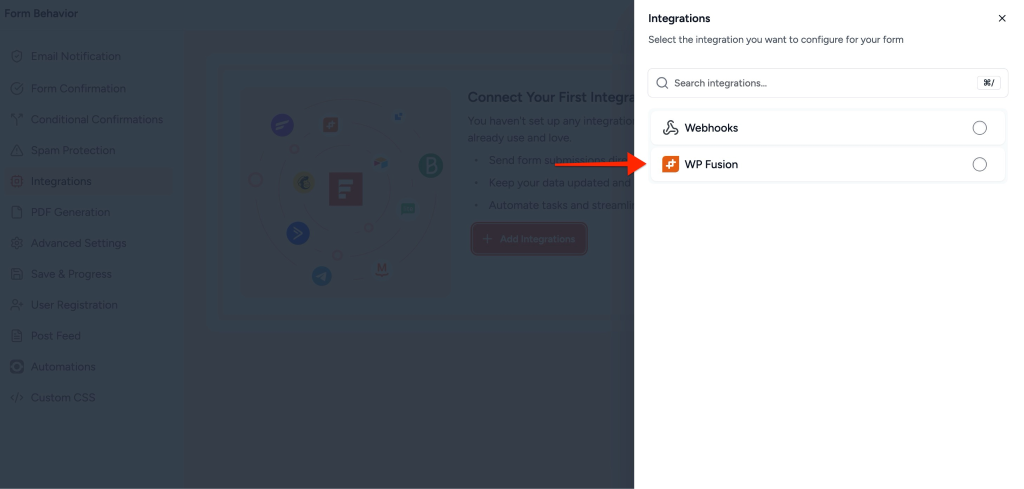
Configure the WP Fusion Workflow
After adding WP Fusion, you’ll need to configure the workflow. This is done in three simple steps.
1. Select Tab
- Enter a Workflow Name (for internal reference).
- Choose the Action you want to perform.
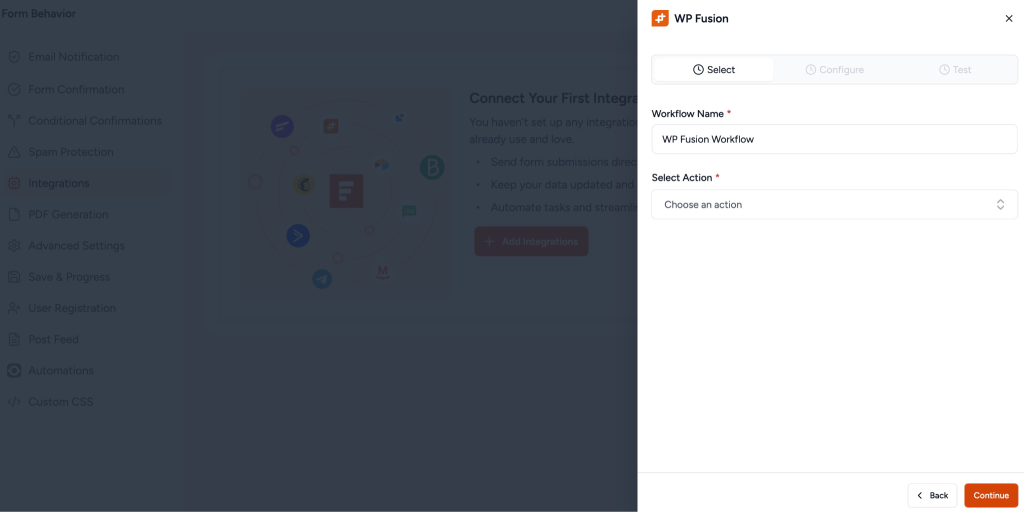
Available actions may include:
- Sync Contact
- Apply Tags
- Assign Lists
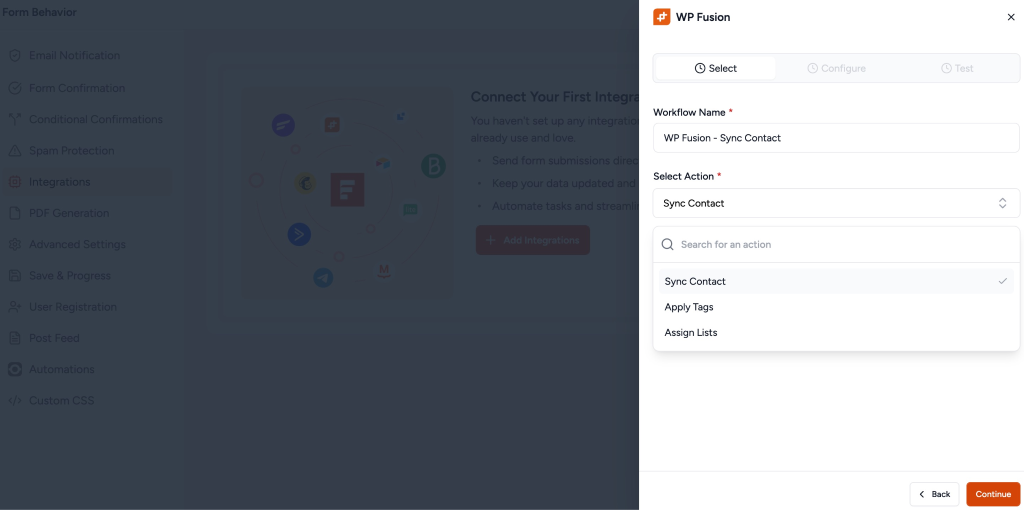
Click Continue to proceed.
2. Configure Tab
In this step, map your SureForms fields to WP Fusion fields.
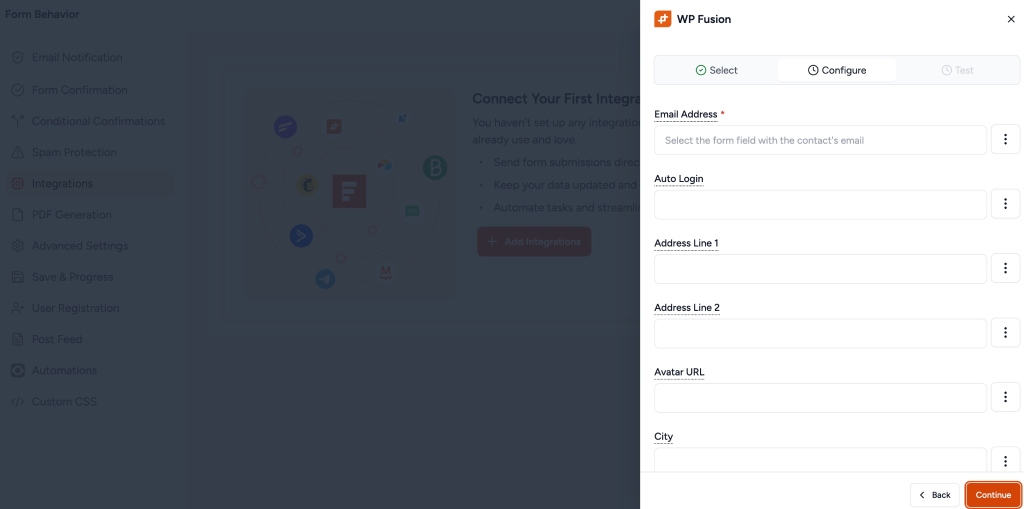
After mapping, click Continue.
3. Test Tab
- Click Test Workflow to verify the integration.
- If everything is configured correctly, you’ll see a success message.WordPress plugin workflow “WP Fusion -Sync Contact” tested successfully! The integration is working correctly.
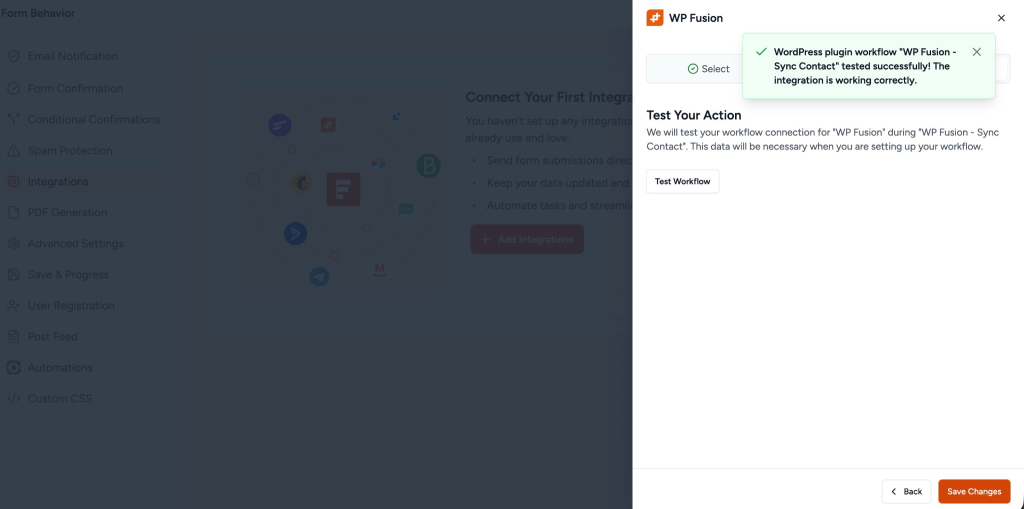
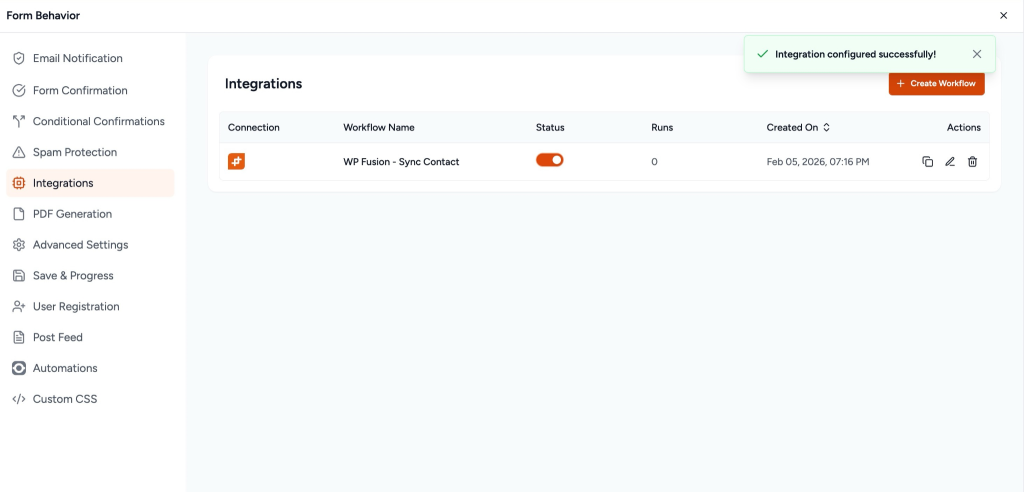
Click Save Changes to activate the workflow.
Troubleshooting Tips
- Make sure WP Fusion is connected to your CRM.
- Ensure the Email field is mapped correctly.
- Test the workflow after every configuration change.
- Check WP Fusion logs if the data is not syncing as expected.
We don't respond to the article feedback, we use it to improve our support content.