
- Creating and Publishing a Form
- Conversational Form
- Create Multi Step Forms In WordPress
- Using Calculations in SureForms: A Step-by-Step Guide
- Calculation Formula Guide
- SureForms Login Block – Step-by-Step Guide
- SureForms Registration Block – Step-by-Step Guide
- SureForms – PDF Generation Feature
- GDPR Compliant Forms
- Create WordPress Forms With Conditional Logic
- Adjust Form Notification Emails
- Form Confirmation
- Entries Management Feature Guide
- How to Add Query Parameters to Form Redirects
- How to Fetch Query Parameters from URL
- Set the “From Email” in SureForms
- Setting Up “Reply-To” Email Using Form Input Tags – SureForms
- Restrict Form Entries in SureForms
- Form Scheduling in SureForms
- Conditional Confirmations in SureForms
- How to Connect Your Stripe Account with SureForms
- How to Connect PayPal in SureForms
- How to Create a Payment Form in SureForms
- SureForms Payments
- How Refunds Work in SureForms Payments
- Understanding Payment Processing Fees
- How to Display the Payment Dashboard on the Frontend (SureForms)
- Enable One-Time Payment and Subscription in a Single Form
- SureForms Integration with ActiveCampaign
- SureForms Integration with AgileCRM
- SureForms Integration with Airtable
- SureForms Integration with LatePoint
- SureForms Integration with FluentCRM
- Connect SureForms To Zapier
- WordPress Forms with the Custom App Builder
- SureForms Integration with Telegram
- SureForms Integration with Breeze
- SureForms Integration with Brevo
- SureForms Integration with GetResponse
- SureForms Integration with Drip
- Integrating SureForms with OttoKit
- Webhooks
- Webhook Conditional Logic
- SureForms Integration with Salesflare
- SureForms Integration with Hostinger Reach
- SureForms Integration with MailPoet
- SureForms Integration with Mailchimp
- Conditional Logic with Integrations
- SureForms Integration with Zoho CRM
- SureForms Integration with Keap
- SureForms Integration with MailerPress
- SureForms Integration with Google Sheets
- SureForms Integration with Notion
- SureForms Integration with WP Fusion
- SureForms Integration with Kit
- SureForms Integration with Mailjet
- SureForms Integration with MailerLite
- HubSpot Integration in SureForms
- SureForms Integration with Klaviyo
- SureForms Integration with Constant Contact
- SureForms Integration with Bigin by Zoho CRM
- How to Sell Membership Access Using a SureForms Payment Form
- Unable to Upload SureForms ZIP: File Unzipped On Download
- Browser Support for SureForms
- Not Getting Update Notifications
- How To Rollback to Previous SureForms Versions
- Publishing Failed: Invalid JSON Response
- Troubleshooting Email Sending In SureForms
- SureForm Submissions Marked as Spam – How to Fix
- API Request Failed – Nonce Verification Error
- Fixing the “Destination folder already exists” Error When Installing SureForms
- How to Set Up SureForms with Caching Plugins
- srfm_enable_redirect_activation
- sureforms_plugin_action_links
- srfm_quick_sidebar_allowed_blocks
- srfm_integrated_plugins
- srfm_suretriggers_integration_data_filter
- srfm_form_submit_response
- srfm_enable_gutenberg_post_types
- srfm_languages_directory
- srfm_form_template
- srfm_disable_nps_survey
How to Sell Membership Access Using a SureForms Payment Form
Want to sell a course, a community, or any gated content and give access automatically the moment someone pays? SureForms lets you accept the payment, and with the SureMembers integration, you can grant the buyer membership access right away, no manual work needed. If the subscription is cancelled or the payment is fully refunded, access is revoked automatically too.
Before You Begin
- SureMembers plugin must be installed and active.
- You should already have your membership(s) created in SureMembers.
- Your SureForms form should include a Payment block with your pricing and payment gateway set up.
Steps
Step 1: Enable the SureMembers Integration
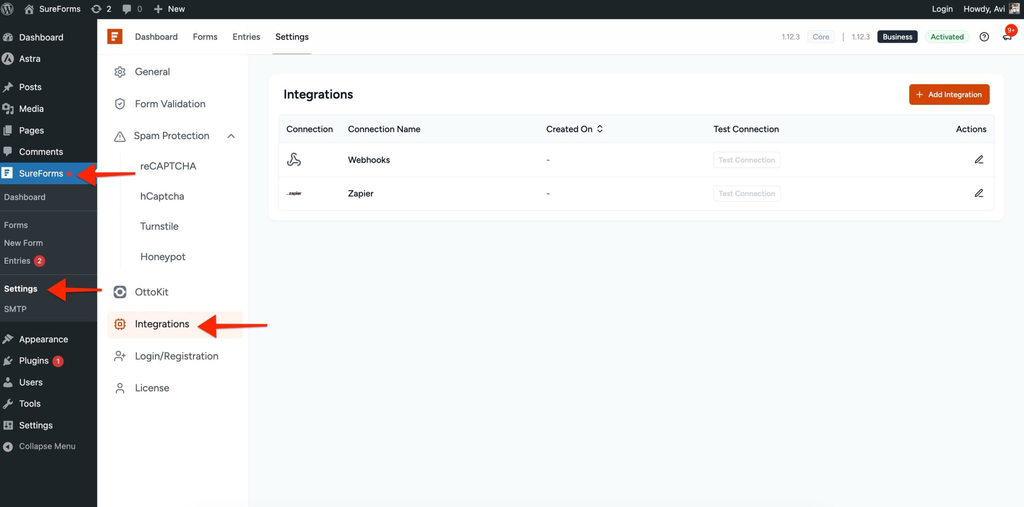
- Go to SureForms > Settings > Integrations.
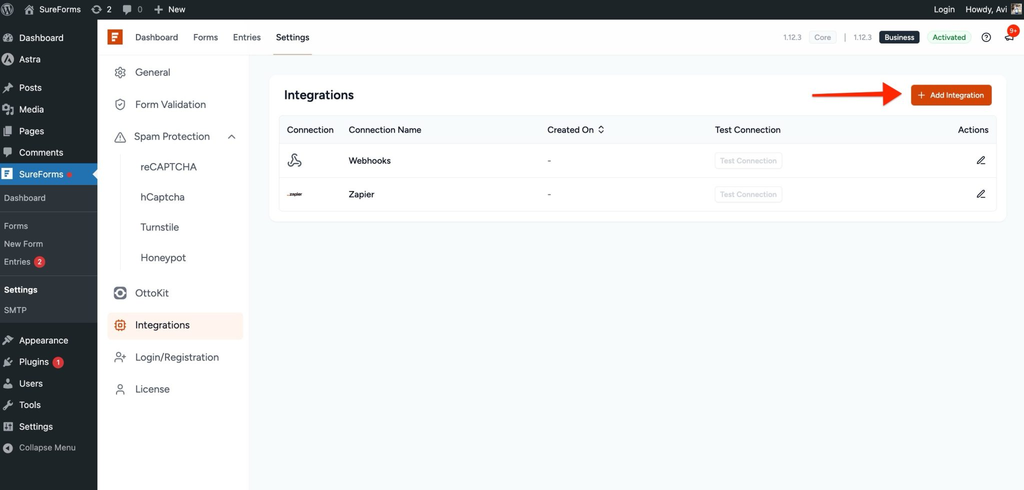
- Click Add Integrations.
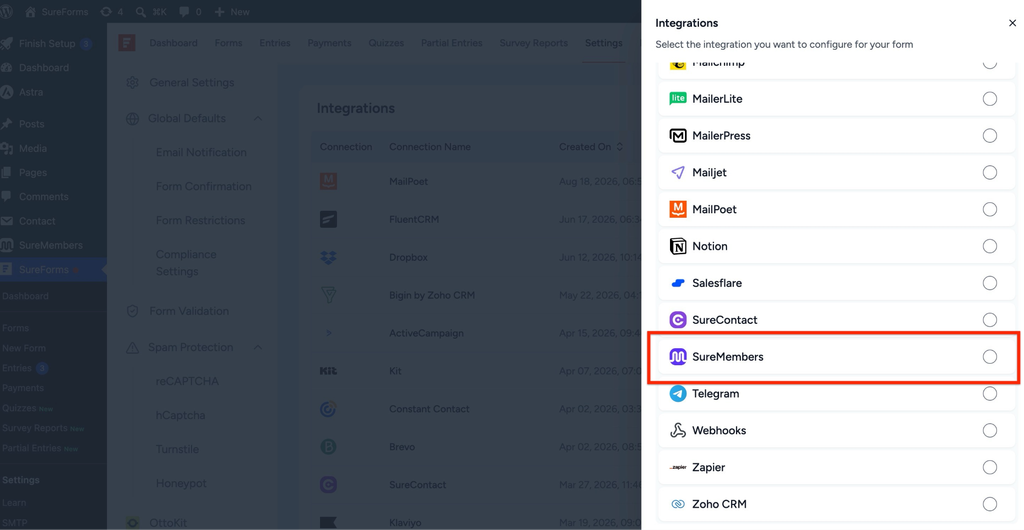
- Search for SureMembers and select it.
- Enable the option “Grant SureMembers memberships when a SureForms payment completes, and revoke them on cancellation or refund.”
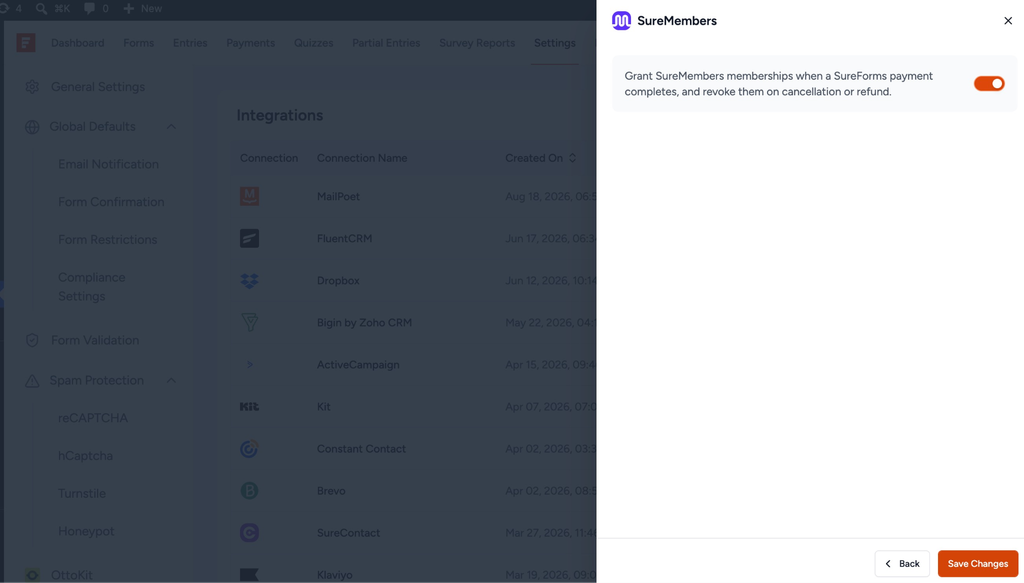
- Click Save Changes.
This step only needs to be done once. After this, any form on your site can connect to SureMembers.
Step 2: Connect Your Payment Form to a Membership
- Open the form that has your Payment block.
- Click Form Settings in the top menu bar.
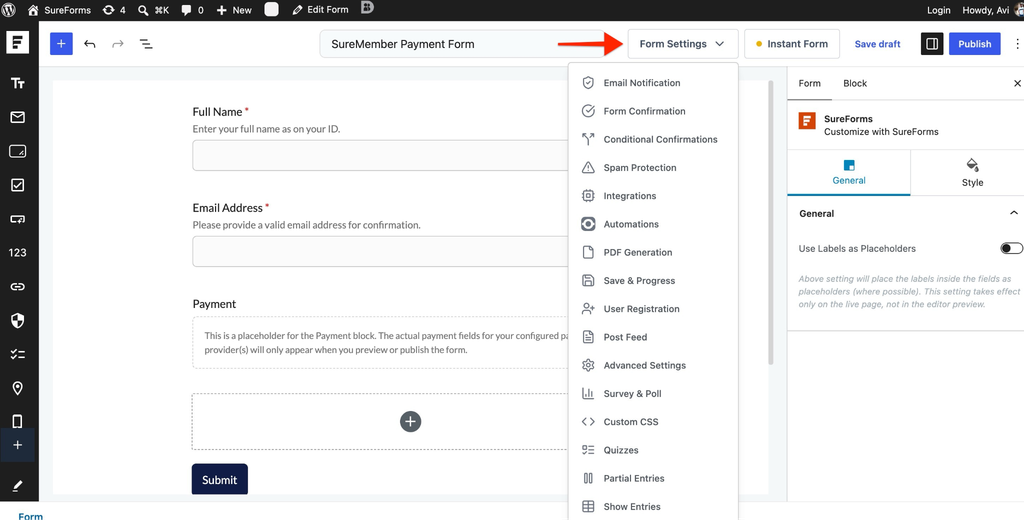
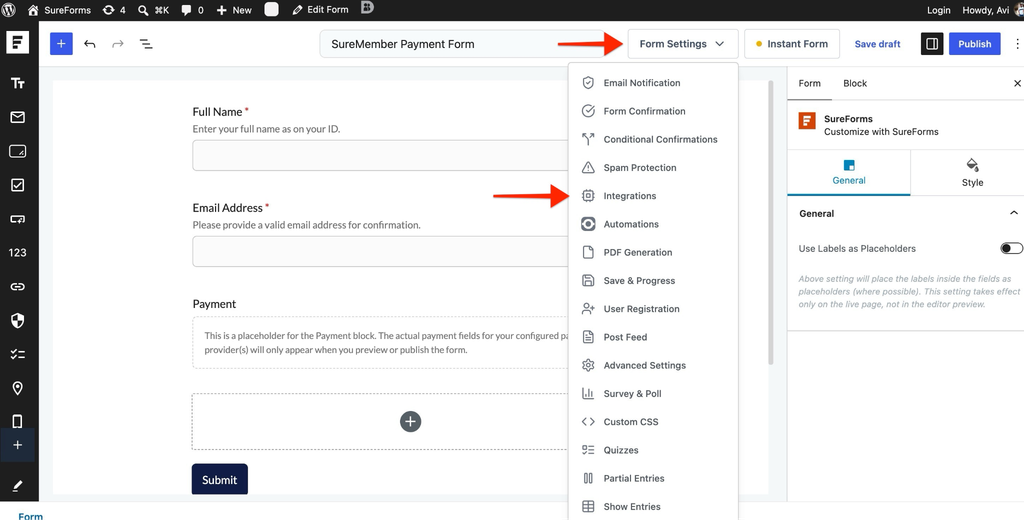
- Click Integrations.
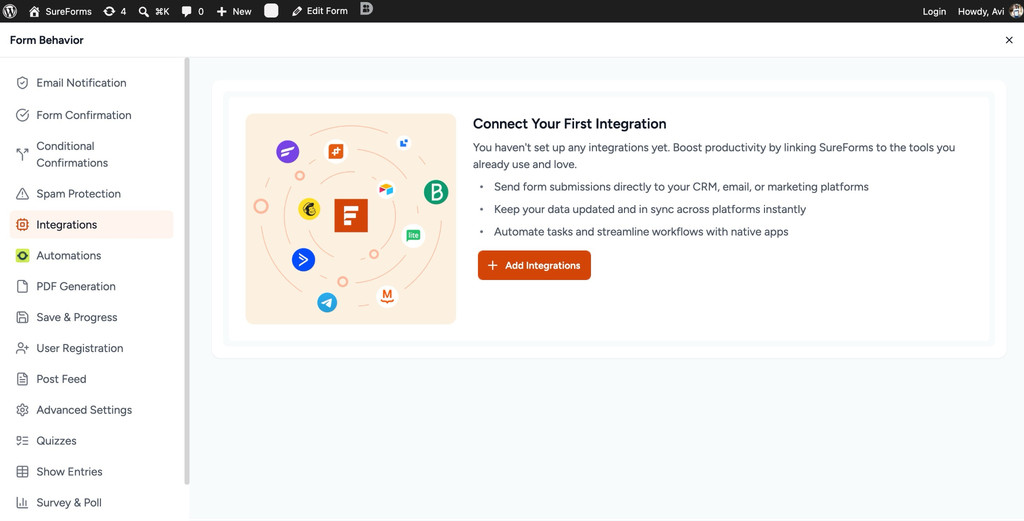
- Click + Add Integrations.
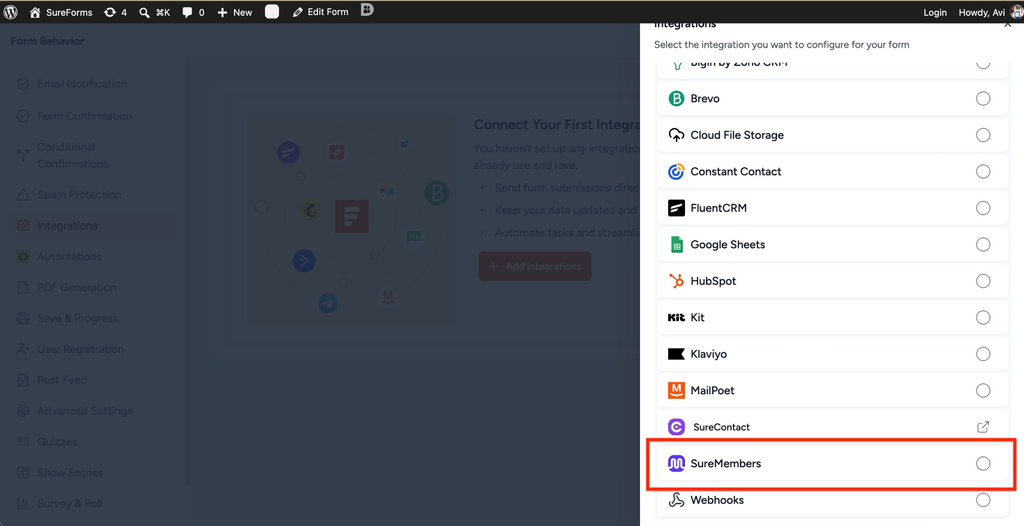
- Select SureMembers from the flyout menu.
Step 3: Set Up the Workflow
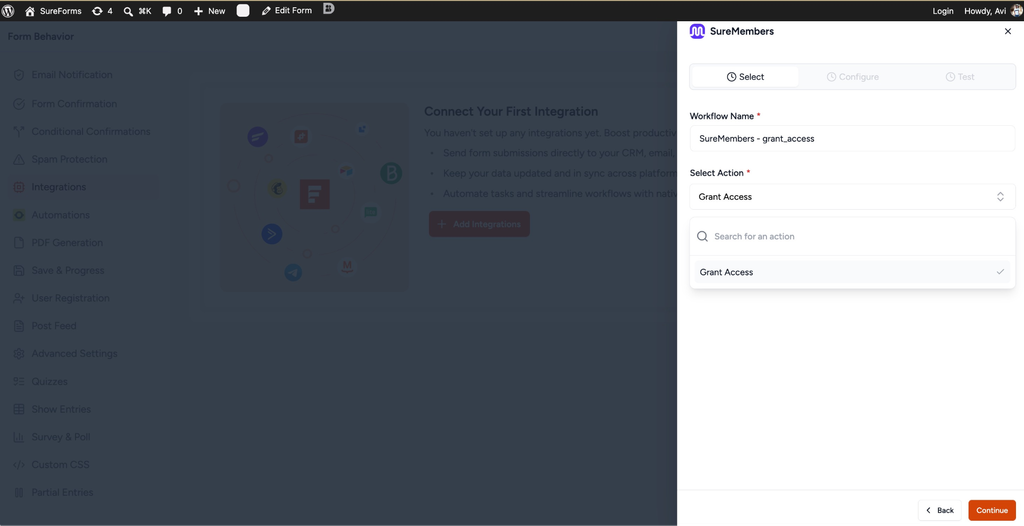
- Enter a Workflow Name (for example, “Course Name – Grant Access”).
- Select Grant Access under Select Action.
- Click Continue.
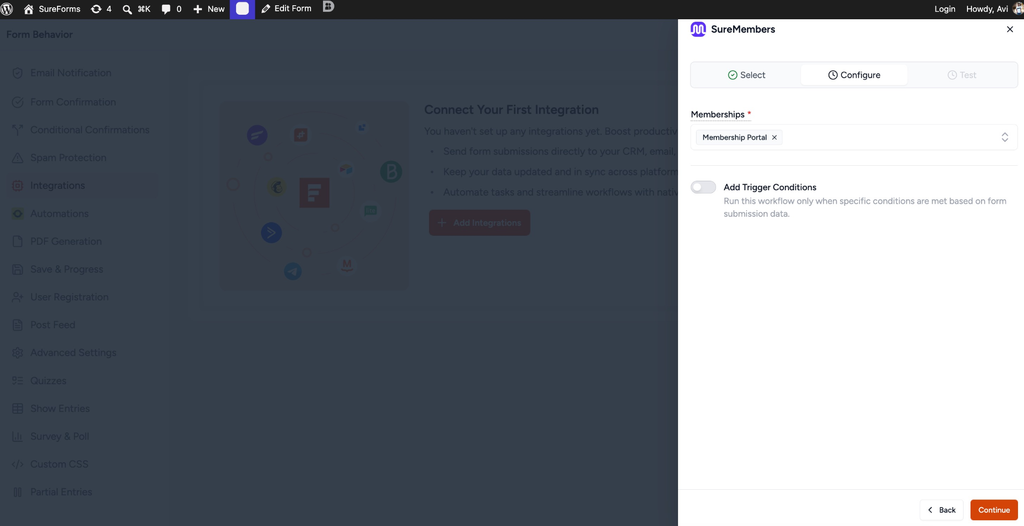
- Under the Configure tab, select the Membership(s) you want the buyer to receive.
- Optionally, turn on Add Trigger Conditions to run this workflow only when specific conditions are met based on form submission data.
- Click Continue.
Step 4: Test and Save
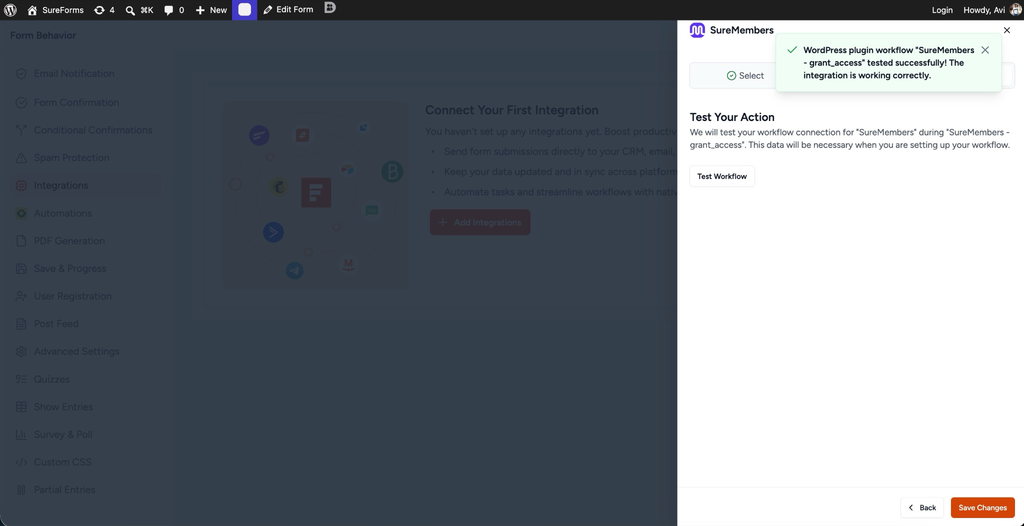
- Click Test Workflow.
- You’ll see a success message confirming the workflow is working correctly.
- Click Save Changes.
What You’ll See
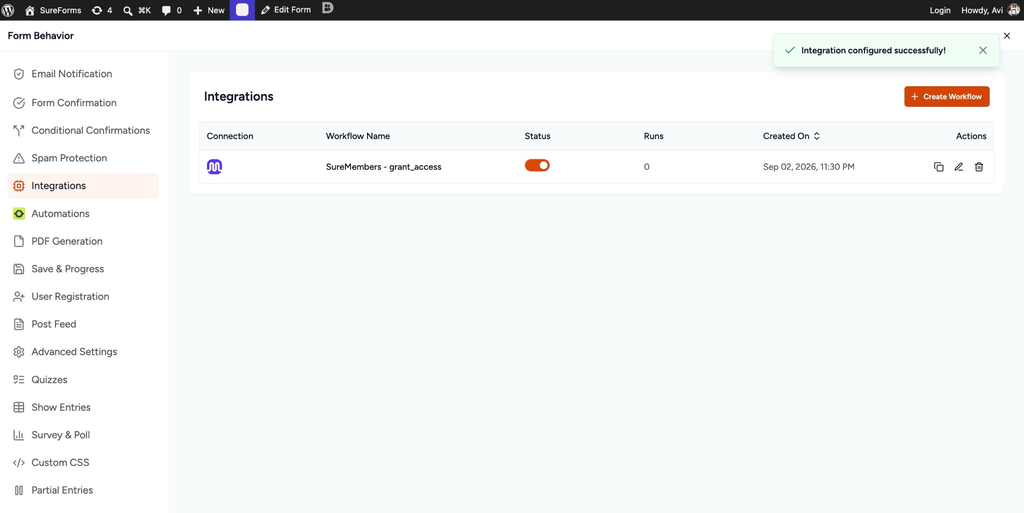
Your workflow now appears under Form Settings > Integrations, along with its status, run count, and creation date. From here you can turn it on or off, edit it, duplicate it, or remove it whenever you need to.
That’s it. Your payment form is now connected to SureMembers, so every completed payment grants access automatically, and every cancellation or refund removes it just as smoothly.
If you have any questions or need further help, feel free to reach out to our support team. We’re always happy to help!
We don't respond to the article feedback, we use it to improve our support content.