
- Enable IP Logging
- Form Confirmation
- How to Add Query Parameters to Form Redirects
- Restrict Form Entries in SureForms
- Form Restriction in SureForms
- Form Scheduling in SureForms
- Conditional Confirmations in SureForms
- Global Defaults in SureForms
- How to Enable Distraction Free Mode in SureForms
- Manage Features in SureForms
- Create Multi Step Forms In WordPress
- Create WordPress Forms With Conditional Logic
- How to Fetch Query Parameters from URL
- Conversational Form
- Using Calculations in SureForms: A Step-by-Step Guide
- Calculation Formula Guide
- SureForms – PDF Generation Feature
- How to Add Smart Tags as Default Values in SureForms
- Adding Custom Posts Using SureForms
- How to Use Conditional Logic in SureForms
- How to Connect Your Stripe Account with SureForms
- How to Connect PayPal in SureForms
- How to Create a Payment Form in SureForms
- SureForms Payments
- How Refunds Work in SureForms Payments
- Understanding Payment Processing Fees
- How to Display the Payment Dashboard on the Frontend (SureForms)
- Enable One-Time Payment and Subscription in a Single Form
- SureForms Integration with ActiveCampaign
- SureForms Integration with AgileCRM
- SureForms Integration with Airtable
- SureForms Integration with LatePoint
- SureForms Integration with FluentCRM
- Connect SureForms To Zapier
- WordPress Forms with the Custom App Builder
- SureForms Integration with Telegram
- SureForms Integration with Breeze
- SureForms Integration with Brevo
- srfm_enable_redirect_activation
- sureforms_plugin_action_links
- srfm_quick_sidebar_allowed_blocks
- srfm_integrated_plugins
- srfm_suretriggers_integration_data_filter
- srfm_form_submit_response
- srfm_enable_gutenberg_post_types
- srfm_languages_directory
- srfm_form_template
- srfm_disable_nps_survey
- Unable to Upload SureForms ZIP: File Unzipped On Download
- Not Getting Update Notifications
- How To Rollback to Previous SureForms Versions
- Publishing Failed: Invalid JSON Response
- Troubleshooting Email Sending In SureForms
- SureForm Submissions Marked as Spam – How to Fix
- API Request Failed – Nonce Verification Error
- Fixing the “Destination folder already exists” Error When Installing SureForms
- How to Set Up SureForms with Caching Plugins
- How to Set Up SureForms with WP Rocket
Managing Forms
Are you looking to manage your WordPress forms easily? SureForms lets you manage and organize all your forms directly from the WordPress dashboard.
In this article, we’ll show you how simple form management is in SureForms.
Accessing Your Forms
Navigate to SureForms > Forms to see the list of all your forms and their entry counts.
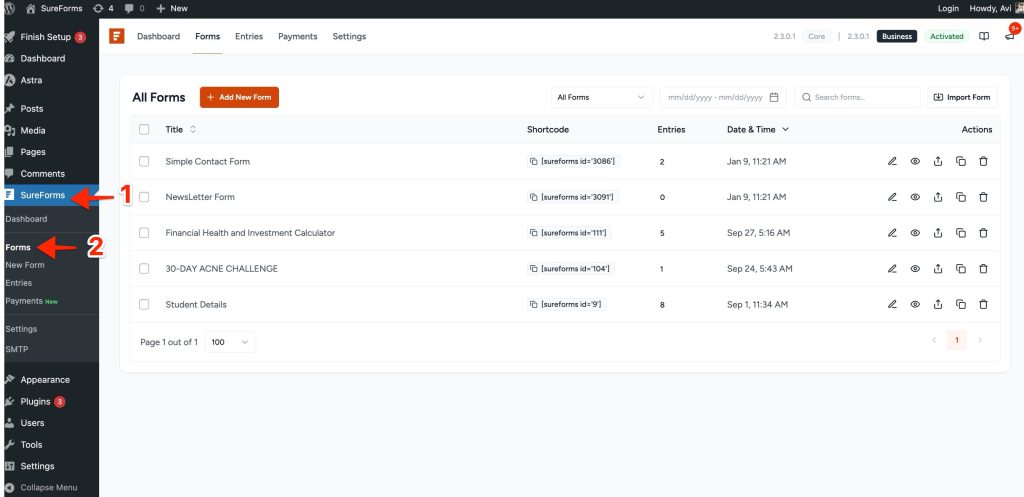
You can add a new form here by clicking the Add New Form button.
Click here to learn more about adding and publishing forms in SureForms.
Form Options Overview
When you hover over any form, you’ll see the following options:
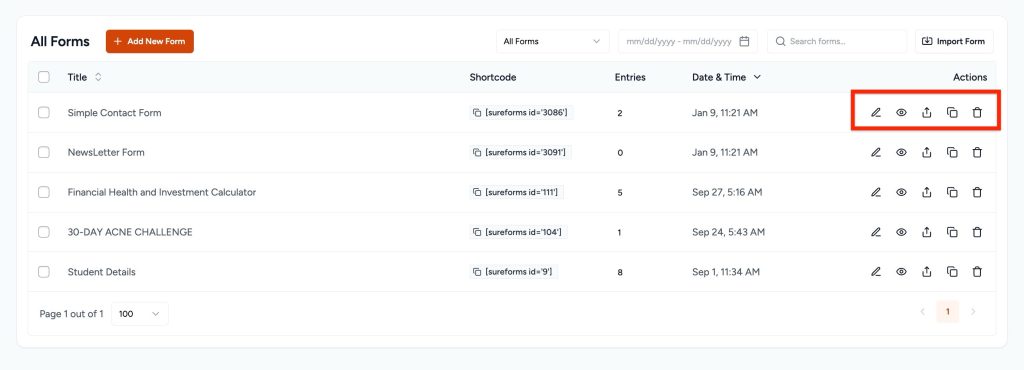
Let’s see what each of them does:
- Edit: Opens the form in the builder for detailed editing.
- Preview: Displays a preview of the form.
- Export: Downloads the form data as a JSON file.
- Duplicate: This will create a copy of “Form” with all its settings.
- Trash: Moves the form to the “Trash” section, where you can restore it if needed. Once you delete it from the trash, you cannot restore it.
Filtering and Managing Multiple Forms
SureForms has bulk options that allow you to import, delete, and search forms. To do that:
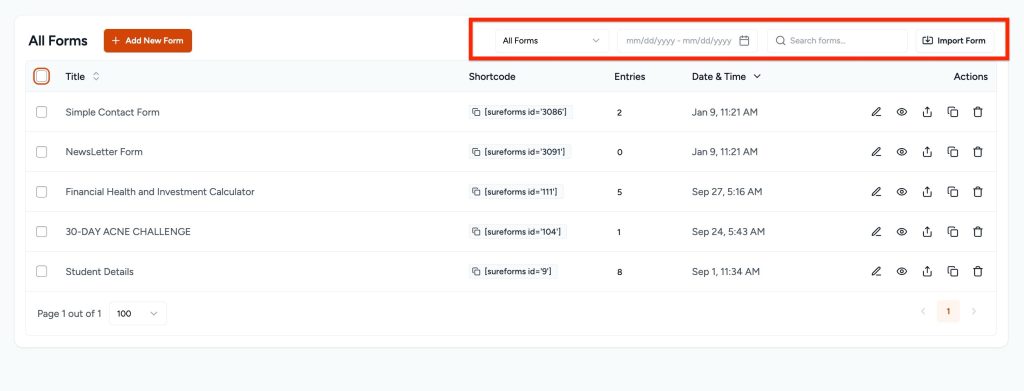
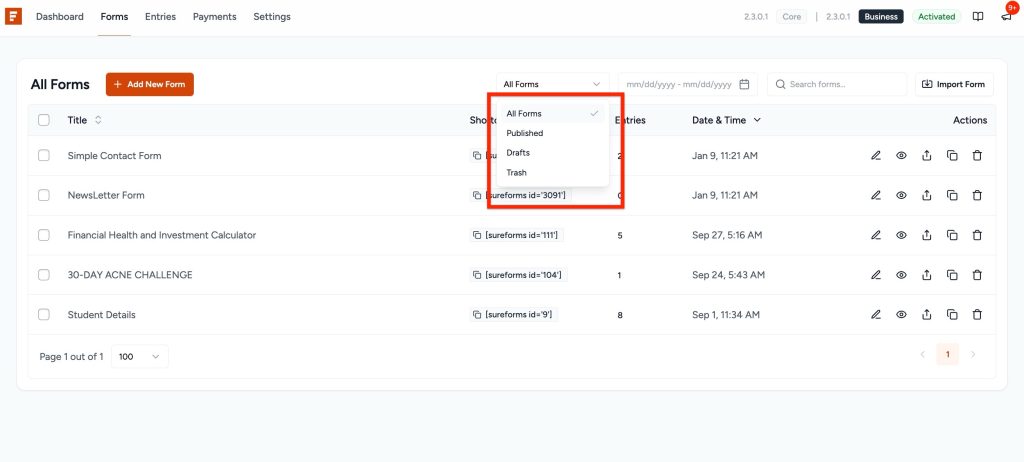
- Drop- Down All Forms: It will help you select Published, Drafts, or Trash forms.
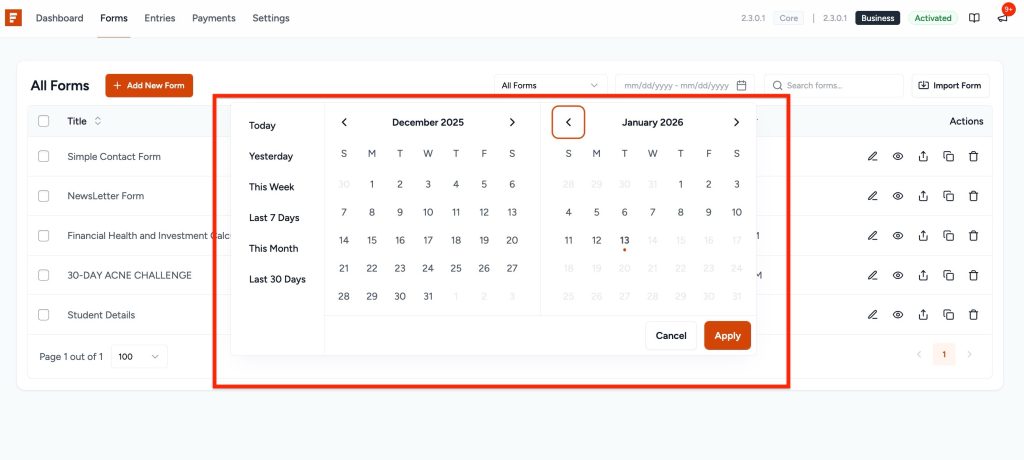
- Date filter: You can filter these forms by date using Today, Yesterday, This Week, Last 7 Days, and This Month/Last 30 Days, then clicking the Filter button.
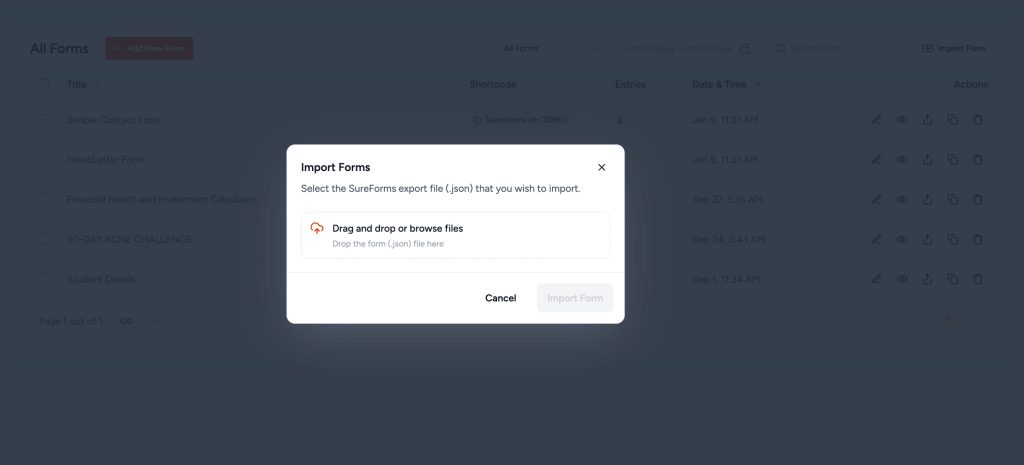
- Import Forms: Select the SureForms export file (.json) you wish to import.
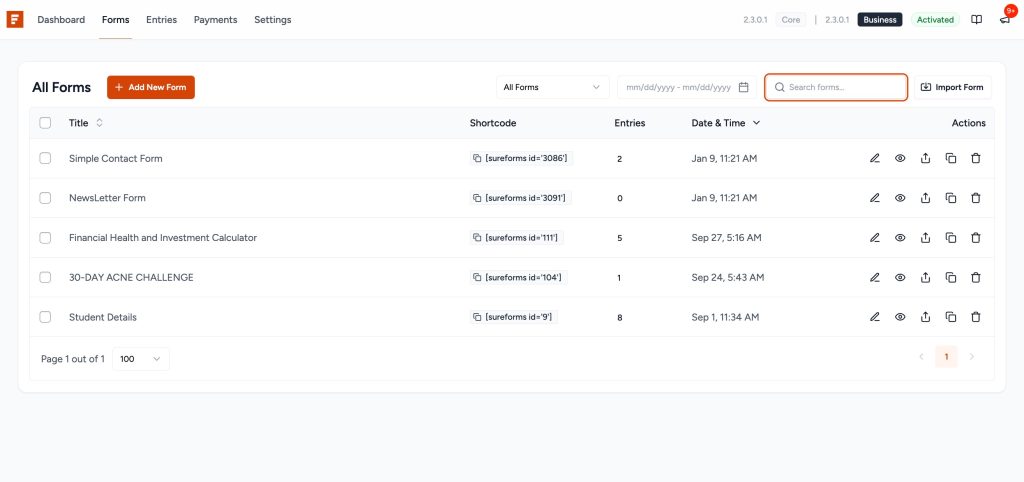
- Searching Forms: To find a specific form, enter keywords in the search bar at the top and click Search Forms.
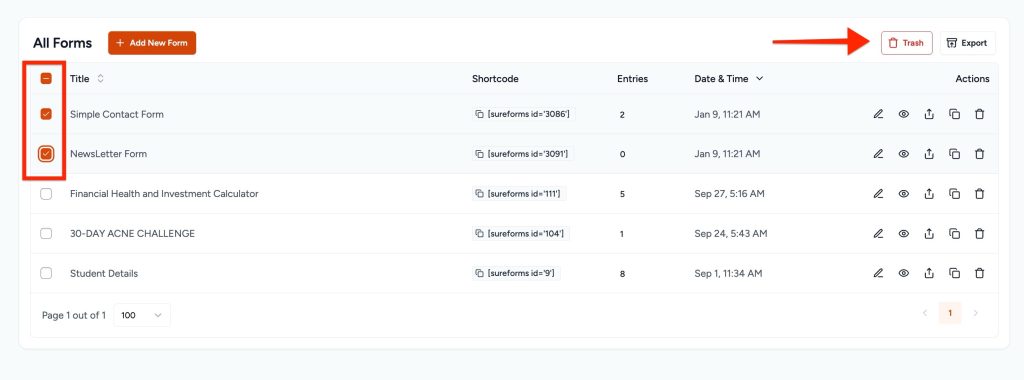
- Delete Forms: Select the form you would like to trash.
That’s all! We hope this guide helped you. If you have any other questions, please feel free to contact us.
We don't respond to the article feedback, we use it to improve our support content.